Just thought we could use this as a sticky perhaps. This is a step-by-step instruction on how to make a bootable CD/DVD. This uses the software called nLite. (Courtesy of TofiBaba; Thanks again)
Follow The instructions and you’ll have a Bootable OS in no time!
Questions welcome!
**1. COPY THE OS FILES INTO A FOLDER, name it anything you want.
** **2. Open up nLite, and click Next
** 3. Click Browse to locate the folder you’ve created. 4. After the folder has loaded, you will see your OS information below.
5. Now with the folder loaded, Click NEXT
6. Click NEXT
7a. Click ALL
7b. Click OK
8. Click NEXT
9. Click NEXT
10. Click NEXT
11. Check all the boxes, and then click OK
12. Click NEXT
13. Click Next
*(Notice: Press Any Key…boot message enabled)*14. Click NEXT
15. Click NEXT
16. Click YES to start processing folder files for burning
17. After the processing is done, click NEXT
18a. Notice under MODE (Create Image), click on Drop Menu
18b. Select Direct Burn (to burn directly to CD/DVD using your burning device)
19. Click Burn
After it has finished burning, Click Finish or you may just exit out of the program. The CD/DVD is now bootable, and you may reboot your pc and use it to boot/install OS.
This was made using an OS of XP PRO, so the information i have on the screen may vary depending on the OS you’re trying to copy, nonetheless, steps are all the same.
yes u can TLK. It will make your CD/DVD as if it’s the one you buy from the store, that when u put it in and reboot ur pc, it asks you ‘press any key to boot from cd…’
and after that windows starts to load the files necessary to do a fresh install, it asks you about partition, etc. etc. and then installs it fresh.
if you want to do Vista…the program for that is vLite. Same idea basically, just different Operating system.
nLite is only for XP and other OS’s i believe. The demo i use up there is with XP.
I’m working on make a tutorial for Vista right now, should be up by tomorrow.
Okay , so help me out here. If I do this .. and something happnes to my machine and I want to do a fresh install . I can use that CD/DVD to do that..
The reason I am asking cause I bought this laptop with Vista Premium and it doesnot have a recovery disk .. .I want to create one ...
can I do that using this software
What you need Tariq is Norton Ghost. You build up the PC exactly how you want it and then "ghost" it (create a replica) with all the settings and drivers etc. Then if something goes wrong (hd crashes, viruses etc etc) u just "re-ghost" the machine and it goes back to the original settings.
You copy the OS files from the DVD. Or wherever you got the files from. For my network i keep the OS files on a network drive so i can have access to it from anywhere on the network. You would create the bootable DVD for Vista and then install Vista on a different computer or drive. So there wouldn't be any files for Vista to delete.
U either see if there's an option to create the installation disks or go buy another copy. Usually laptops these days do have install disk creation option. What make/model is ur lappy? Lenovo (and some others) actually have an extra button on top of the keyboard which you can press to go into a re-install mode.
 **1. COPY THE OS FILES INTO A FOLDER, name it anything you want.
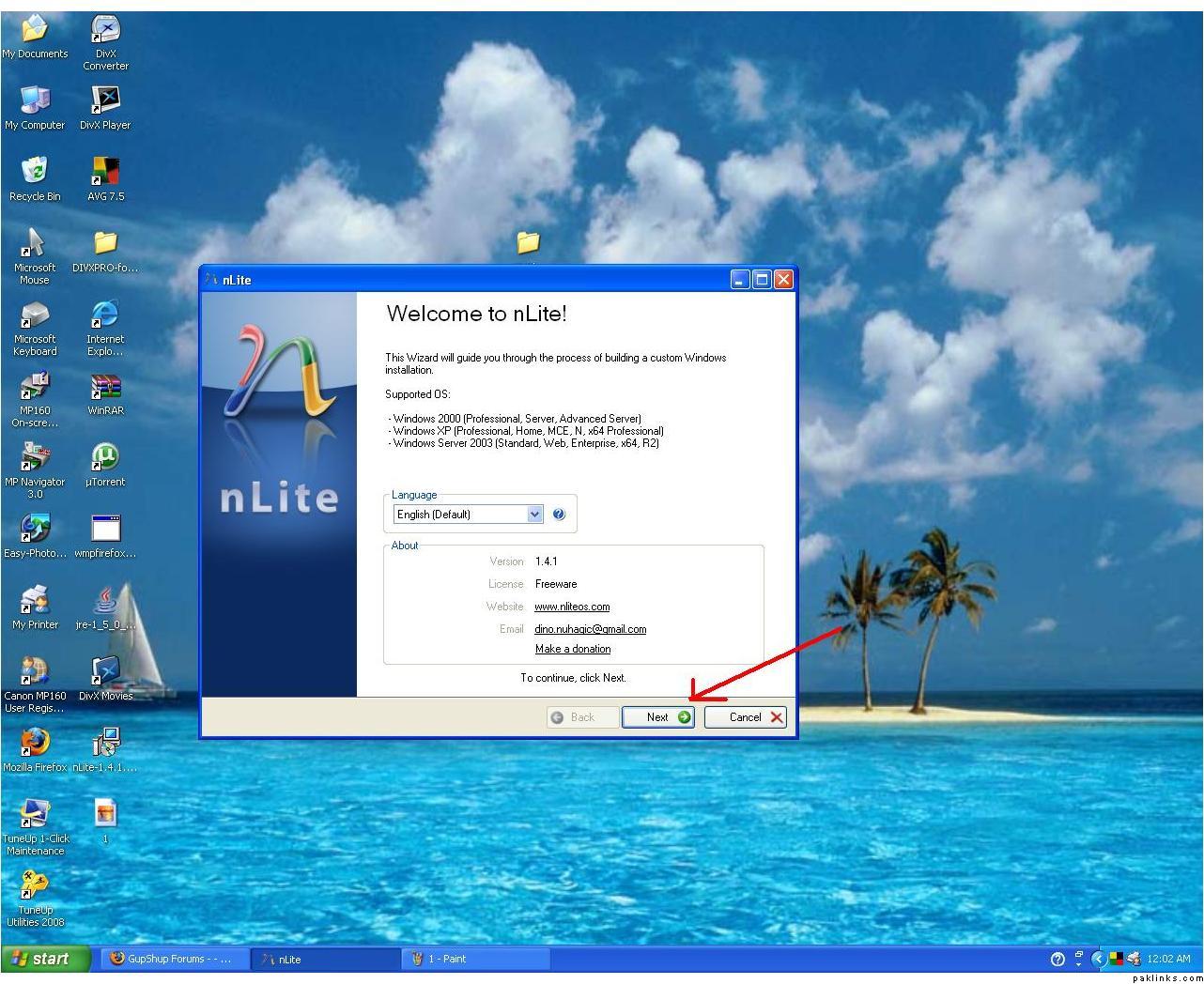 **2. Open up nLite, and click Next
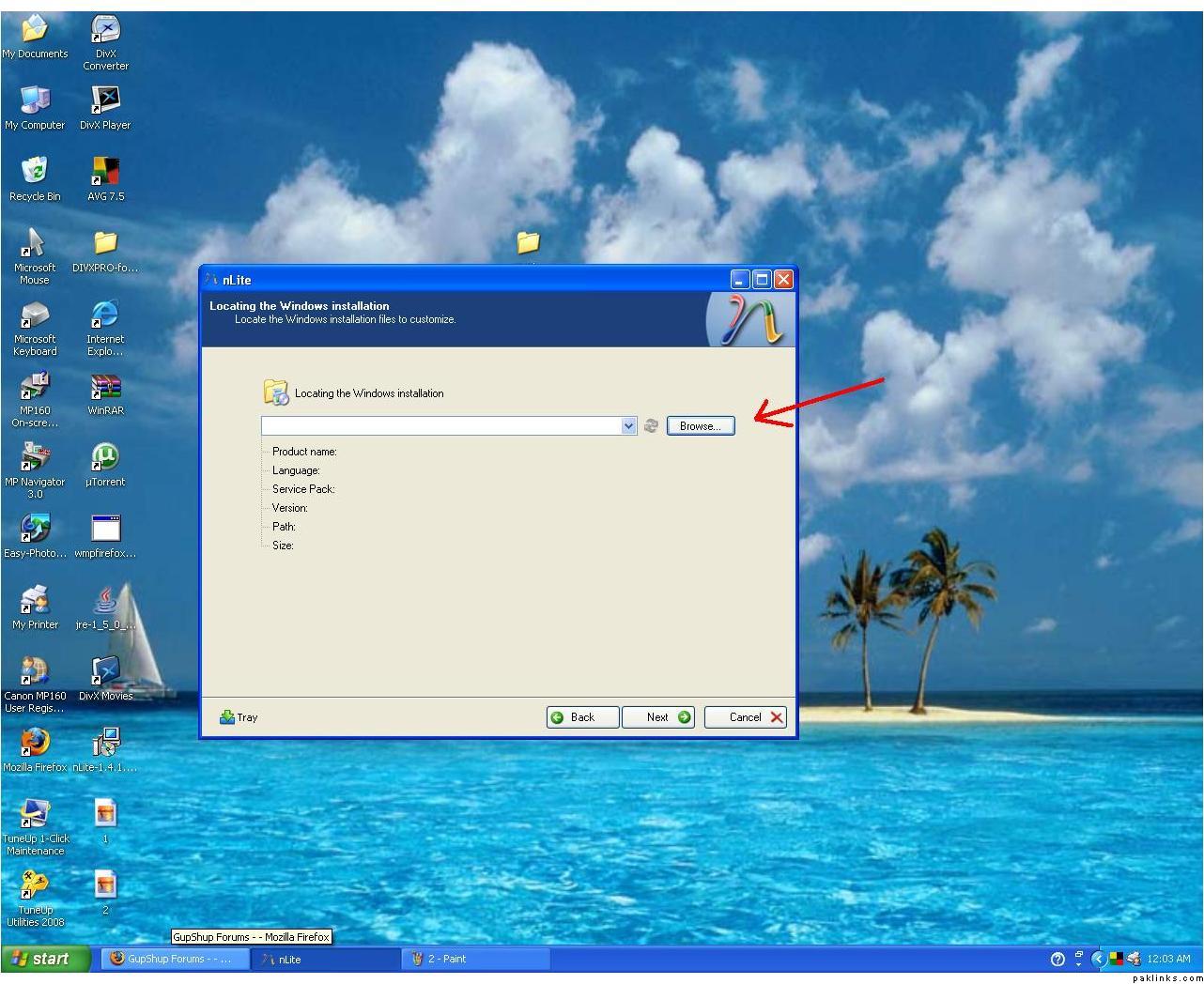 3. Click Browse to locate the folder you’ve created.
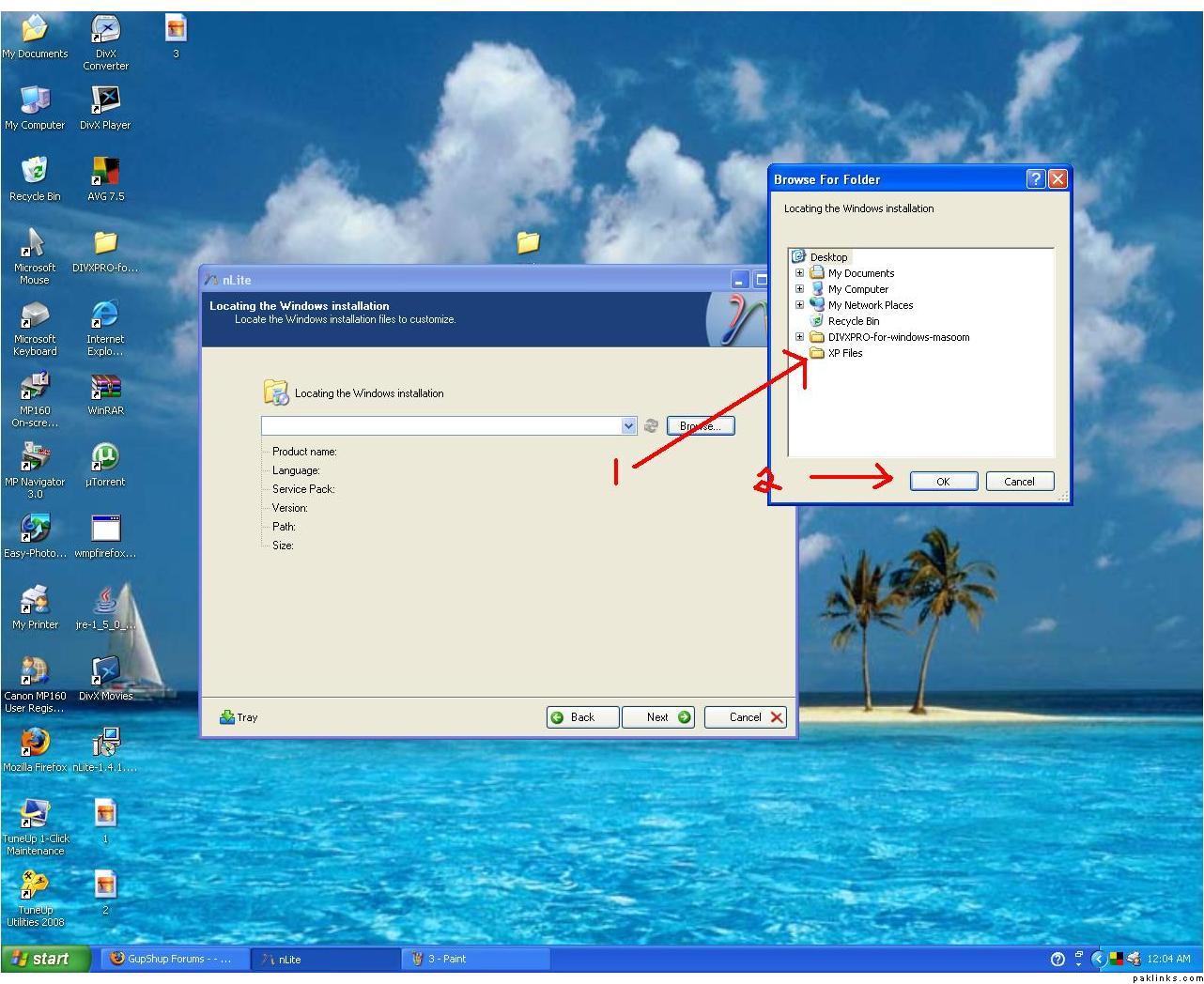 4. After the folder has loaded, you will see your OS information below.
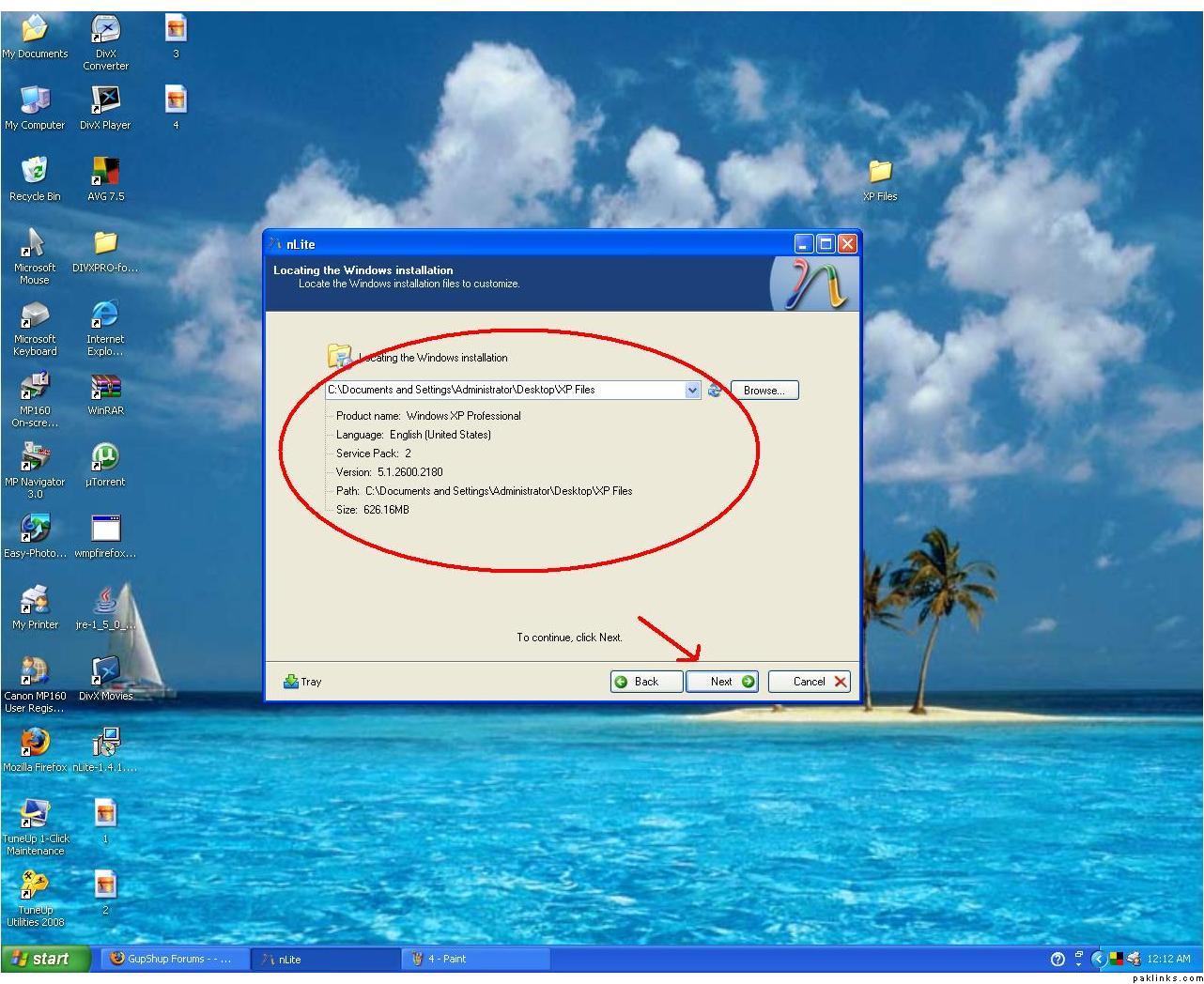 5. Now with the folder loaded, Click NEXT
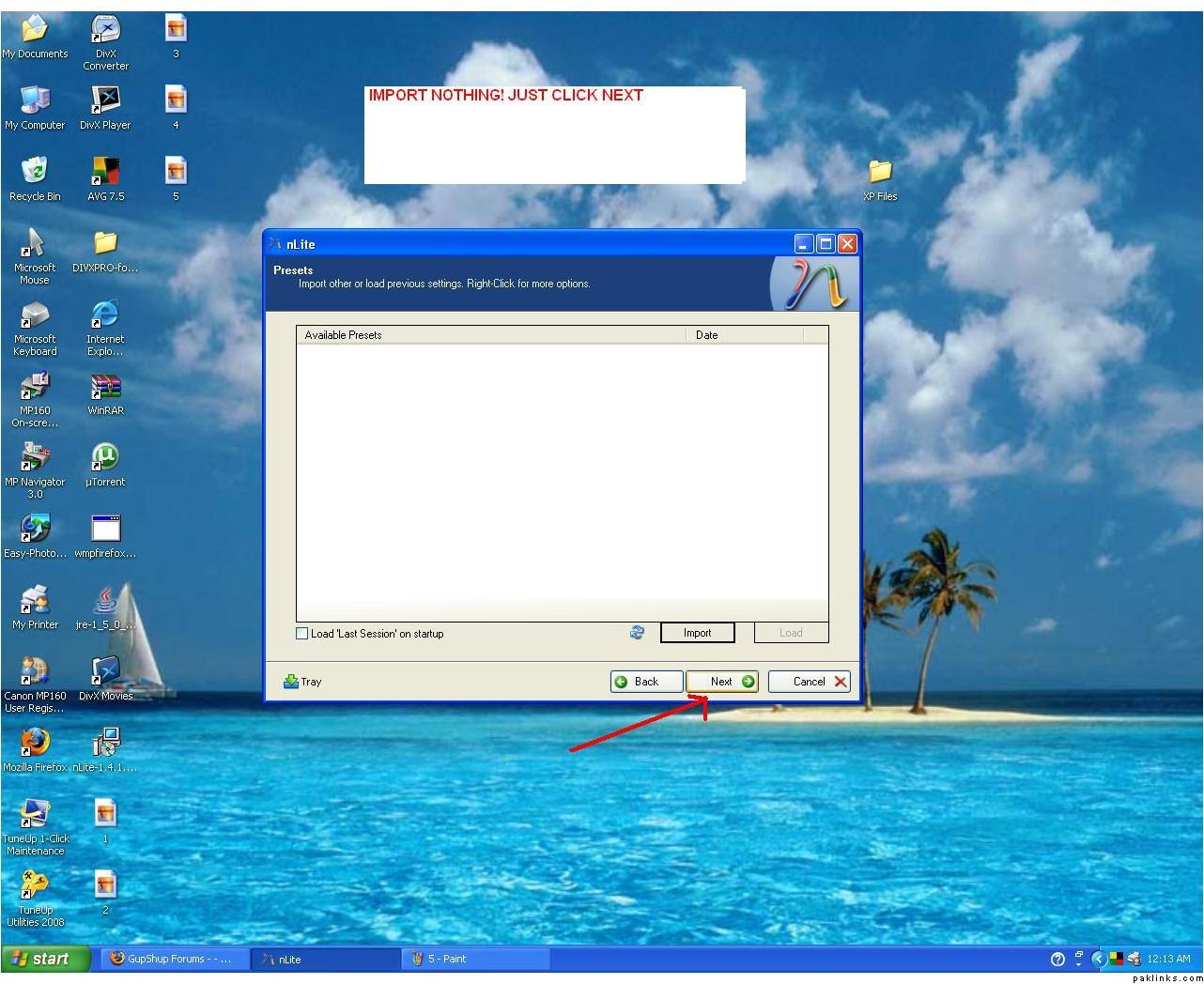 6. Click NEXT
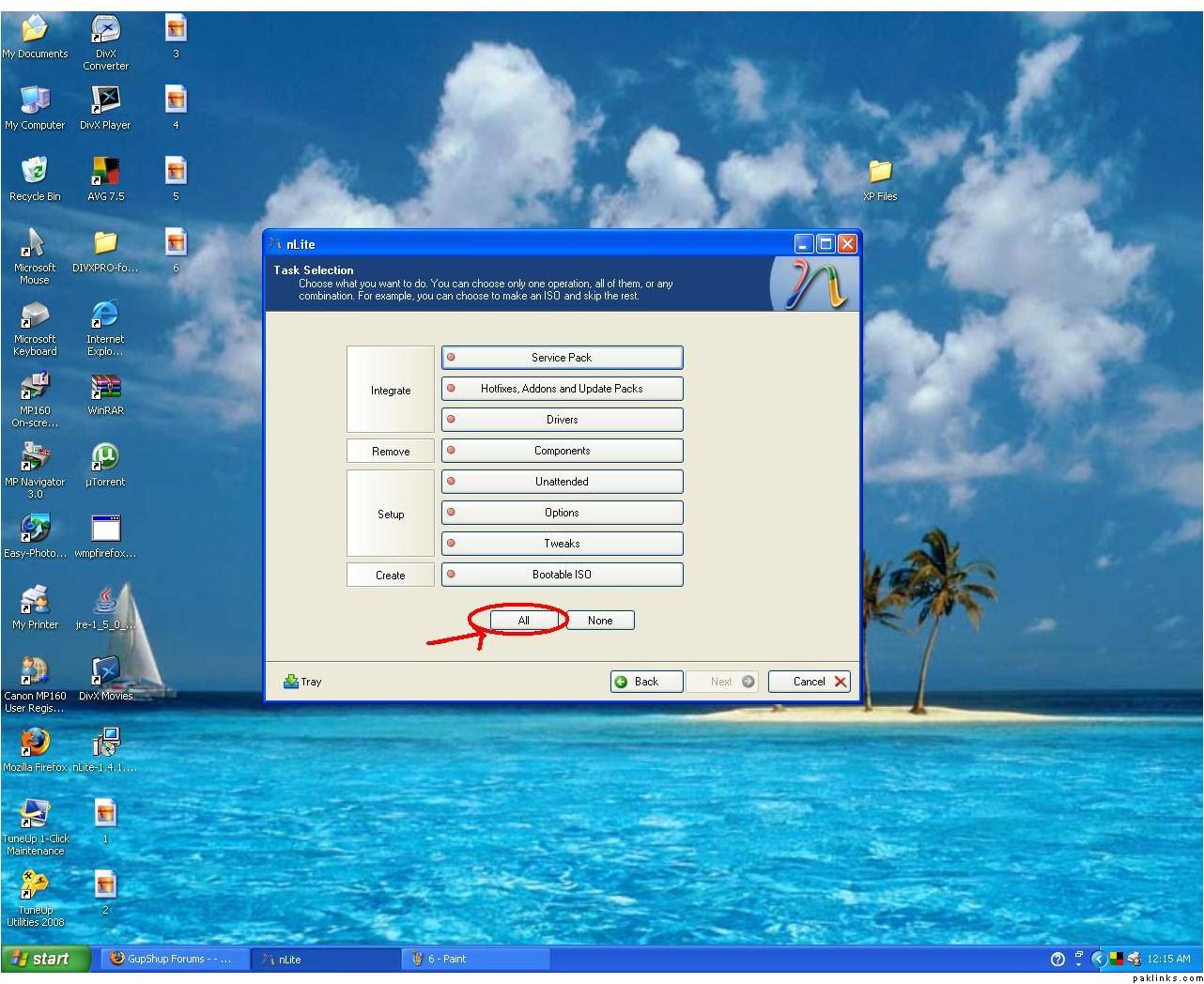 7a. Click ALL
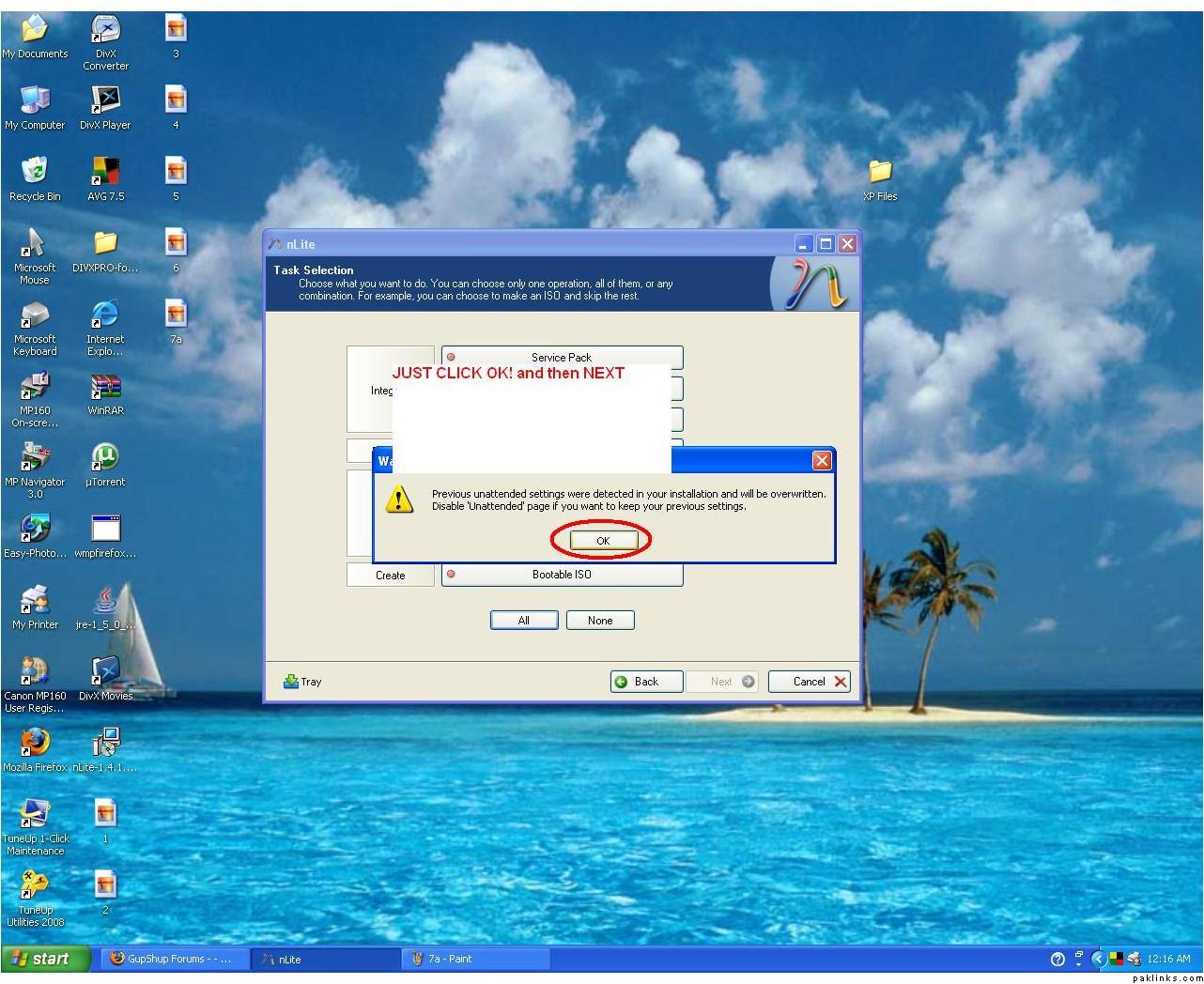 7b. Click OK
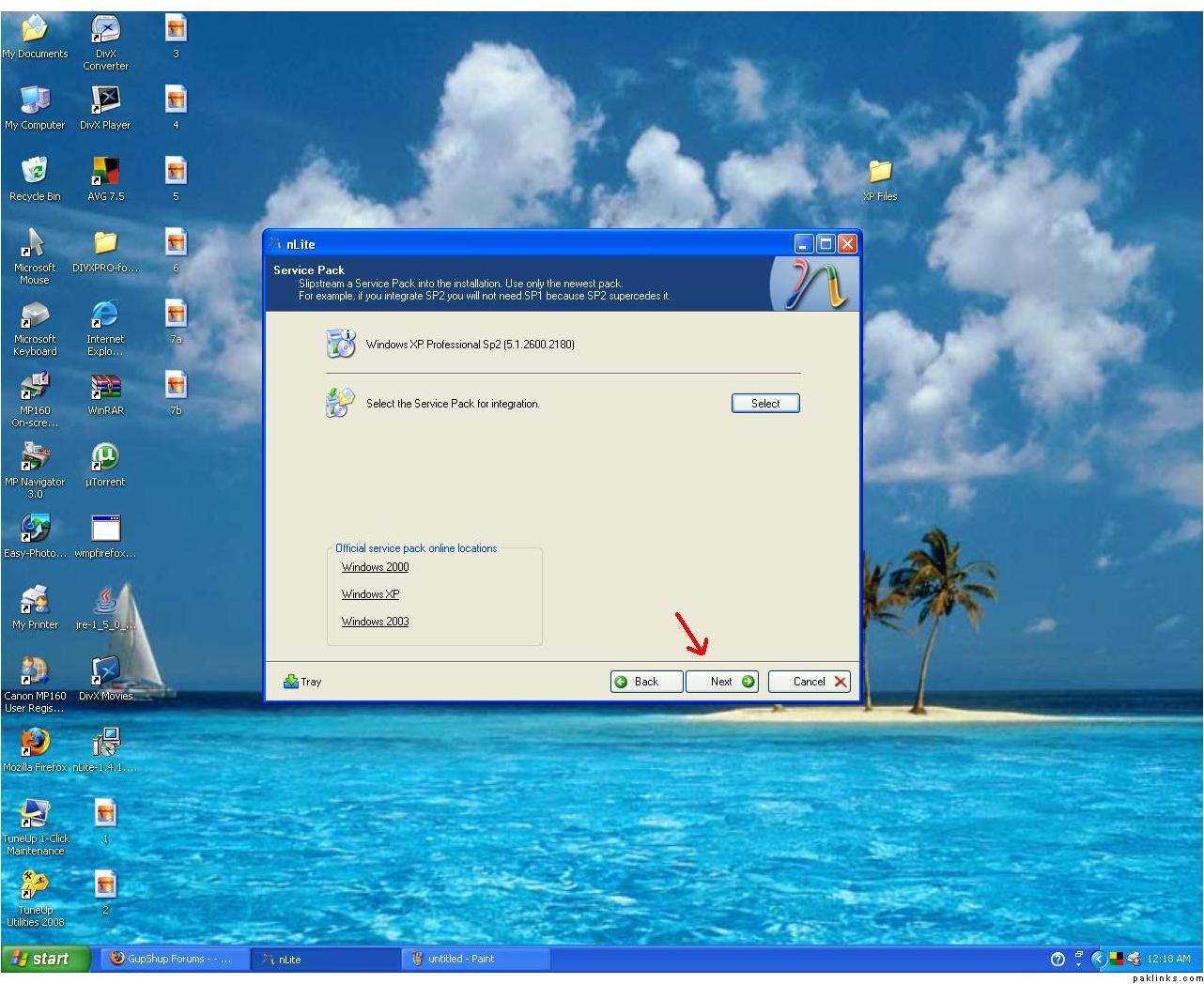 8. Click NEXT
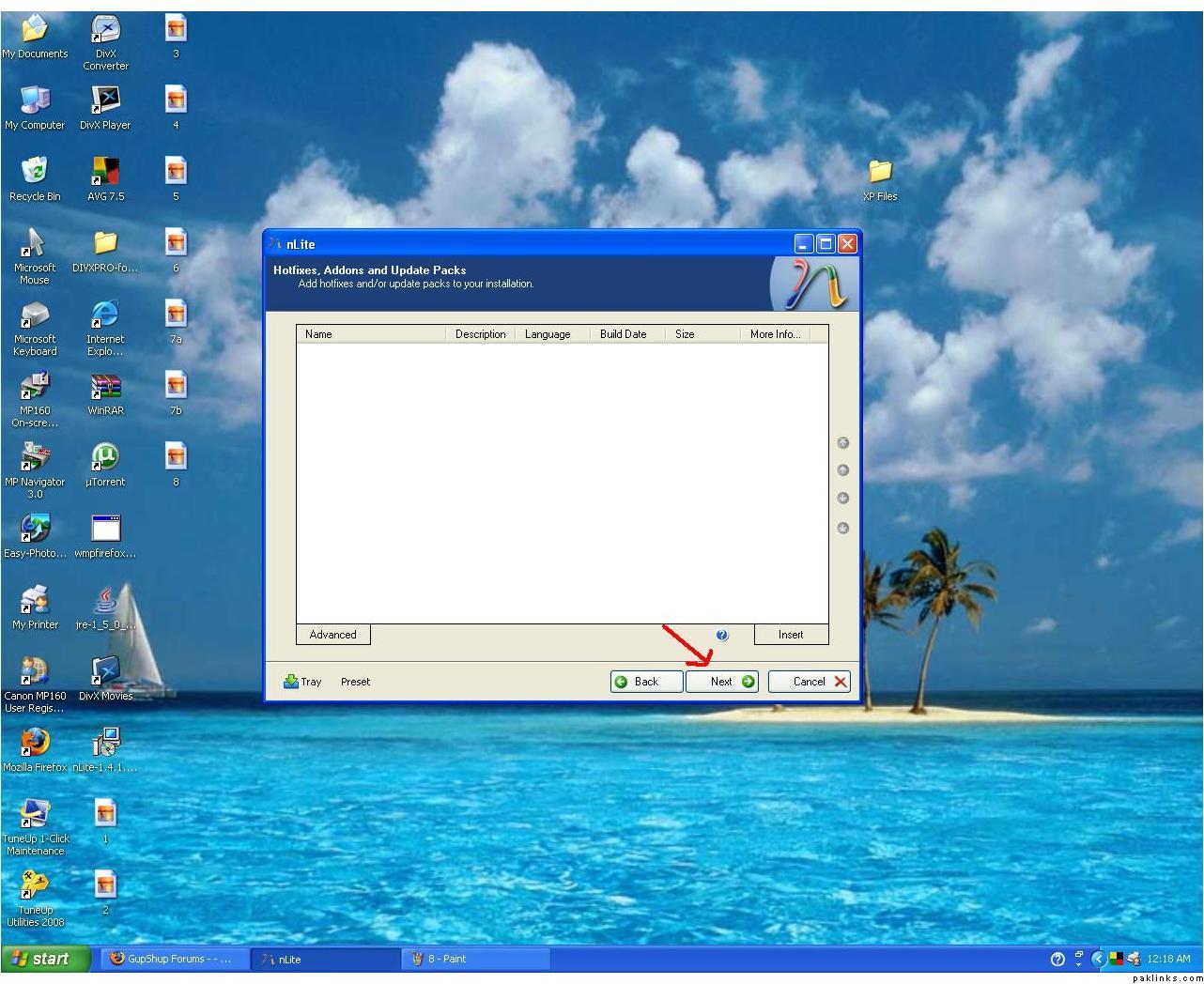 9. Click NEXT
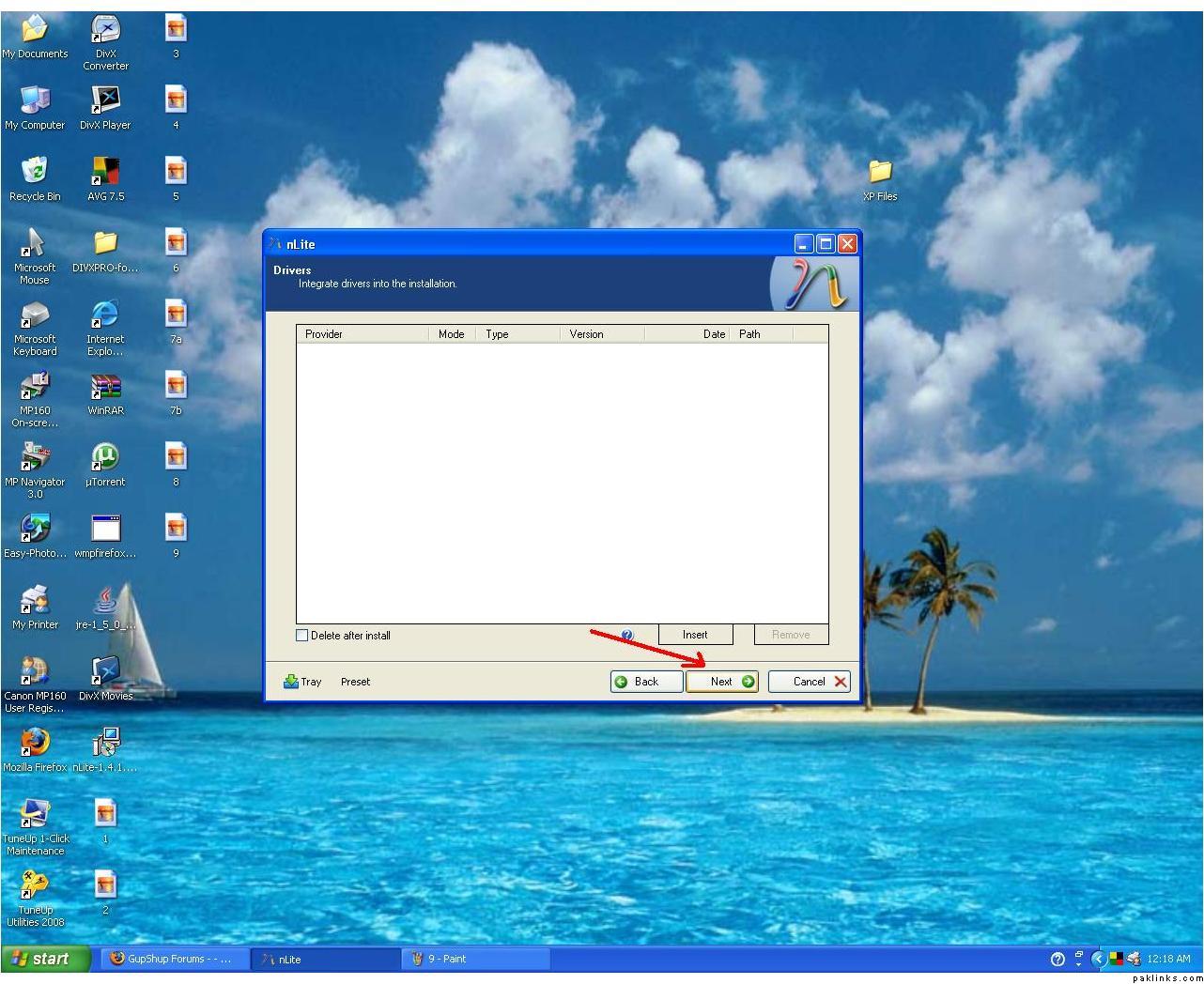 10. Click NEXT
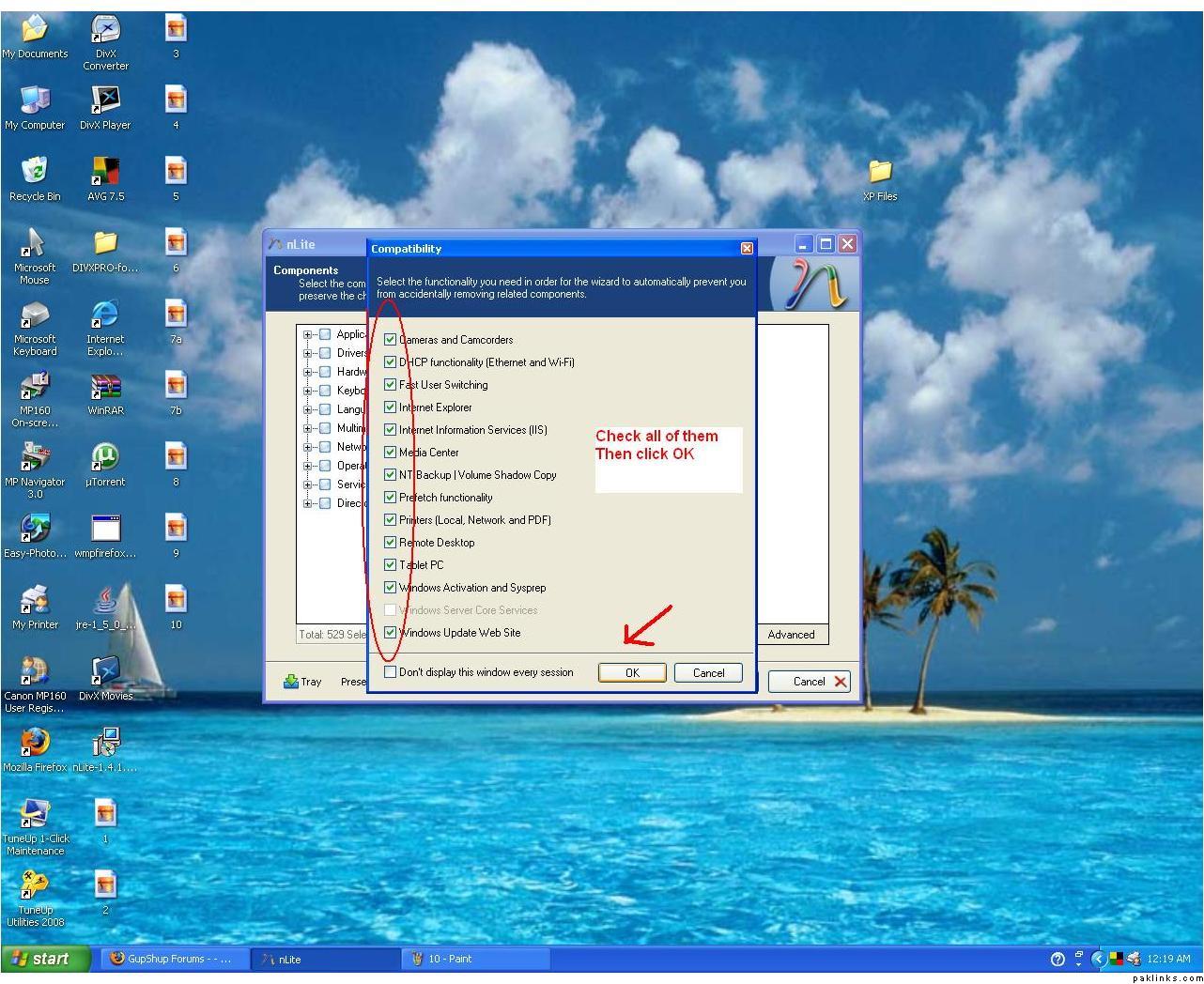 11. Check all the boxes, and then click OK
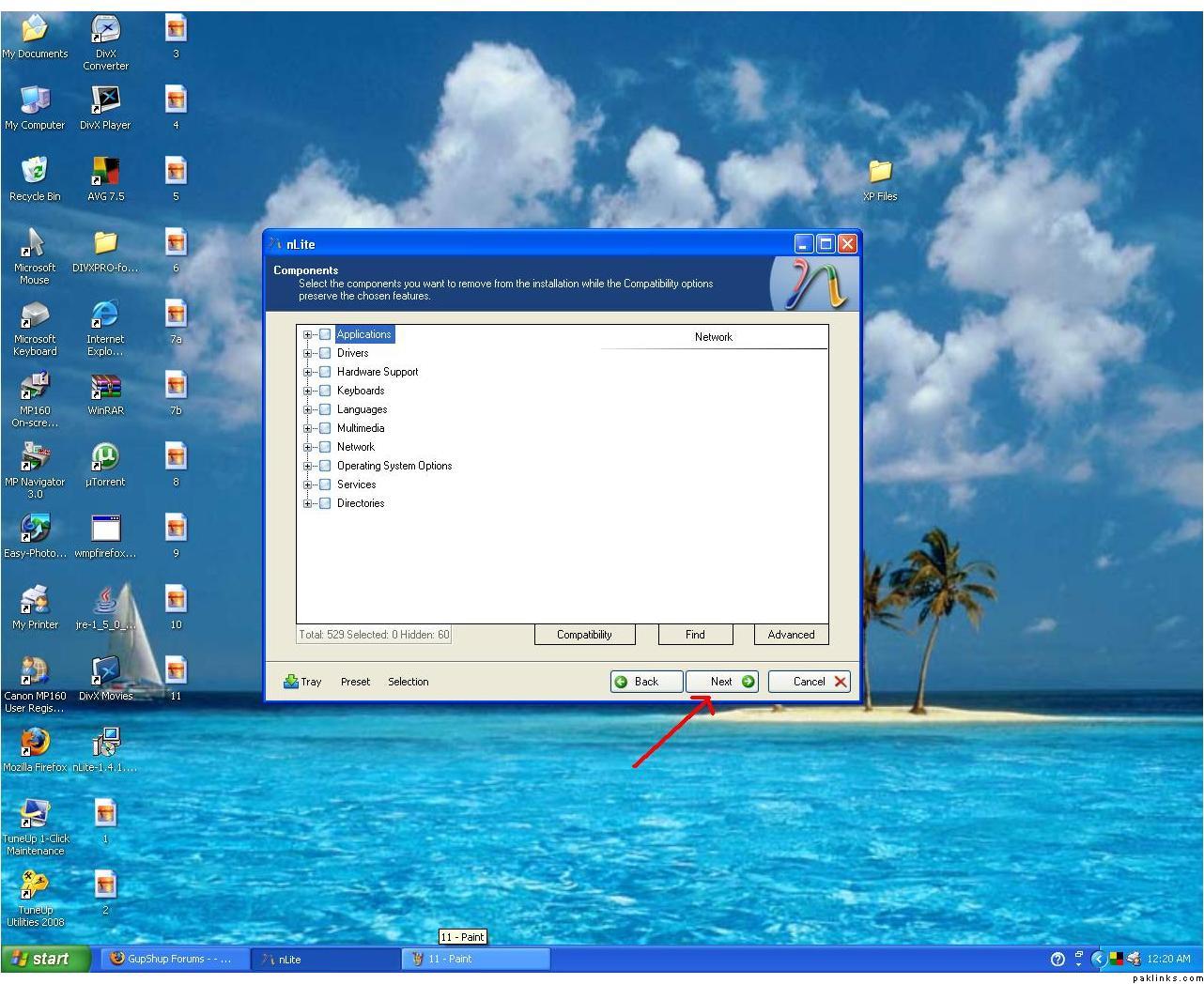 12. Click NEXT
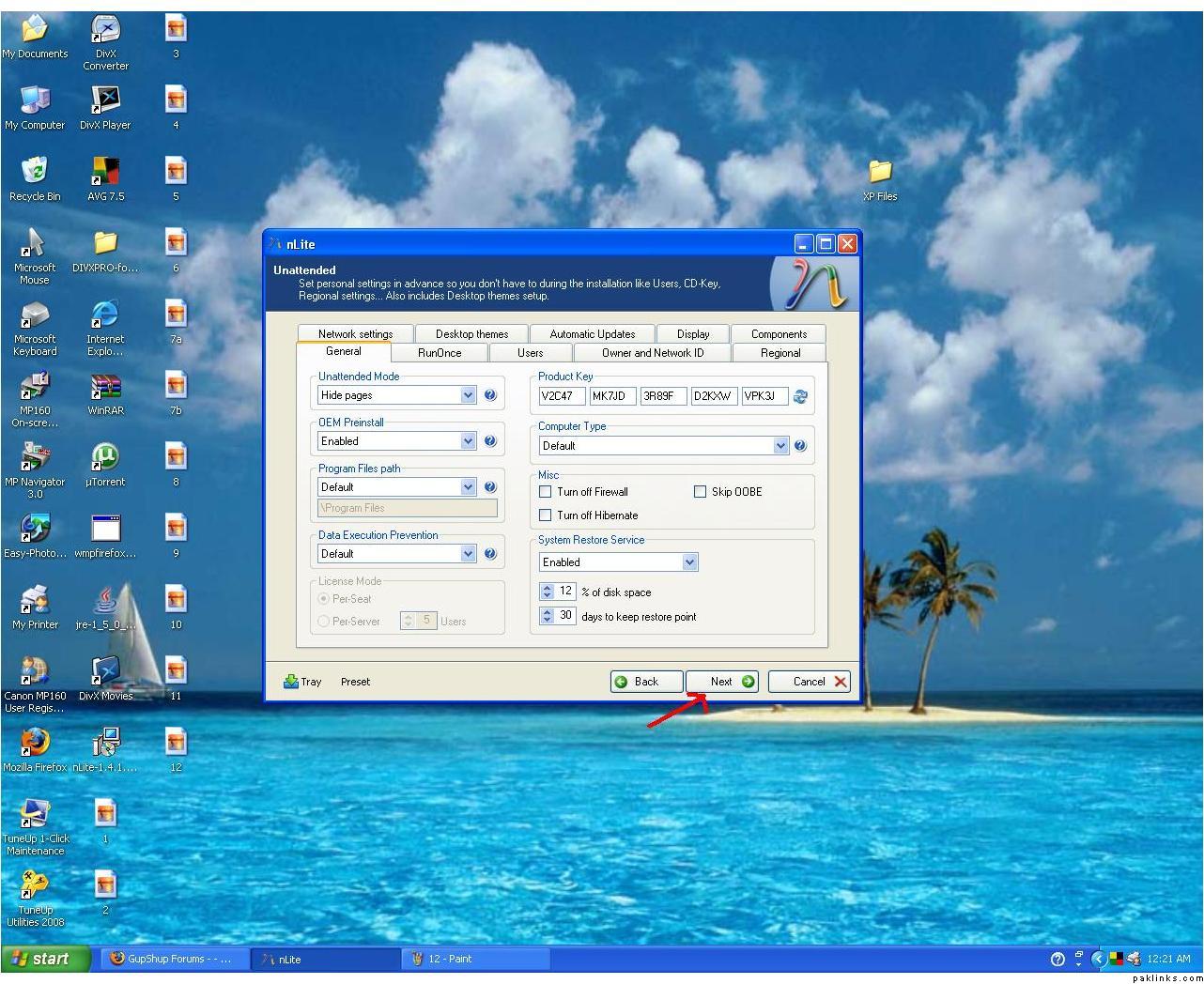 13. Click Next
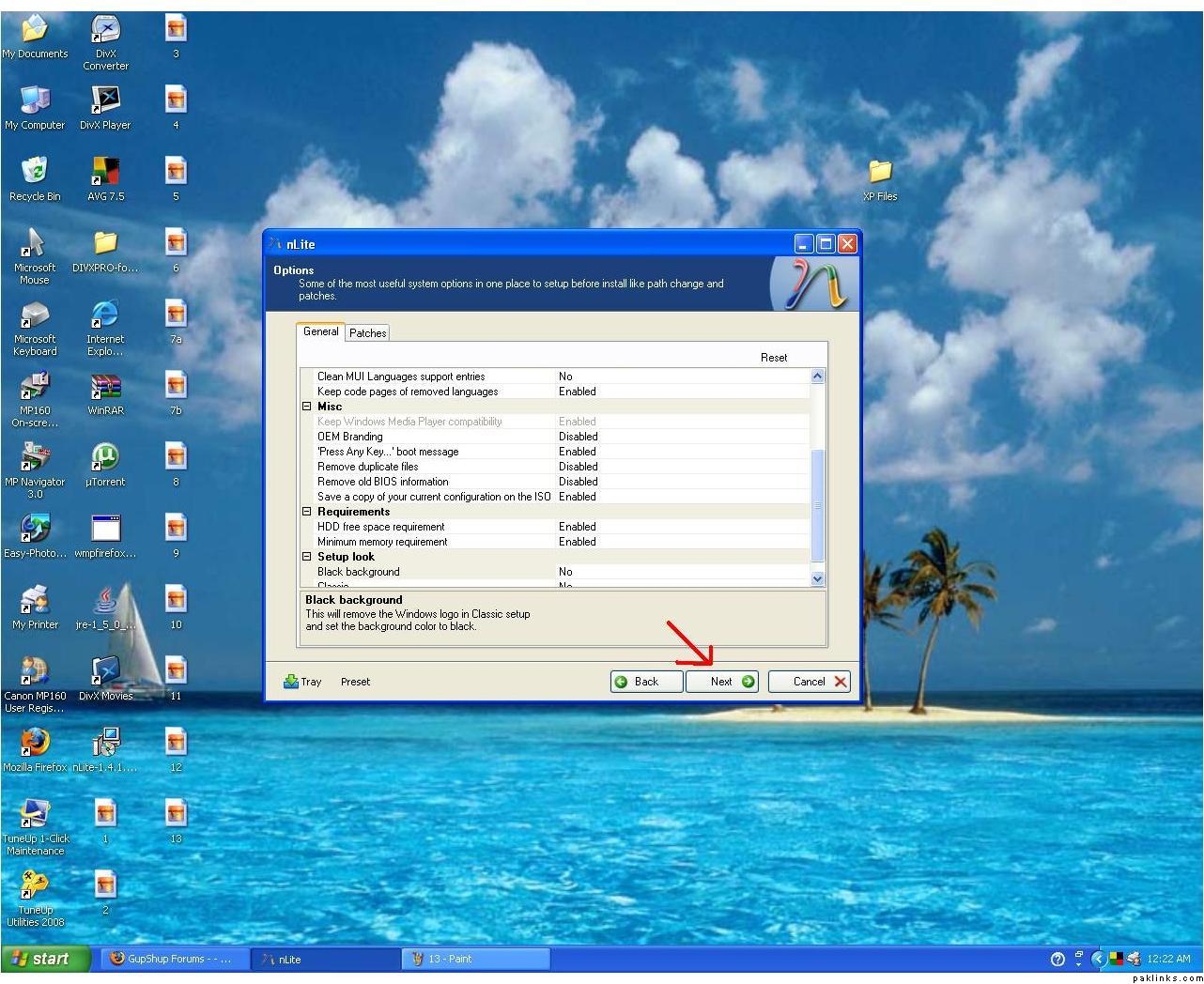 *(Notice: Press Any Key…boot message enabled)*14. Click NEXT
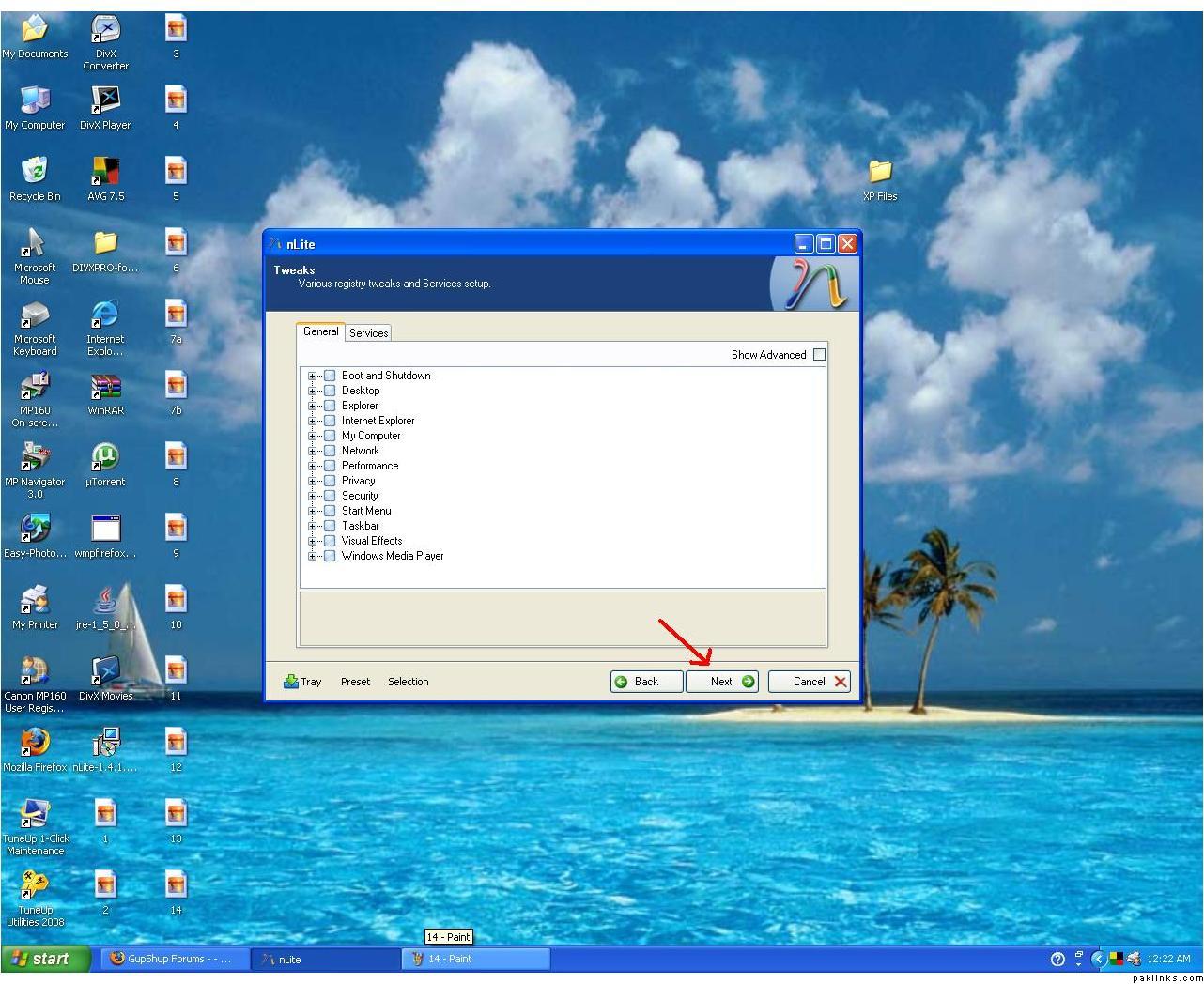 15. Click NEXT
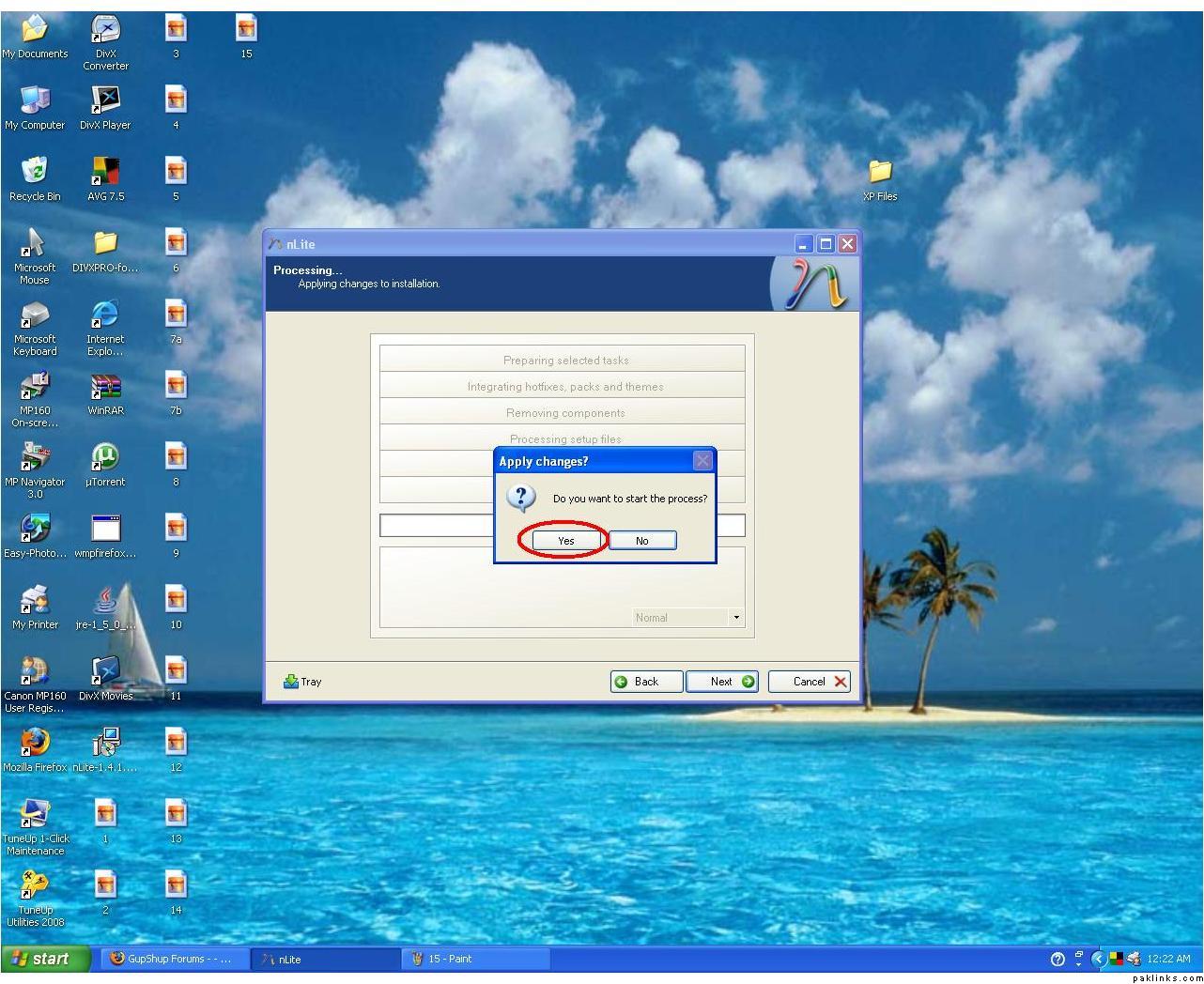 16. Click YES to start processing folder files for burning
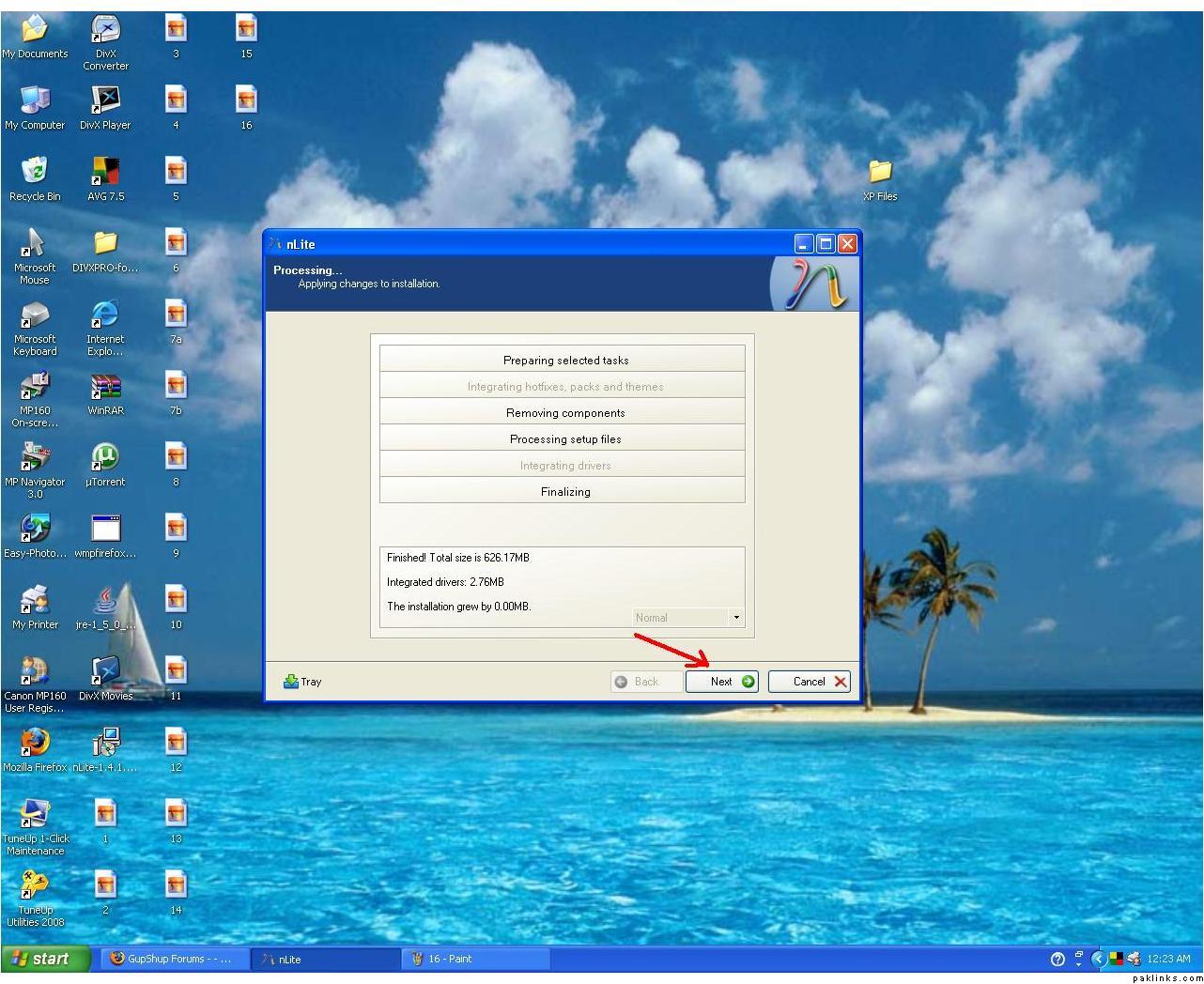 17. After the processing is done, click NEXT
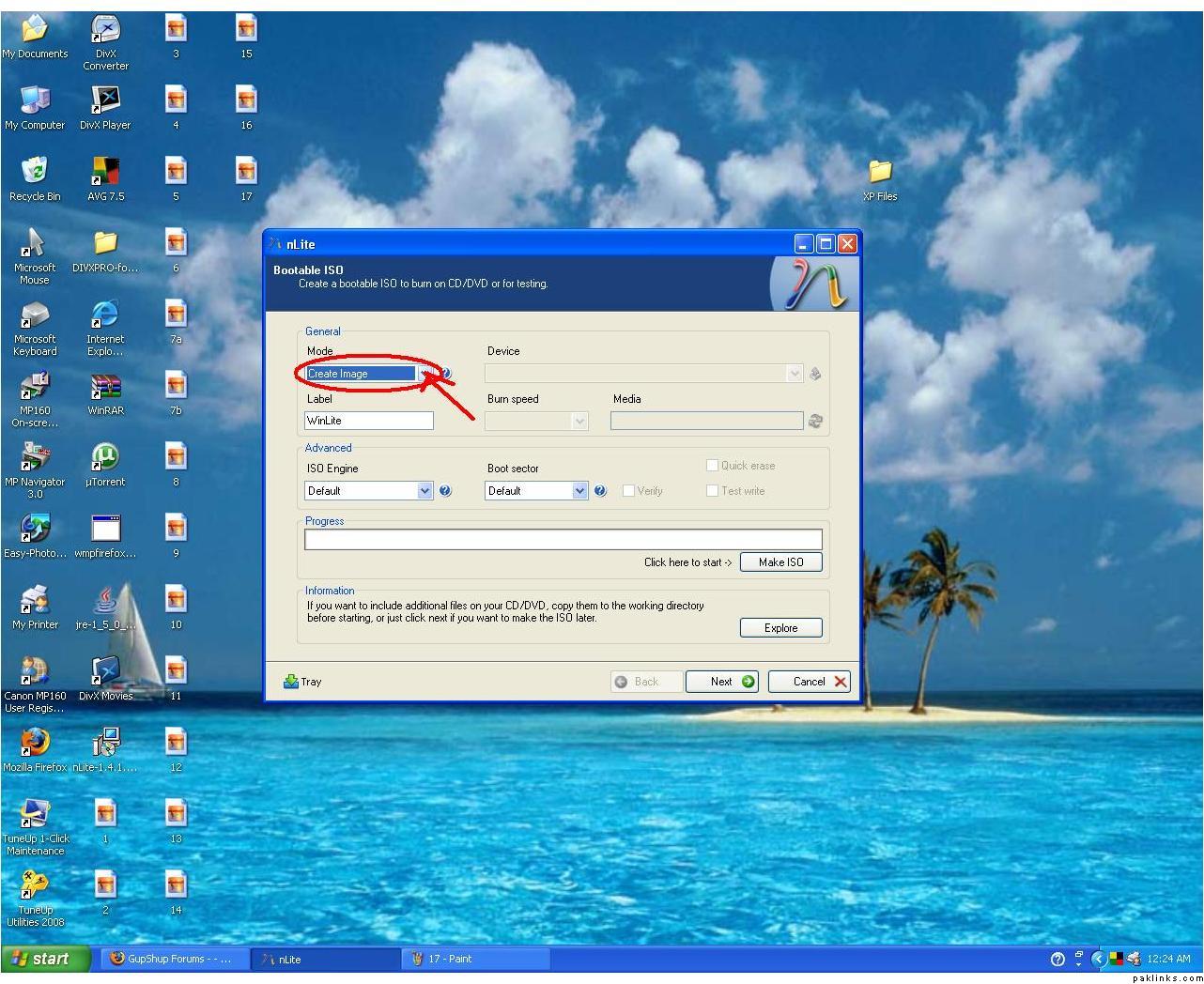 18a. Notice under MODE (Create Image), click on Drop Menu
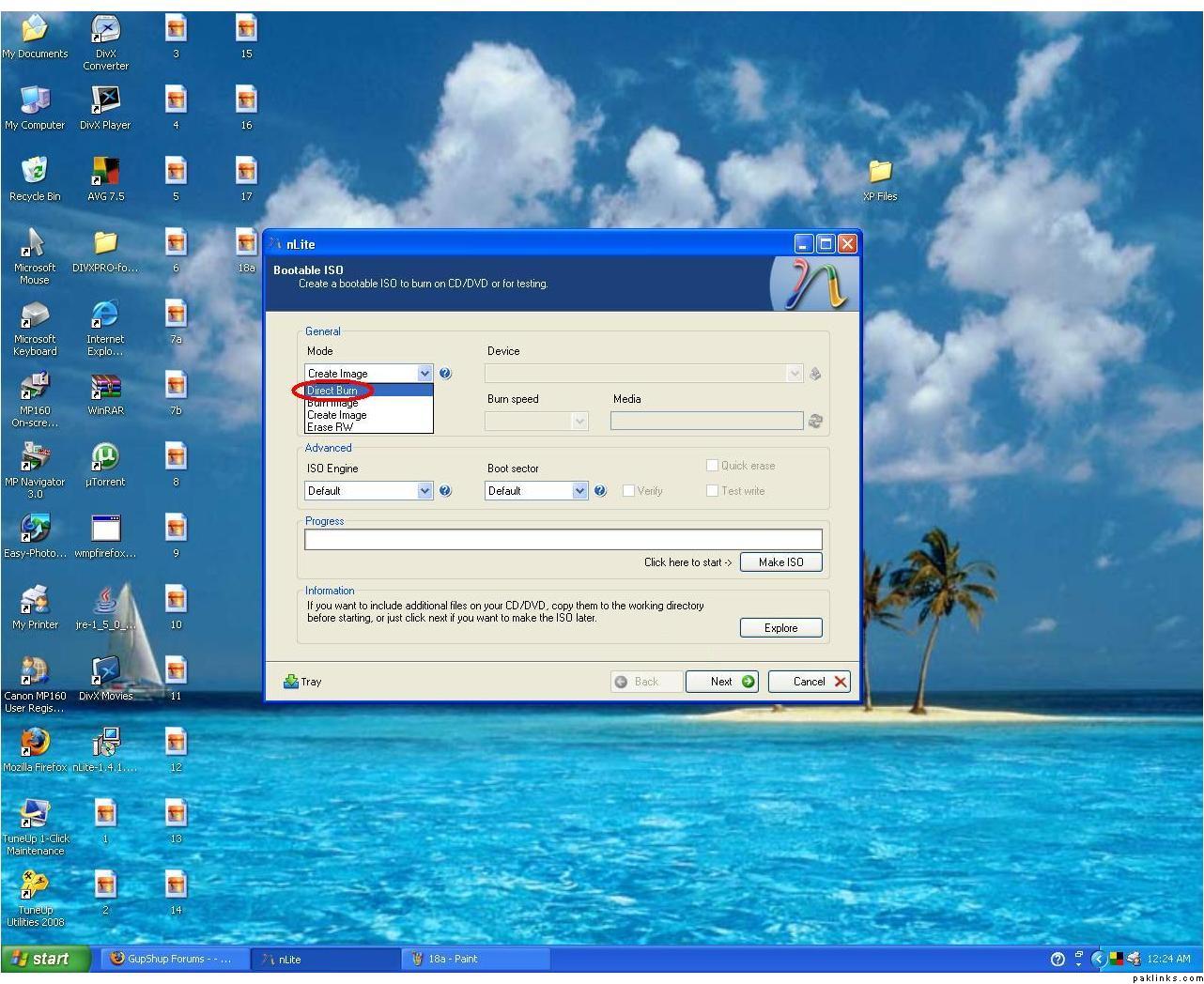 18b. Select Direct Burn (to burn directly to CD/DVD using your burning device)
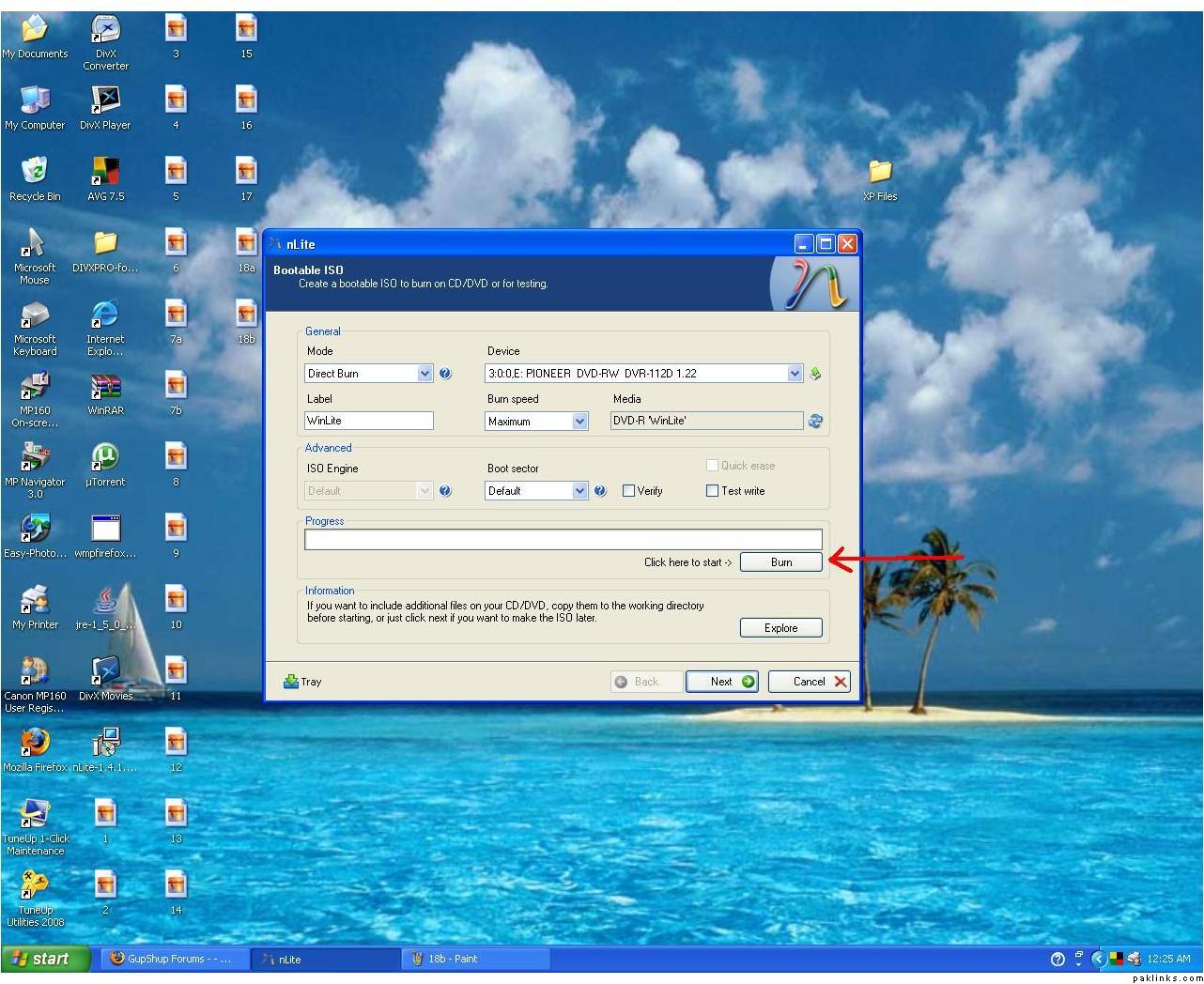 19. Click Burn
