hmmm… both are patnis…if you come to think of it…but the problem of having them together in a same compartment to derive benefits is very life1’ish indeed
the problem with a software based solution is that most of these enable load balancing and not true broadband bonding, which I think is only possible at the ISP backend or through dedicated hardware. Again, I might be wrong, but based on my little knowledge of how TCP/UDP stacks function, I think it’s not possible to achieve through a software solution on the client front-end.
LC is right in that software load-balancers won’t work. They will not know hot to stitch packets together. For example if you have a 10 mbps connection and another which is 5. If you are downloading a 500 mb files, so it would be downloaded at a 3:2 ratio. How will your computer know what packet fits in what location?
With that being said there are hardware options available. I have worked with FatPipe and F5 solutions that does just what you want, but they cost in 10s of thousands of dollars. You may also be able to achieve this result by using one of those Linux based firewall software like ClarkConnect (dunno if its still available) and IPCop. Those get installed on a single machine with multiple ethernet cards and u can band the connections together. There might be other ways. Google “dual wan nat” and that should give you some answers.
Another thing you can do is on your LAN you can have some computers using 1 ISP and other computer using another ISP, so that way might work somewhat. Post here what you find. Sounds like a good project.
i thought there would be some software thingy…that will like..allow me to have some applications (say torrent) using one stream of bandwidth say from usb dongle…and the LAN internet for other (browser)…
but from what you guys say…it seems like pretty complicated thing…
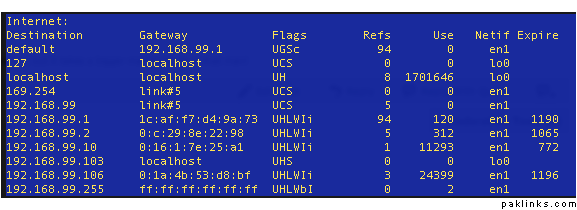
Well, there are definitely ways of doing that. You can route traffic to certain directions to one gateway and other traffic to another. For example you can download stuff from a Microsoft site thru ur wifi and everything else (default) to another. You can accomplish that by specifying specific routes. To see routes on your Windows PC, go to the cmd prompt and type: “route print”. It should show you a whole bunch of lines. Some nifty stuff can be done with these routes, but if you don’t know what your’re doing I wouldn’t recommend touching it.
yea..i wouldn’t…i thought there would be some software or application which does things…but seems like quite technical / professional networking stuff…