The wireless in my modem has some problems.
Bhai played with its settings and its not working & he doesn’t remember what he did:(
Can anyone her guide me as to wht I should do to get back the wireless settings.

The wireless in my modem has some problems.
Bhai played with its settings and its not working & he doesn’t remember what he did:(
Can anyone her guide me as to wht I should do to get back the wireless settings.
Re: wireless
I guess I dont understand the question .. you have an issue with your wireless router or the wifi receiver of your laptop?
Re: wireless
wireless router
Re: wireless
Is the wired part working? If you hard wire your router to a computer, do you get connection?
Re: wireless
jee that is working fine.
Bro told me he played with the settings:( but he doesnt know wht he did:(
Re: wireless
The simple solution will be doing total reset by pressing the reset button for 10 seconds (It can be a small hole kind of thing you can use a pin to reset it). BUT it may remove all the data inside it back to factory settings means it will be like brand new. Then you can enter into its web panel and configure the settings again.
Can you tell me what is the brand of your router and what ISP you are using?
Re: wireless
ye
http://www.smc-asia.com/products03.php?Fullkey=42
aur ISP is Saudi telecom
Re: wireless
In addition to brand of router also specify what OS you are using.
Before resetting the router you can just make your lappy forget that connection. Now when you go back in and find it again its going to ask for a WEP or WPA key, put that in and you’re done!
Ofcourse he may have turned on more security but you can start with that.
Re: wireless
^^ TB I guess she also need the ISP connection data depending upon the factory defaults the ISP has loaded on it.
Re: wireless
Its not detecting the wireless.
He may have shut down the wireless from the web panel, or maybe he has put the SSID as hidden.
Re: wireless
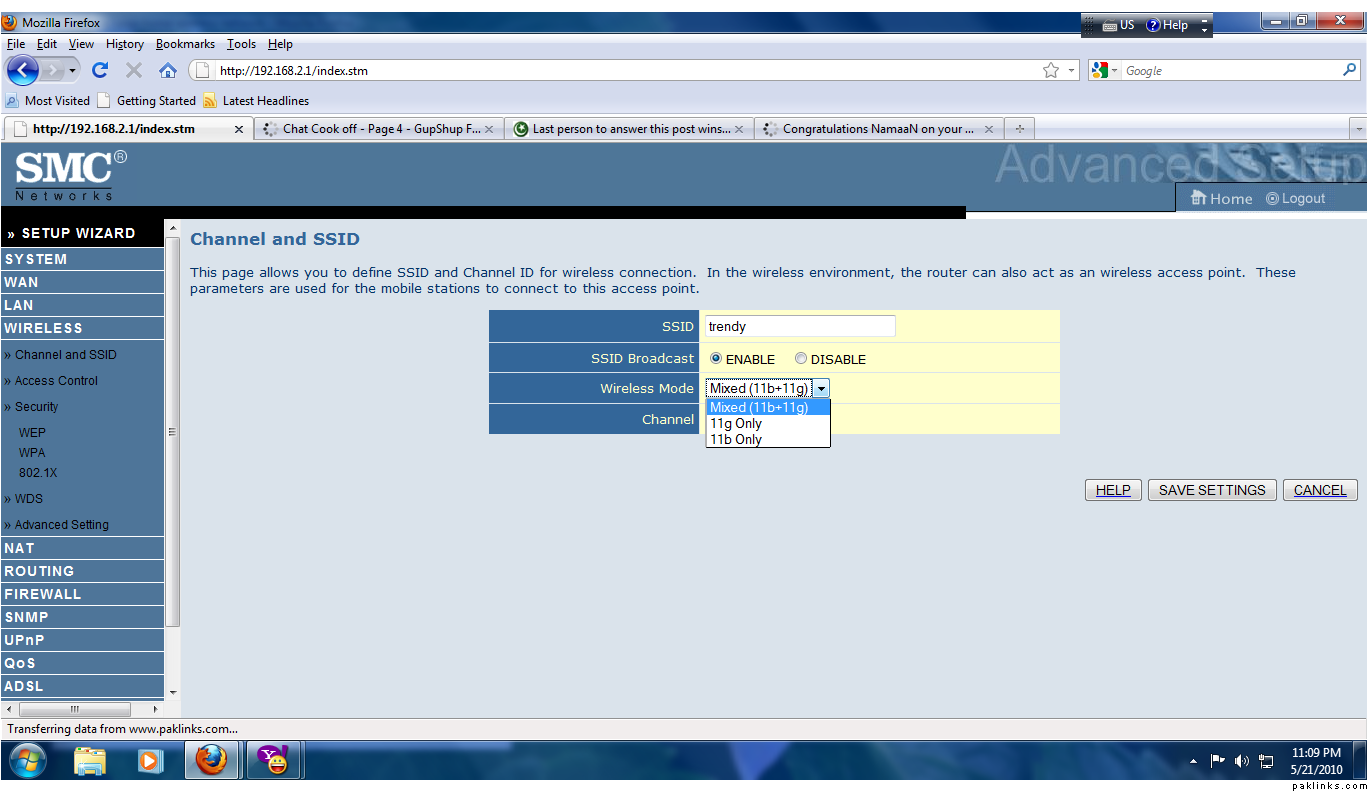
will this be of any help?
Re: wireless
Looks like wifi is enabled. Check to make sure its broadcasting its SSID
Re: wireless
@ LP Can you Screen shot the summary page?
Re: wireless
do u mean the status page aaho?
TB how do i check that?
Re: wireless
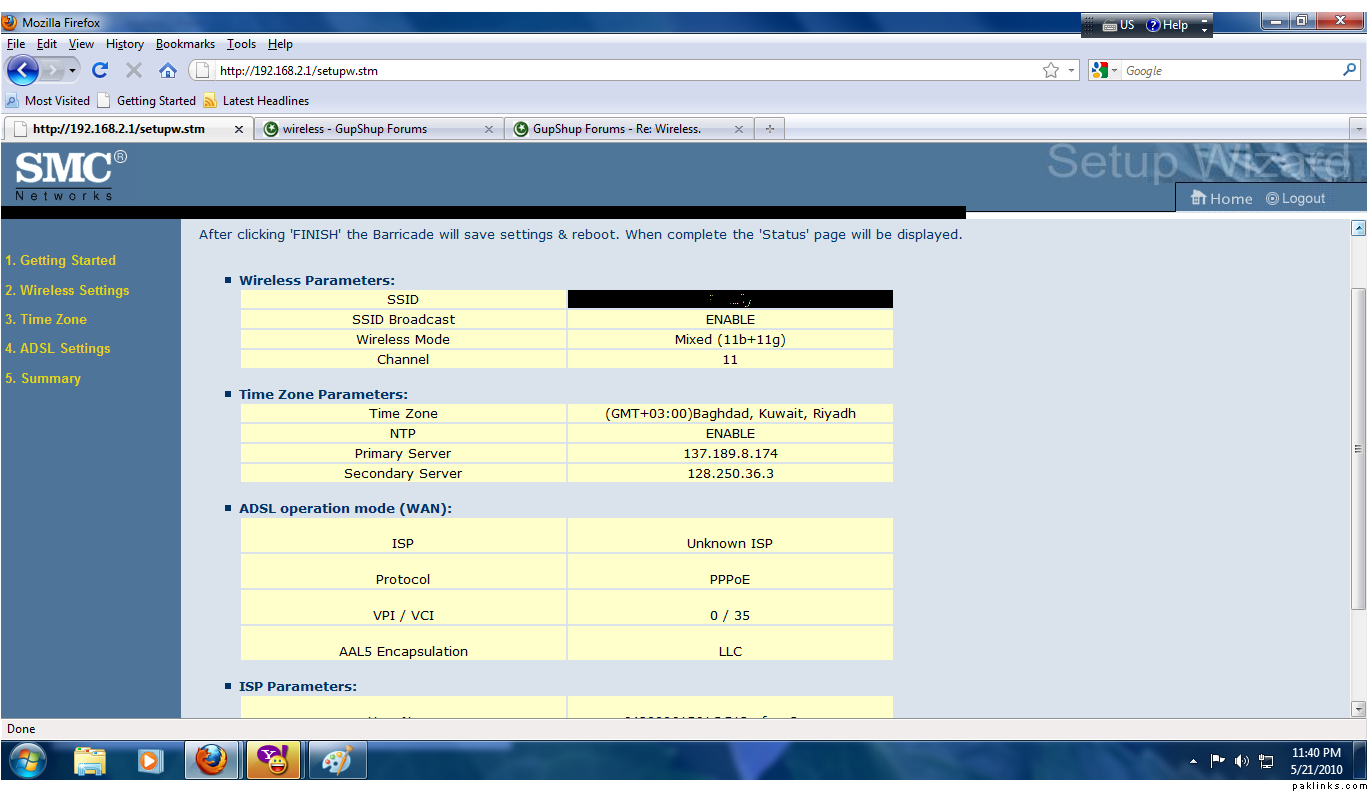
^^ Open setup wizard there you will see another sub category named summary. click that and PS it.
Re: wireless
here:@:
Re: wireless
^^ this seems to be fine.
Can you do one thing.. just plug out the power supply for 10 seconds and then replug it and try wireless then?
Re: wireless
 tht will hv to wait till tomorrow then:(
Re: wireless
^^ kuch nahi hota aap ki torrents file ko 