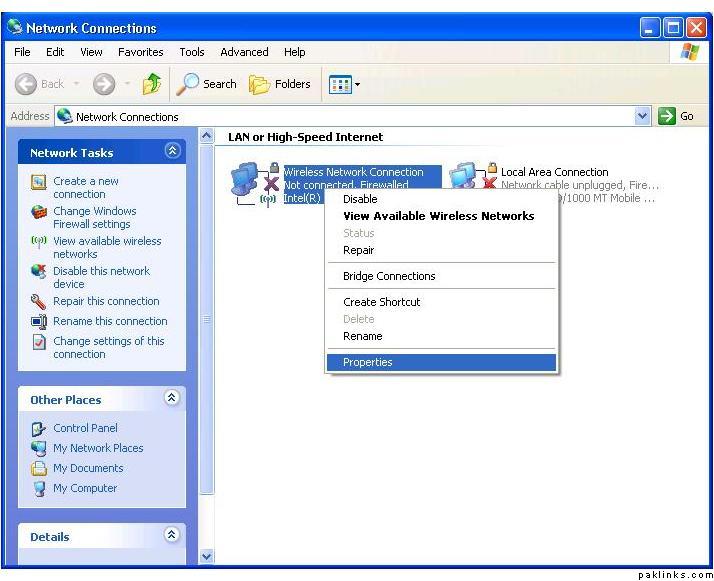
ok i fromatted my hard drive which deleted my wireless adaptor software too. therefore i cant connect using wireless. i have installed the adaptor but it doesnpt seem right. basically i used to have wireless connection in network connections just like in this image
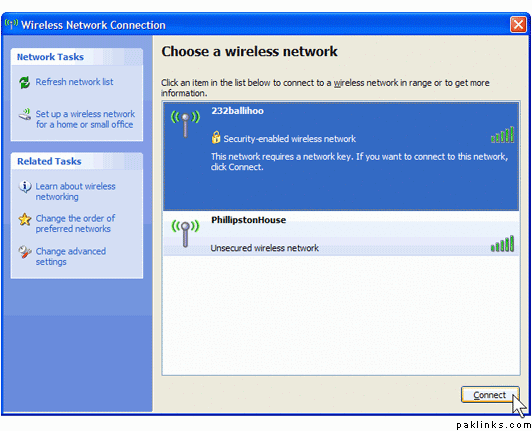
and it used to give me a list of networks like this
how can possibly get this exact thing back? thankyou
You said you installed the software, did you mean the driver? If you go to your ‘My Computer’ > right click > Properties > Device Manager, do you see your internal card listed under ‘Network adapter’ without any yellow exclamation mark?
You said that you formatted your drive, so I guess it means you reset your operating system? Win 7 has a native built in wireless driver, but it seems you have xp. You can always download the driver from the manufacture site of your laptop at another computer and then transfer it to your laptop.
yes i do have xp now and and had it before too. i did dload it from the manufacture’s site but i didnot get what i wanted. but as TLK said i think i need to dload the drivers. i’ll do that and get back asap i am done.
if its not listed in the device manager u need to go to “add new hardware” windows xp will search the hardware and spot any new hardware that is not installed, it will try to install the drivers for it automaticaly if its a plug and play device (im pretty sure your card will be).
if that does not work and no device it found, then you can “add legacy hardware” which mean you have to select what type device, make and model , and actually point windows xp to you device driver software. (so u will need to download the correect driver for your device)
if you dont know what device is inside your pc box u should google your pc’s model make and model and find out what wi-fi card was installed when it was sold.
Thankyou sooo much ppl. my problem has been solved…it was the driver that i needed to install and i kept installing the adapter/software…its all back now. thankyou