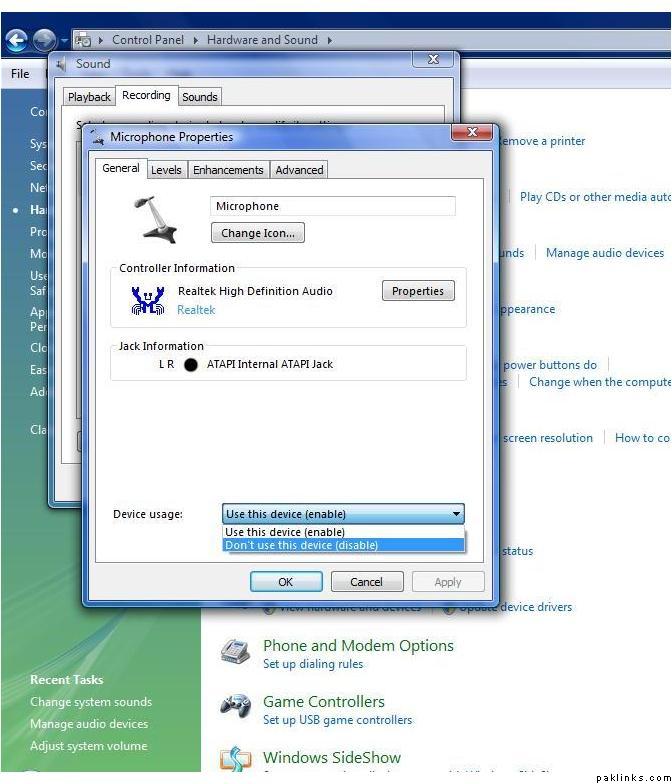
This is how I do it and it works for me. If this doesn’t work for you or if there are other ways, our resident geeks here can help us out I’m sure.
1: I don’t speak into the built-in mic on my laptop. It works great for MSN, Skype etc but for some reason it sounds like “phatta radio” (or was it purana radio, Nomi? ) on chat. So invest in a plug-in mic if you don’t already have one, it wouldn’t drain your pockets I promise! But if you wanna give the built-in mic a go on chat once, do so by all means, it might work better for you.
2: Plug your mic in your computer. I’m sure it comes with instructions for how to do that.
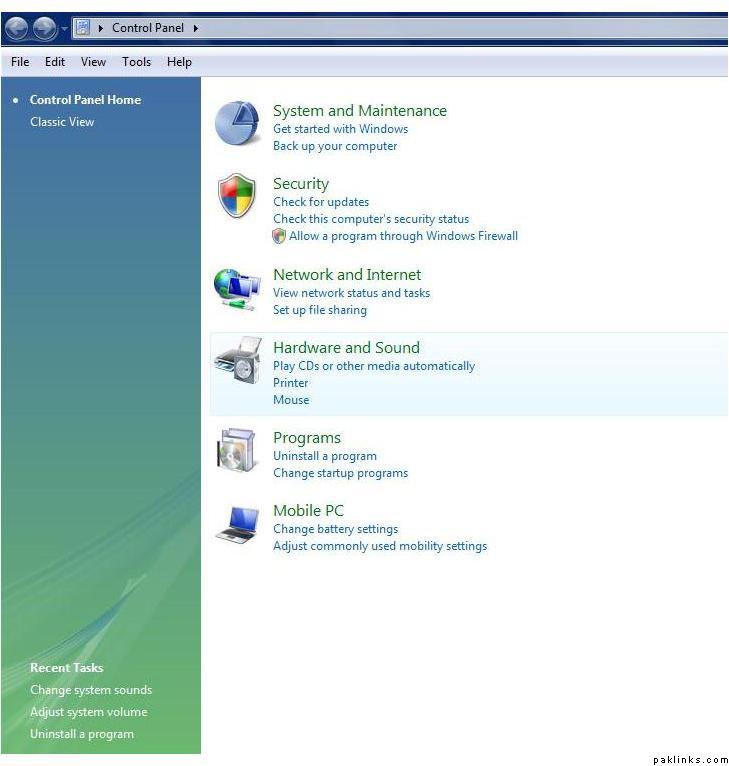
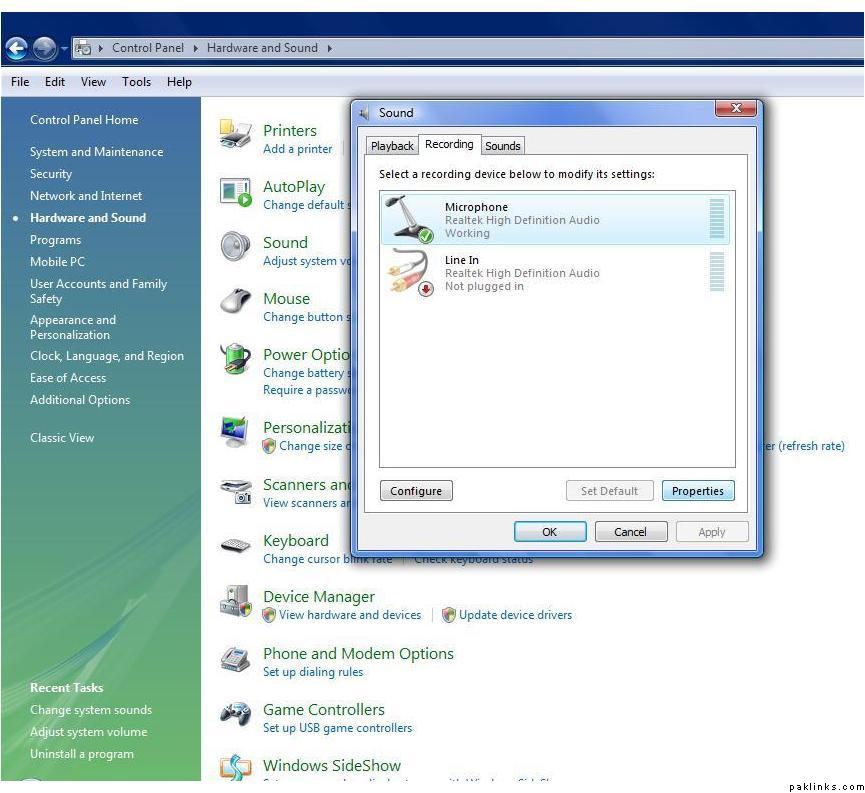
3: Go to your Control Panel and click on “Hardware and Sound”.
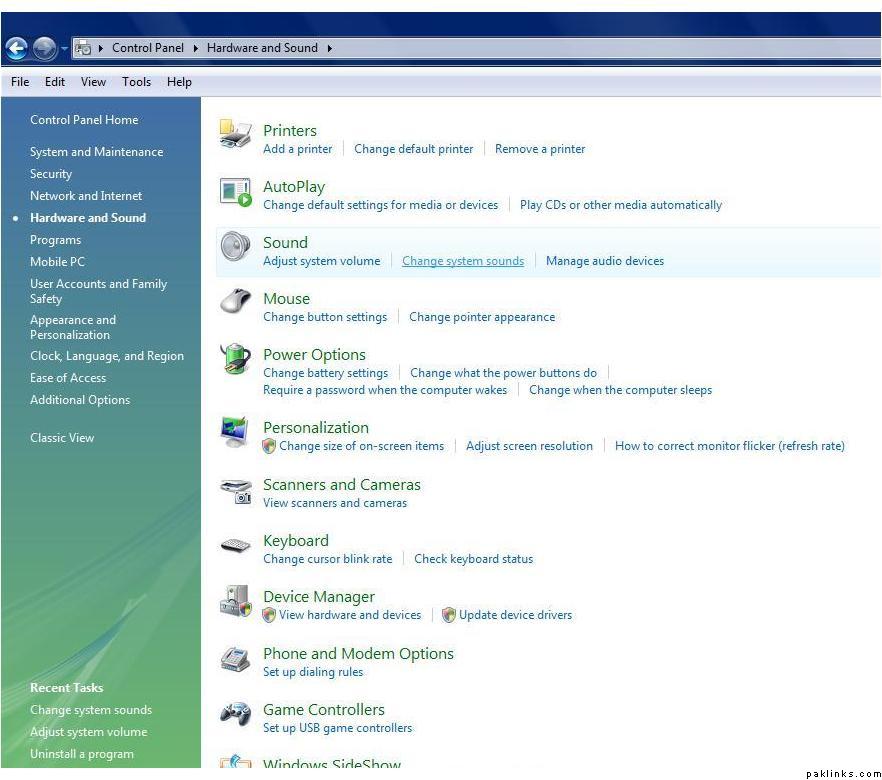
4: Under Sound, click on “change system sounds”.
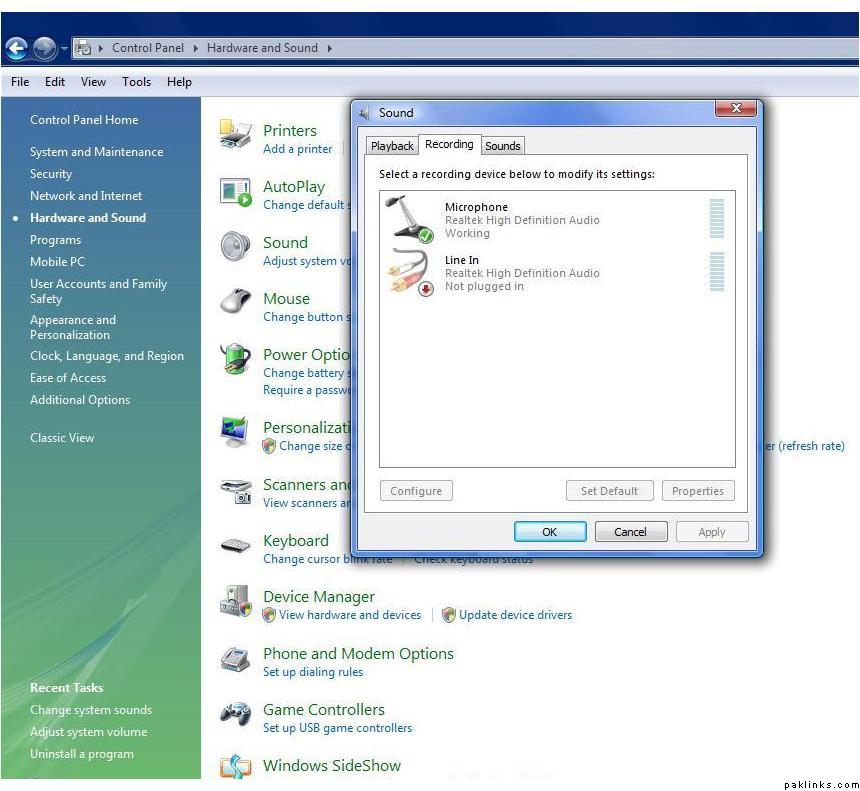
5: Click on the “Recording” tab.
6: Select “Microphone” and click on “properties”.
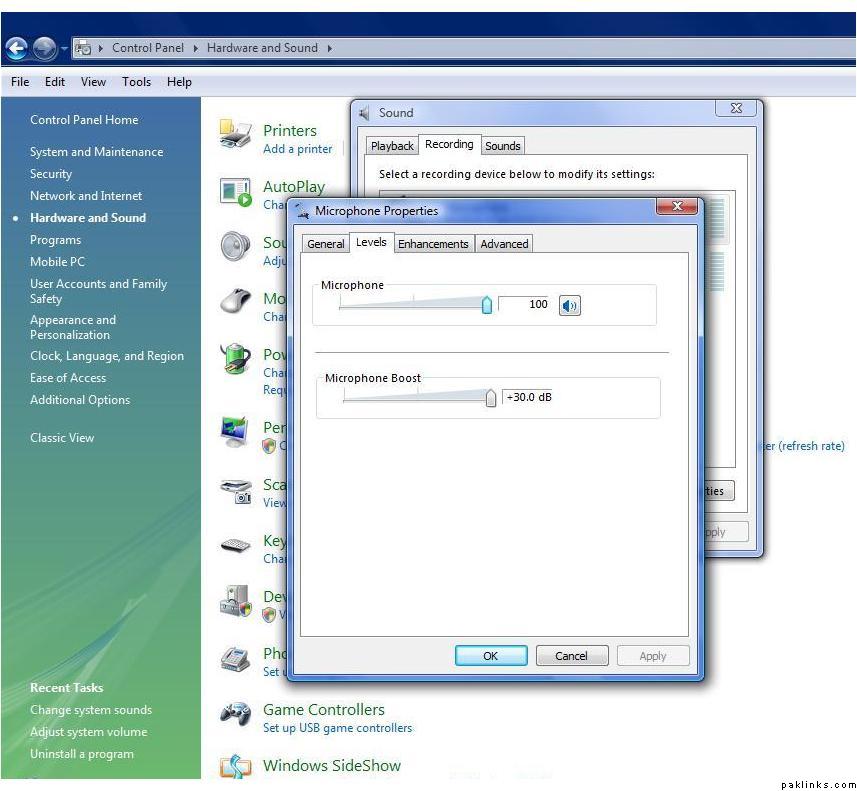
7: Under the “Levels” tab, make sure your microphone and microphone boost levels are all the ways up to the maximum.
Like for our JJ meet last Sunday, I was using my plug-in mic and everyone could hear me fine. But because I didn’t disable my built-in mic, I might have been speaking into that for all I know
^sometimes it happens that when external mic is plugged in…internal mic gets disabled automatically (like the speakers do with headphones)…but sometimes…both mics keep working…and make a mess…
Yea, I had that problem and Nomi told me to disable the other two mics built-in afterwards my mic worked like a charm. Just like BBC my built-in mic doesn’t work on chat.
So if everyone follows these guidelines their mic should work.
 ) on chat. So invest in a plug-in mic if you don’t already have one, it wouldn’t drain your pockets I promise! But if you wanna give the built-in mic a go on chat once, do so by all means, it might work better for you.
 How do I do that?