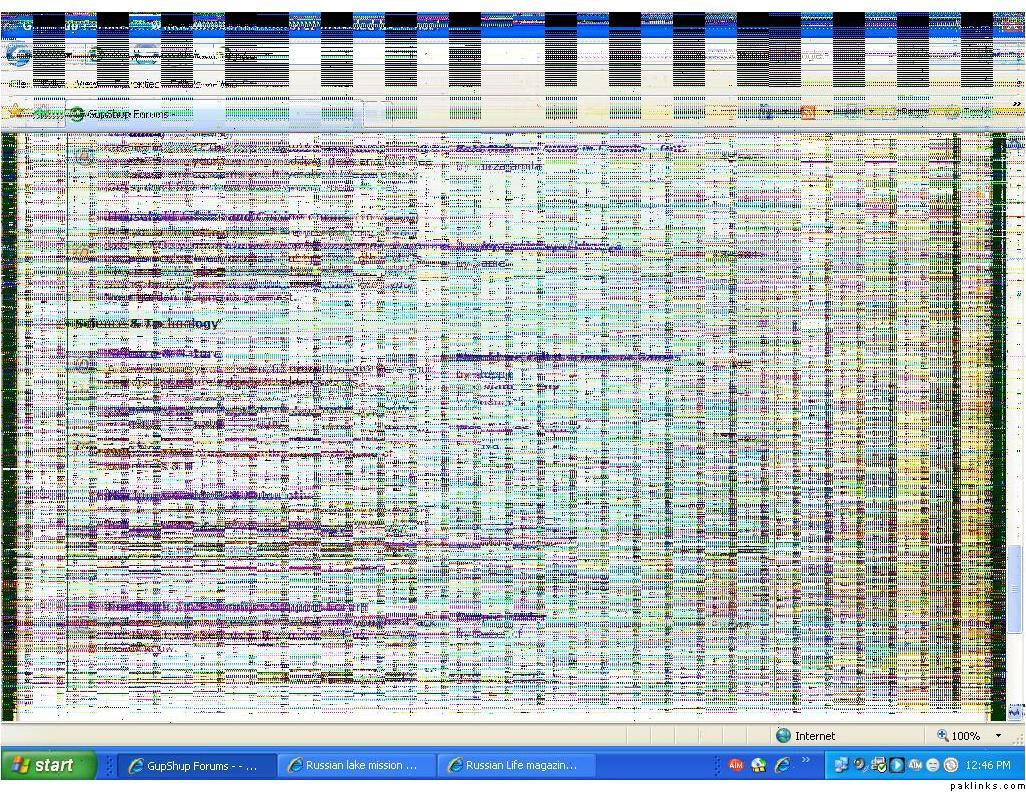
My computer has been acting up for the past two days. When I start it, the desktop has weird vertical lines going down the whole screen, when I restart it or switch it off from th black button adn turn it on again, its not so bad. When I go to IE… and scroll down the page… the whole page gets covered in lines… and the mouse shows up as a big = sign… what the heck is going on? Is it some sort of virus??
If I had that kind of problem, I would try to toggle display properties or would look for
virus. I would also check and/or re-install video card driver.
Before changing the card or monitor, try changing the screen settings (right click on a
blank part of the screen, click on properties, click on the settings tab).
If you have bad memory on the video card, different resolutions can
sometimes clear up the horizontal line problem. Also, there's the refresh
rate (click on advanced, then the monitor tab). That could be an issue as
well.
If your video is built into the motherboard, it is still usually possible to
put a second video card into one of the card slots, and disable the on-board
video.
No, this is not a virus. If someone haven't noticed, the problem is with firefox rendering engine and not with Windows XP or the video card / drivers. Try Internet Explorer or Opera. :)
To correct the problem re-install WindowsXP with SP3 integrated, don't get the knockoffs from the street, if you have a high speed conection, download it from MSDN. PM me.
No, this is not a virus. If someone haven't noticed, the problem is with firefox rendering engine and not with Windows XP or the video card / drivers. Try Internet Explorer or Opera. :)
To correct the problem re-install WindowsXP with SP3 integrated, don't get the knockoffs from the street, if you have a high speed conection, download it from MSDN. PM me.
^^ Einstein. For the starters.. .the image posted is of IE 7 not FF.
Something similar but not as severe occurred to my machine a lil while ago...Updateof Video card drivers solved the problem.
[quote=coOoLBreeze;5969031Something similar but not as severe occurred to my machine a lil while ago...Updateof Video card drivers solved the problem.[/quote]