Here is a small User Manual for Business Directory and Reviews to help all you vendors. Hope it’s going to help. We are here if any of you still have any queries.**
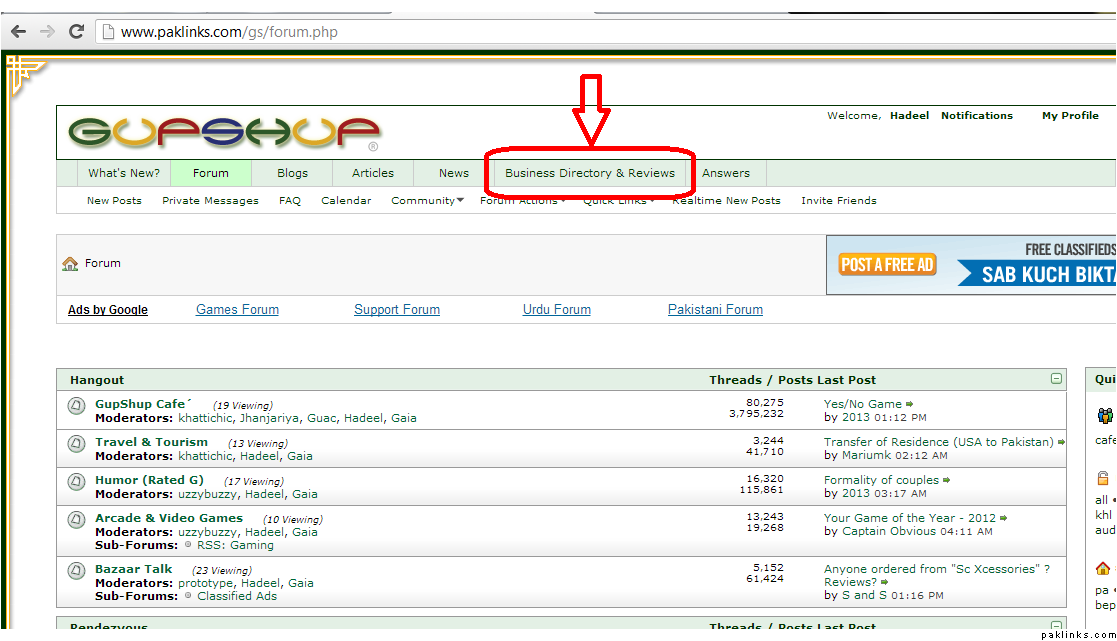
To open Business Directory and Reviews:
**
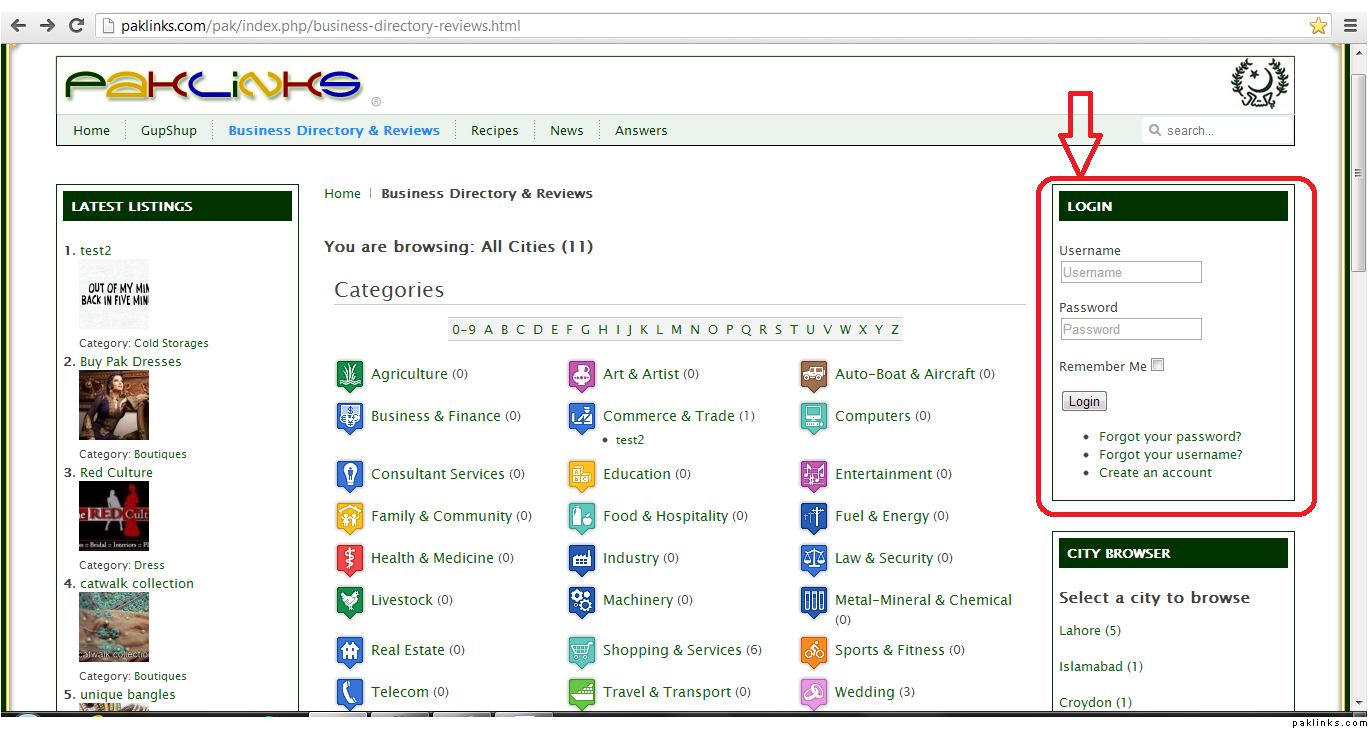
**Login:
**
After opening up the portal, this is the Main Page you will be looking at and you need to enter your User Name and Password to move further:
Press Login to Enter.
**Enter a Listing:
**
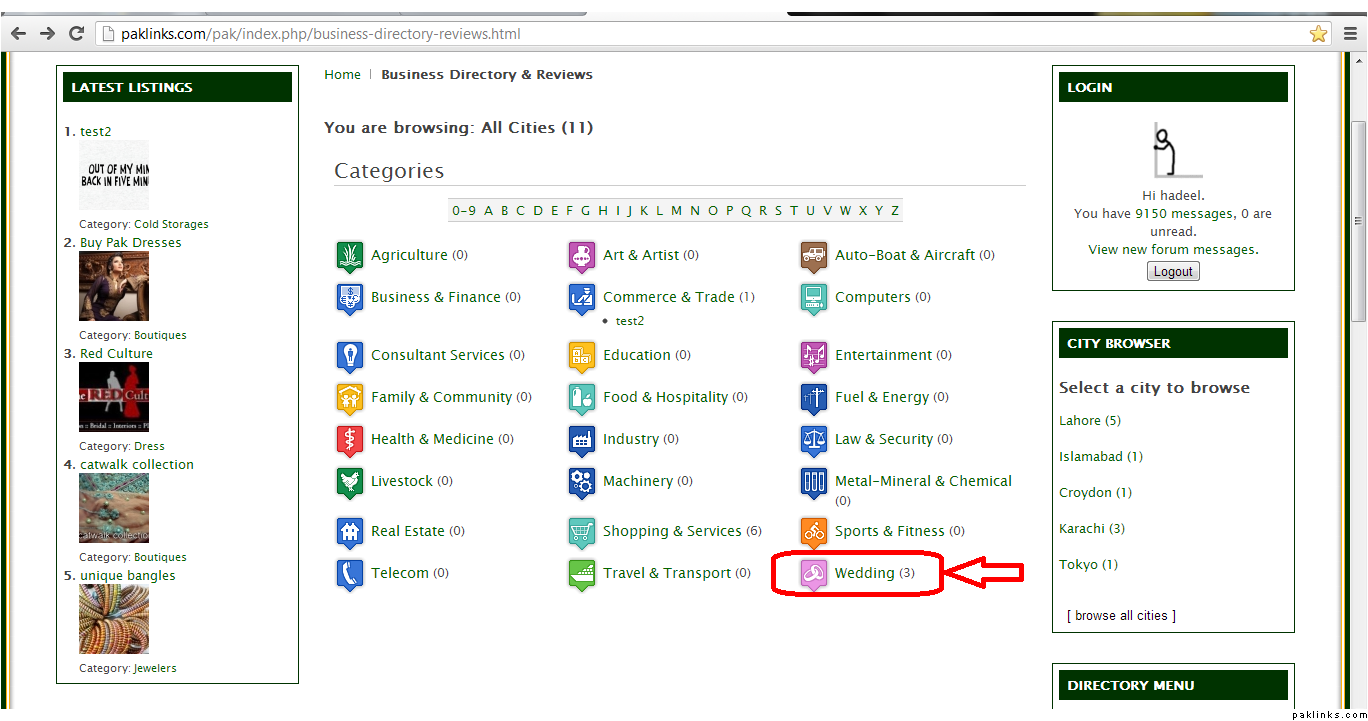
Now say you want to add a listing for your business, you choose the appropriate category from the existing category list:
For example “Wedding”
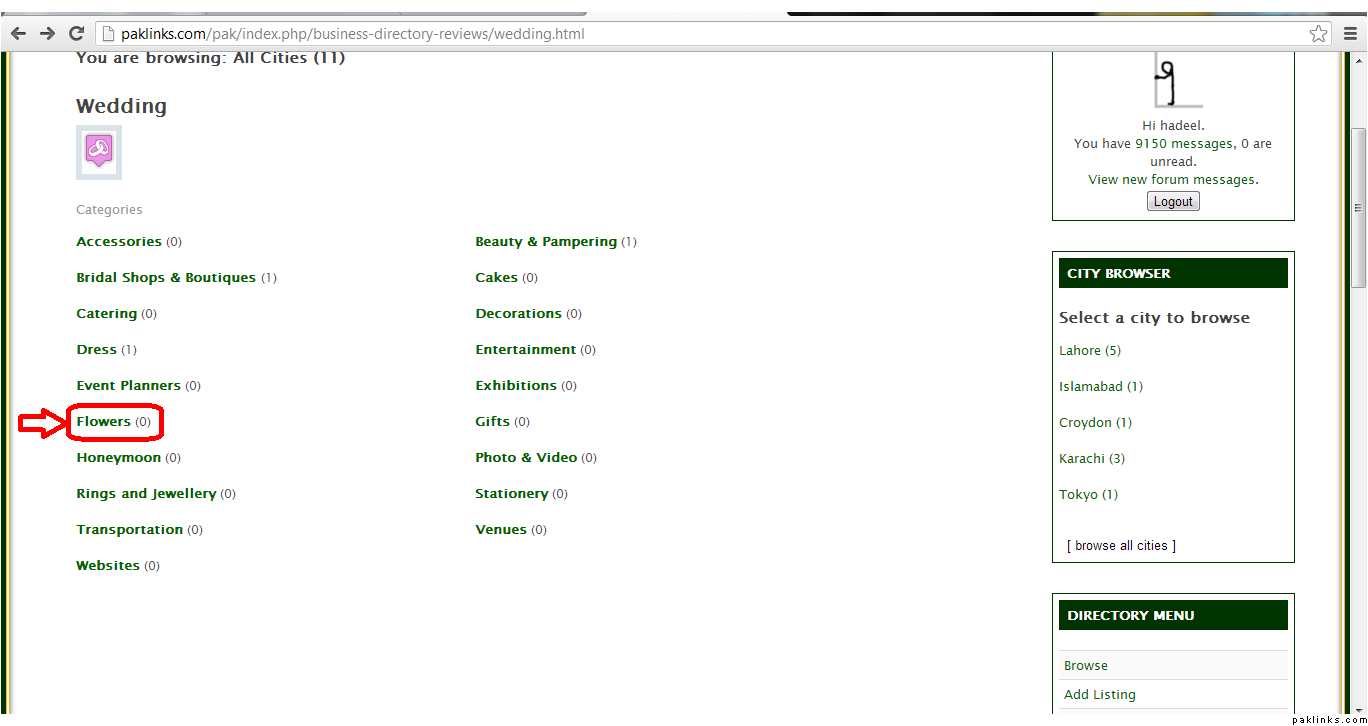
Under the Wedding category, you can choose any one of the sub-categories to enter your listing. For Example “Flowers”.
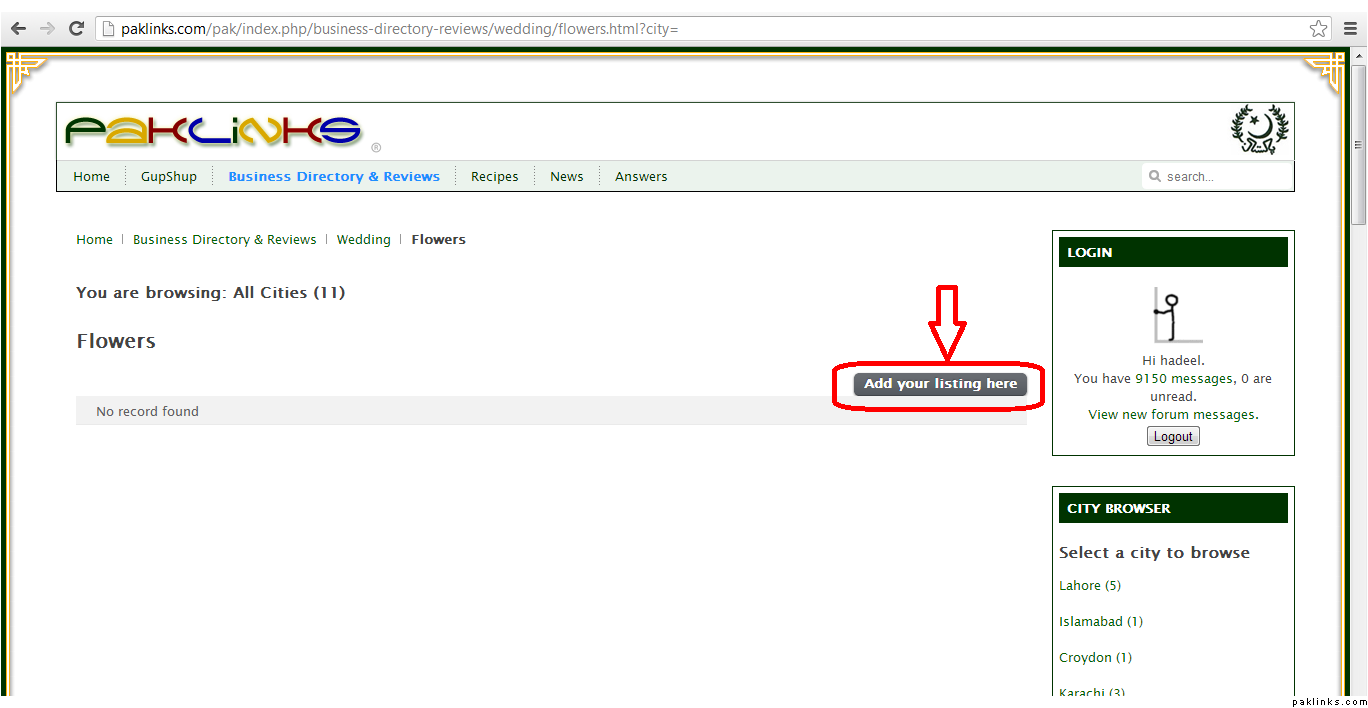
After you click Flowers, you will be brought to the next page to enter your listing. Click on “Add your Listing here”
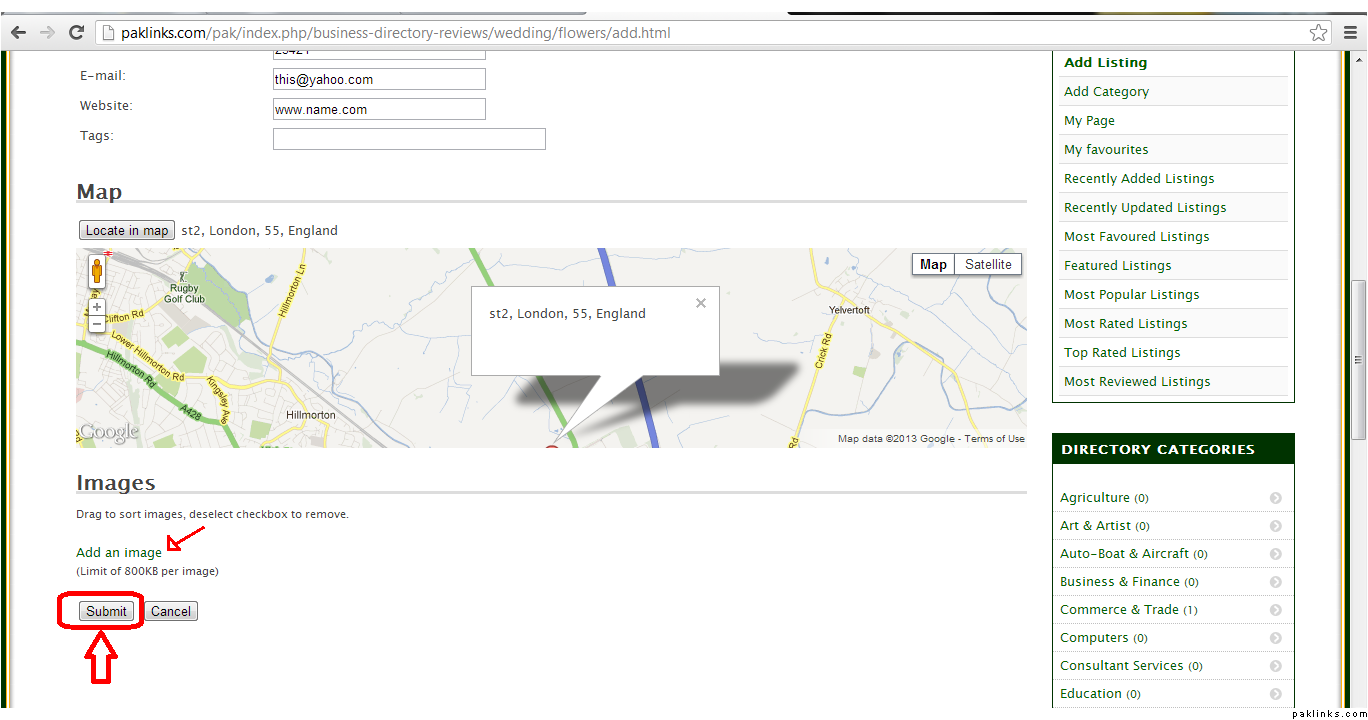
Enter your Business Information (Name, Description, Location etc). Upload an image from your computer.
And Press Submit.
There!! You have a listing!
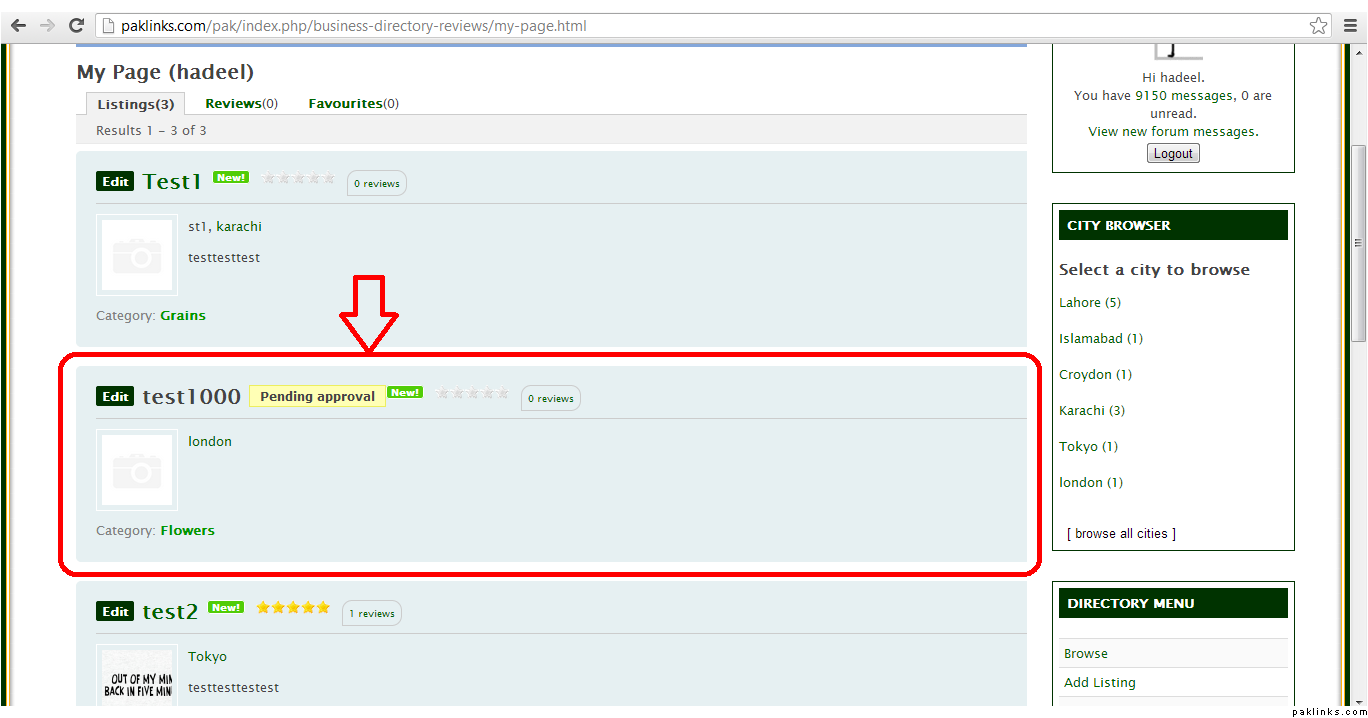
The listings you enter will need approval. So just be patient for a few hours. Thank you.
**Update/Change Category:
**
To change your existing category and move your listing to another category. Here’s what you do:
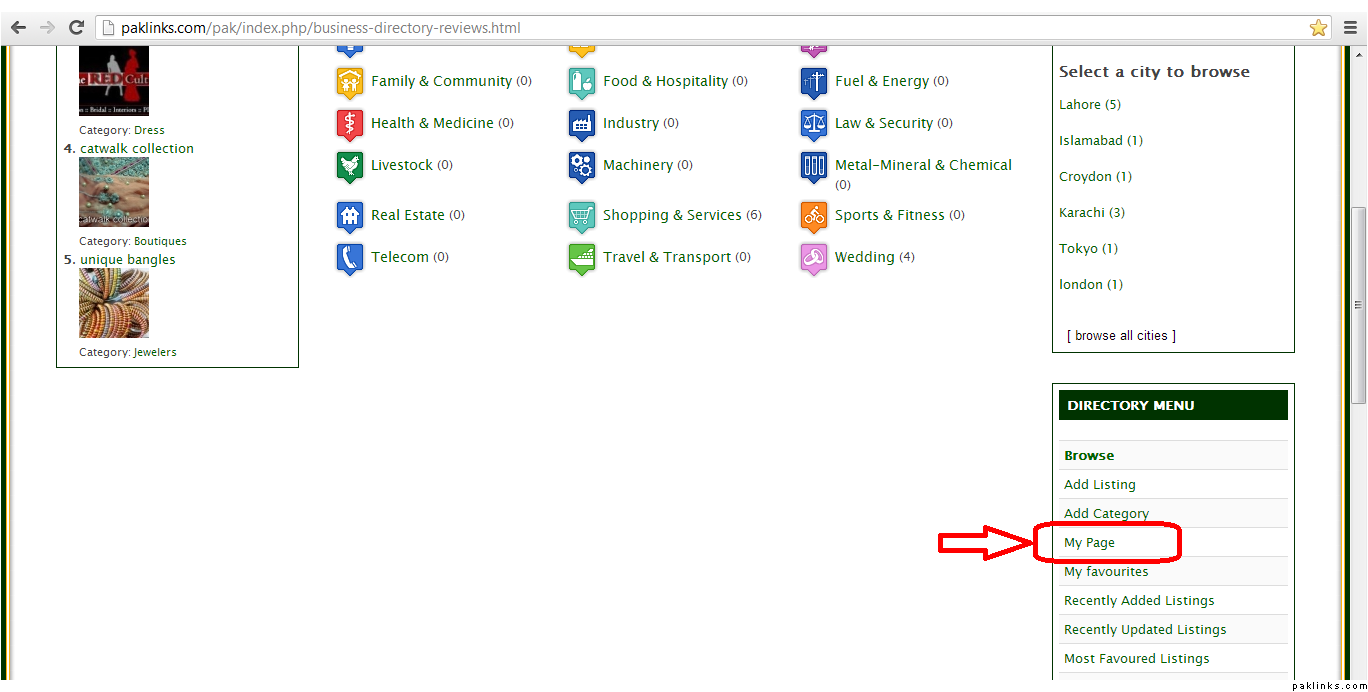
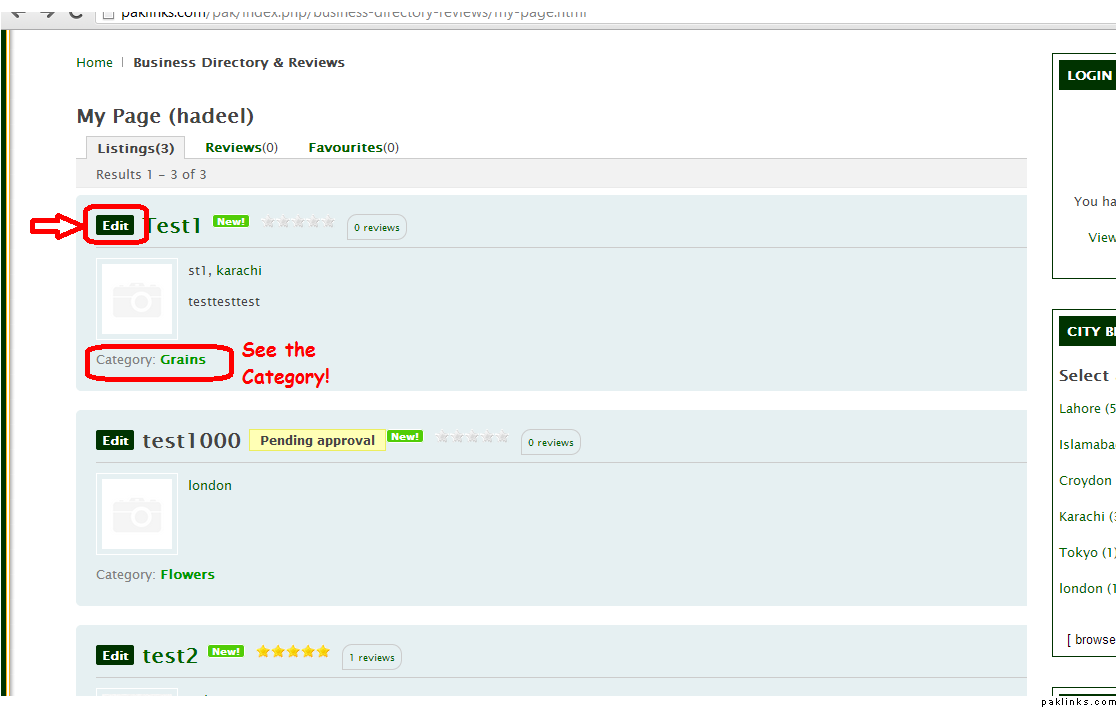
Click on My Page to do the changes.
When the new page opens up.. you see all your listings. Now for example, I want to change the category of Test1 Listing. Click EDIT.
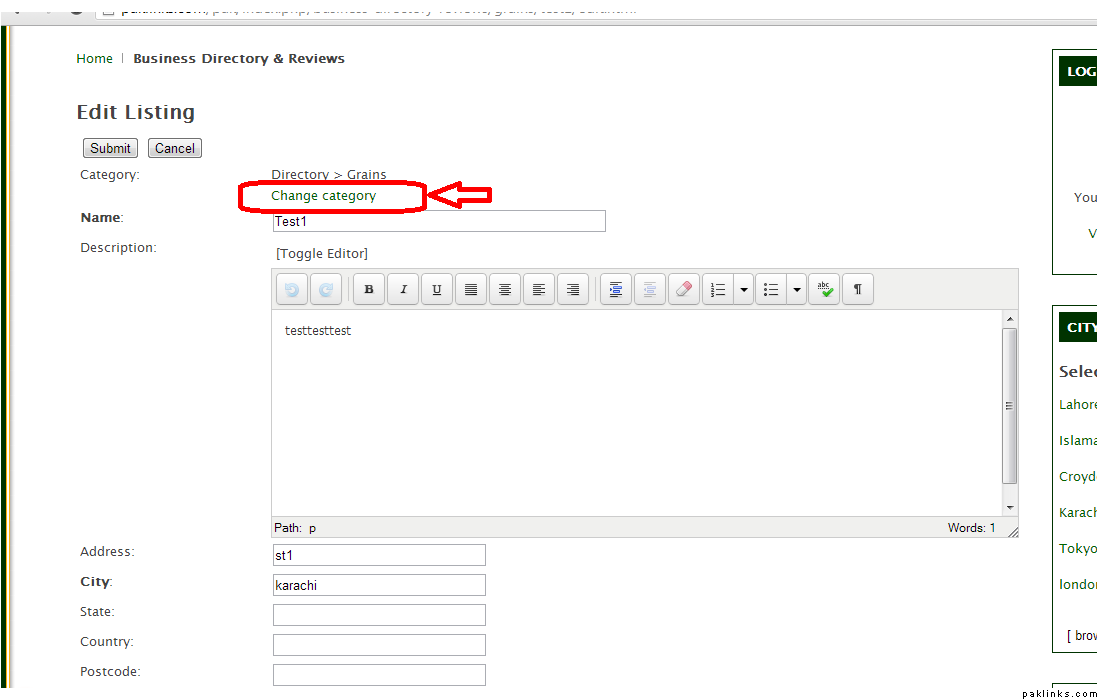
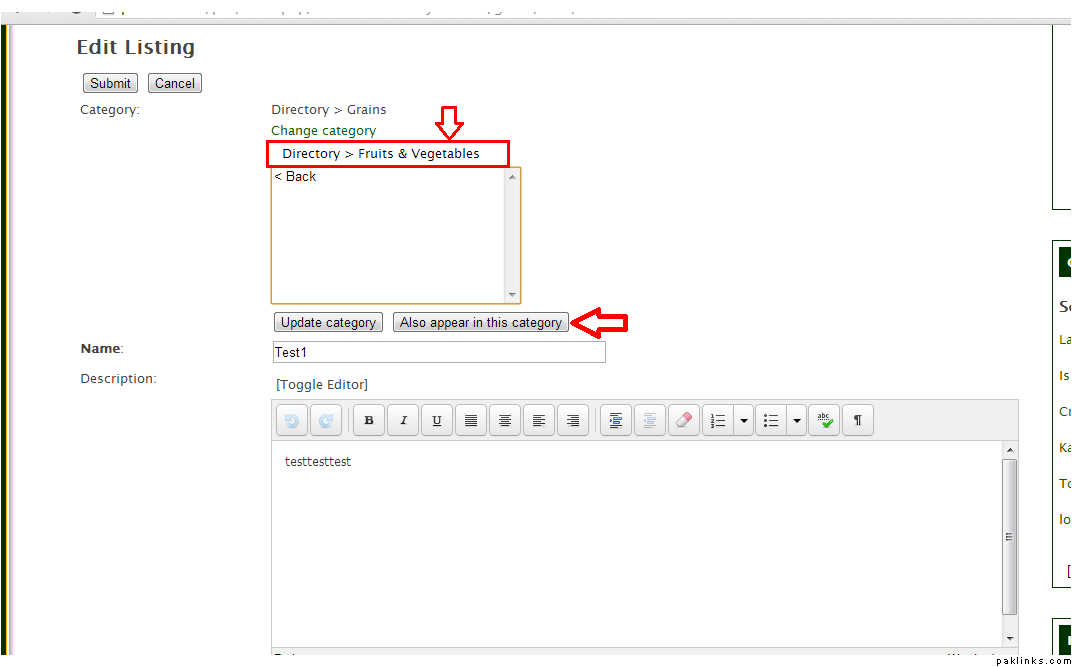
Now click Change category.
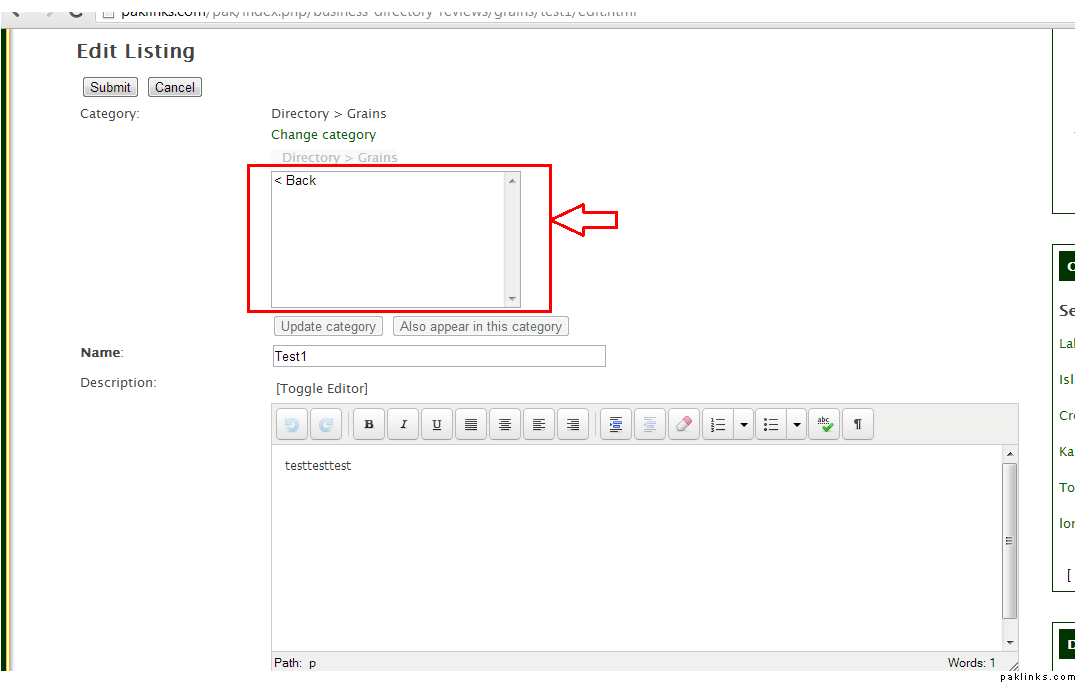
The following text box opens up and you need to click on it once:
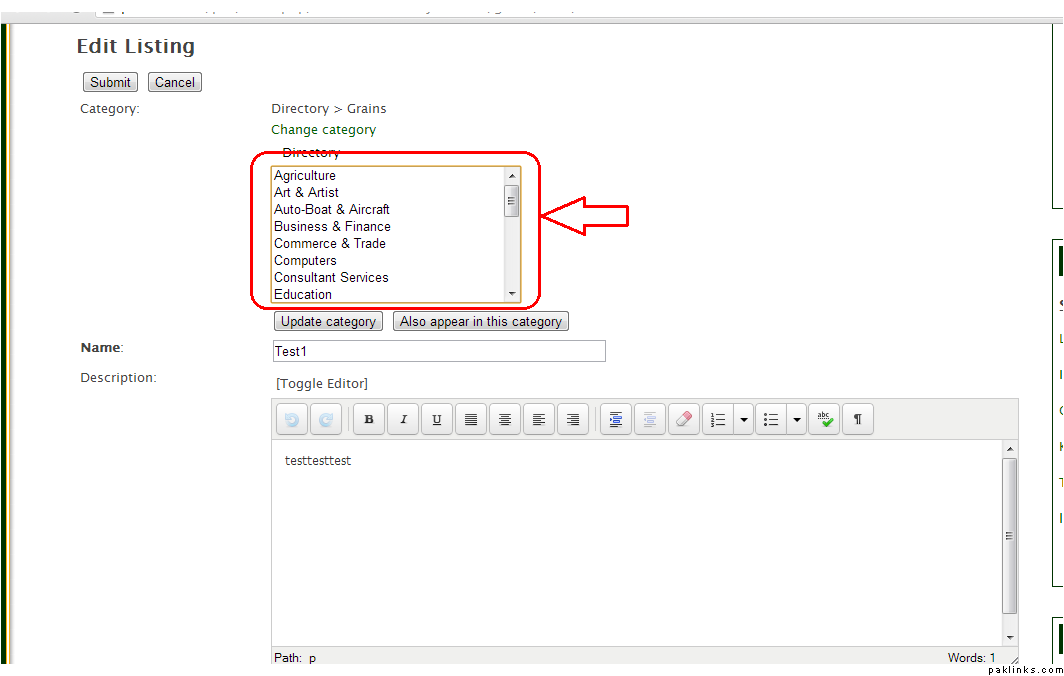
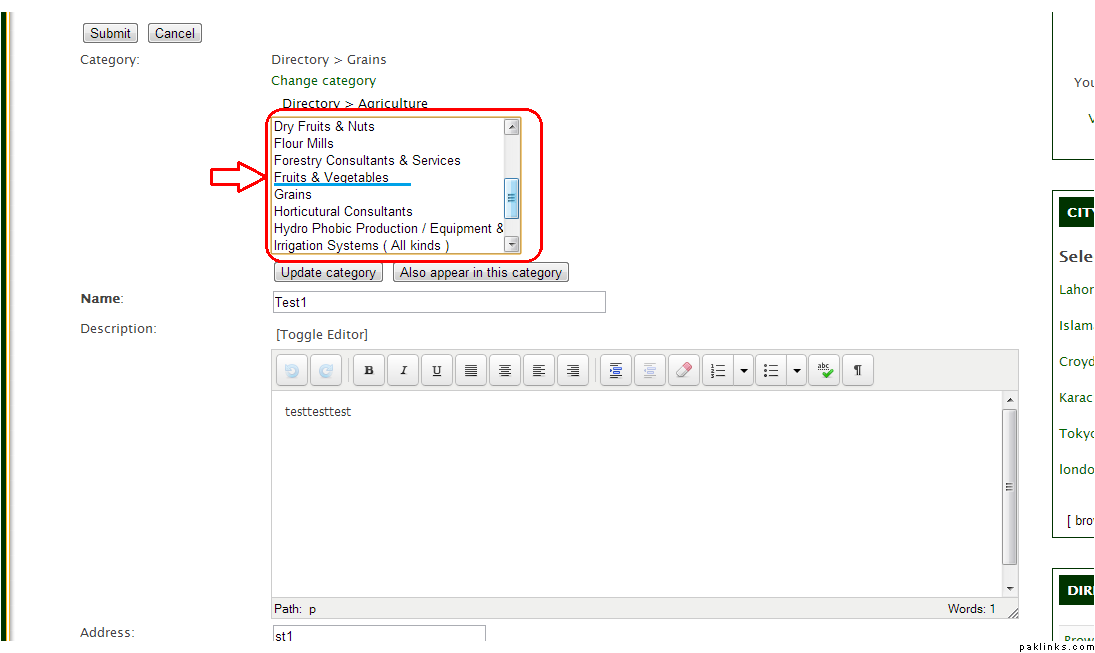
After the click, this is what you’re going to see. A list of all the categories. Click once on your relevant category. It’s going to automatically update the list of sub categories.
Choose the new subcategory you want and Click.. **“Update category”.
**
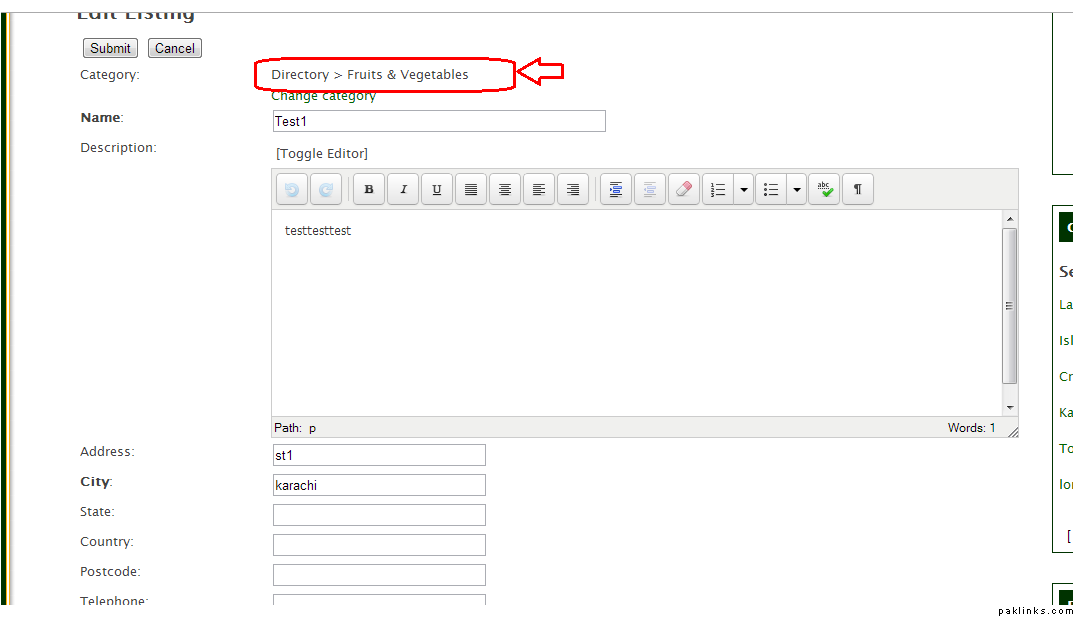
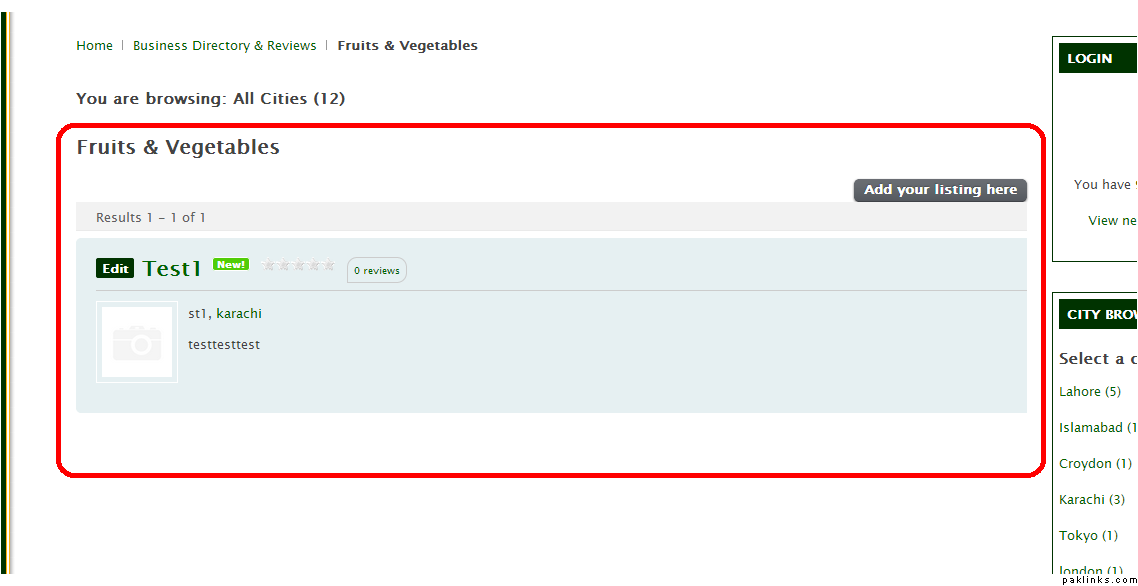
Now you see that the category has been changed from Grains to Fruits and Vegetables.