Why is the picture uploading thing so annoying and hard on this forum I don’t get it…There are times when I try to upload pictures and all i see is x in a little box…then i have to go back and rename the pictures in order to upload them..there are times that that also doesn’t work…there were times i used to upload pictures that had numbers i.e. 01,02 etc and then that didn’t work so i tried putting alphabets as well i.e. a (1), a (2) and that didn’t work either after once or twice abb what? why cant the pictures just upload properly? or Am i doinf something wrong..?
Re: Uploading pictures
Simple stuff man.
No non-alpha numeric characrtaers in the name, no space in the name, only bmp or jpeg and size should be small.
Re: Uploading pictures
Lady you need to follow the guidelines which TLK mentioned. when u are using GS multiuploader
http://www.paklinks.com/gs/multiloader.php
sometimes the uploader doesnot work and gives other techincal errors. if you get any of those errors then u will just have to keep trying. other wise use remote image uploader (where u insert image’s url via website)
http://www.paklinks.com/gs/remoteimage.php
or use the image attachment feature which you can see when u click on “go advanced” of your post. 
umeed hai ke yeh madad gaar saabit hoga.
Re: Uploading pictures
i still cant upload it 
Re: Uploading pictures
what exactly is the error?
Re: Uploading pictures
Did you pay the subscription fee ?
Re: Uploading pictures
Mirch 
Re: Uploading pictures

yeah pay it in mirch uncle’s account…ull get instant access :k:
Re: Uploading pictures
Yep. I am waiting to get that money gram , then only he/she will be able to upload pictures. 
Re: Uploading pictures
Whenever i try to upload the pics and paste the pic it shows ..
Re: Uploading pictures
Well when u upload the pics and it gives you the links of the pics and copy button. Instead of clicking on the copy button to copy the pics code. juts manually copy and paste the code in your post. (manually copy paste = highlight the code and using right click just copy it)…it will work…let me know if it doesnot work that way
as far as i know that CfRuss error is one of the technical errors..cant do much about it.
Re: Uploading pictures
thanks, now i can upload pix 
Re: Uploading pictures

Re: Uploading pictures
Where’s this image attachment feature that u keep mentioning i don’t see it under go advanced tab..maybe u can post a screen shot or sth..please help..
Re: Uploading pictures
Yes thats coz they have updated gs thats why its kind of out of sight. anyhow here i have dont it with screen shots.
Ps. normal mutli image uploader should be working now.
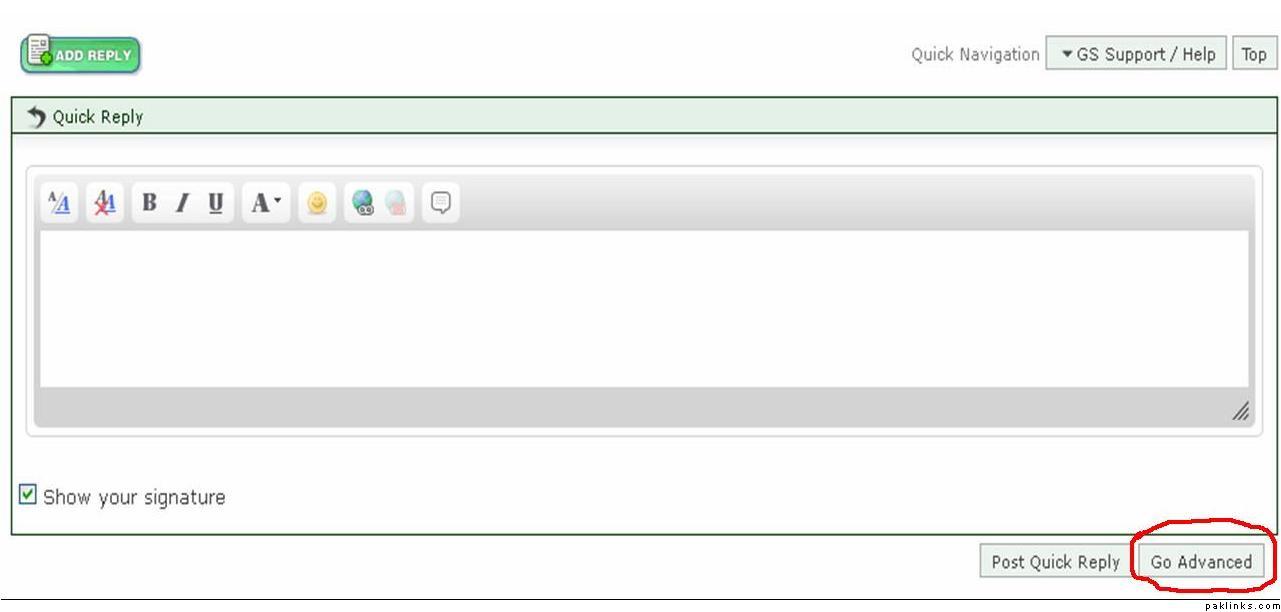
on quick reply you will see “go advanced” tab on your bottom right hand corner. click on it
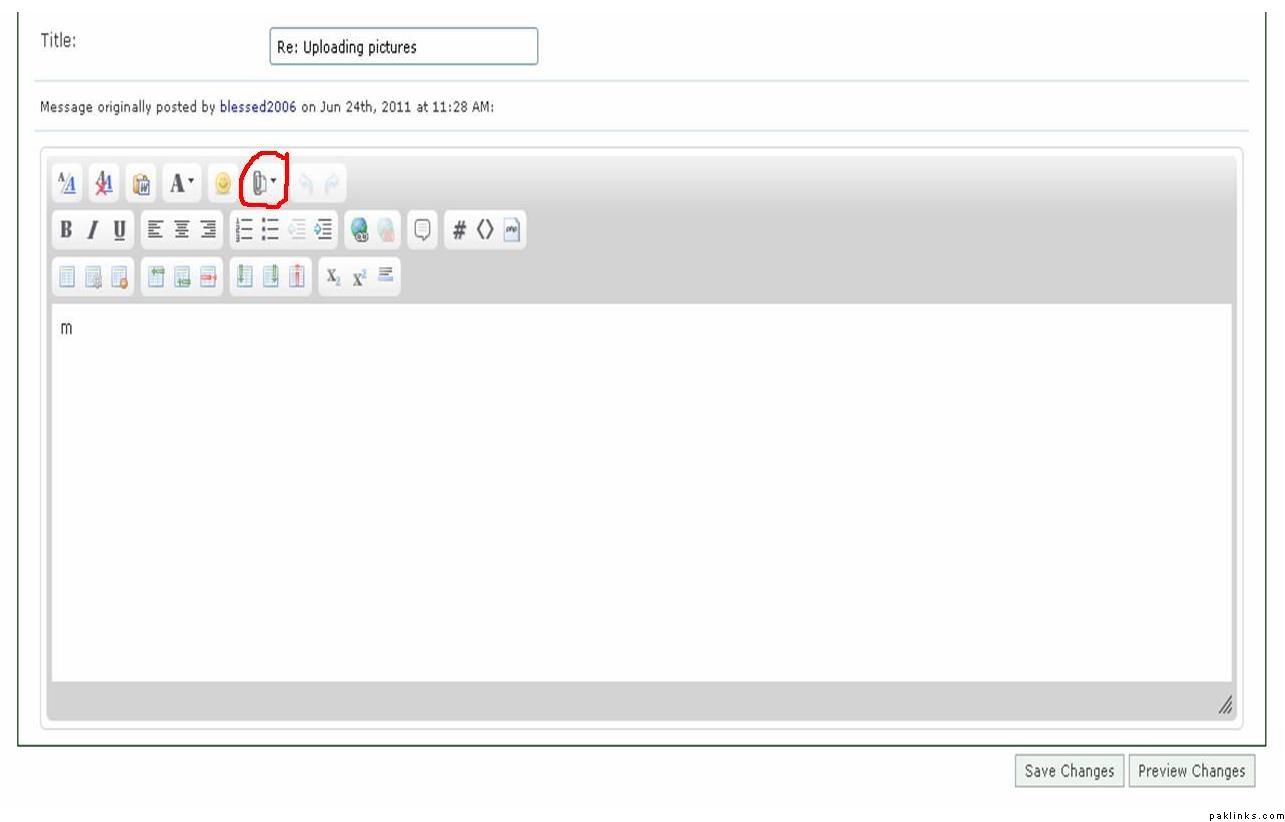
you will then be presented with the advanced features. on that click on the attachment icon (highlighted in red)
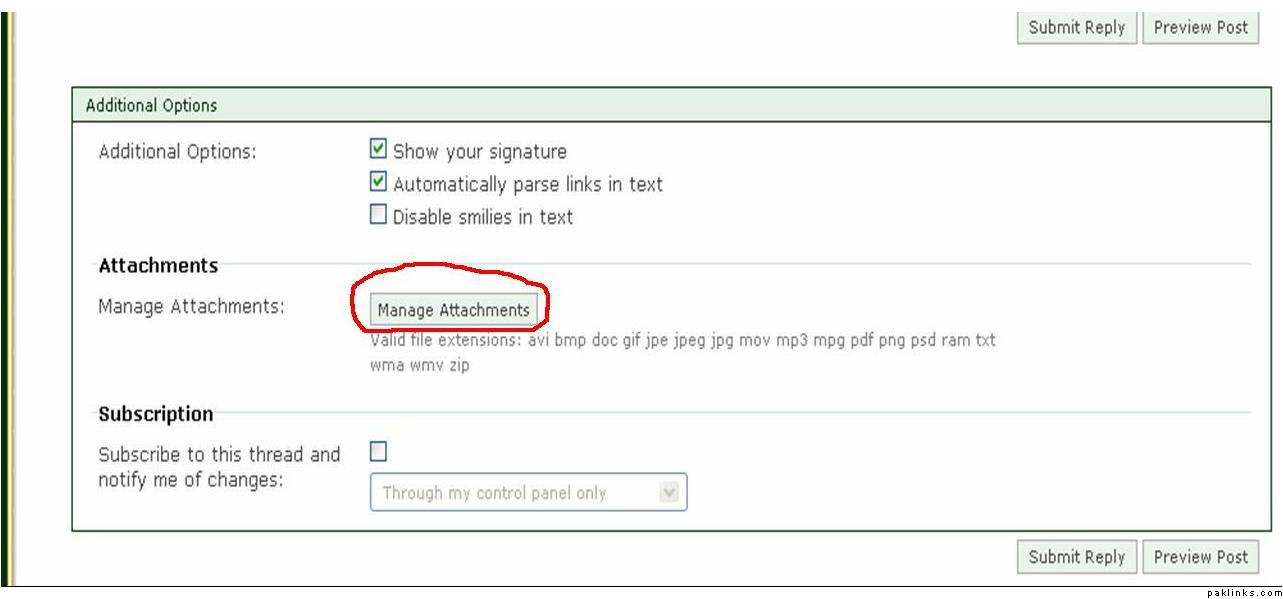
OR simply if you scroll down you will see this. click on manage attachments
attachment window will appear. add files from the top right corner. if you cant add multi images then do single files. once uploaded click on done which is in the bottom right hand corner
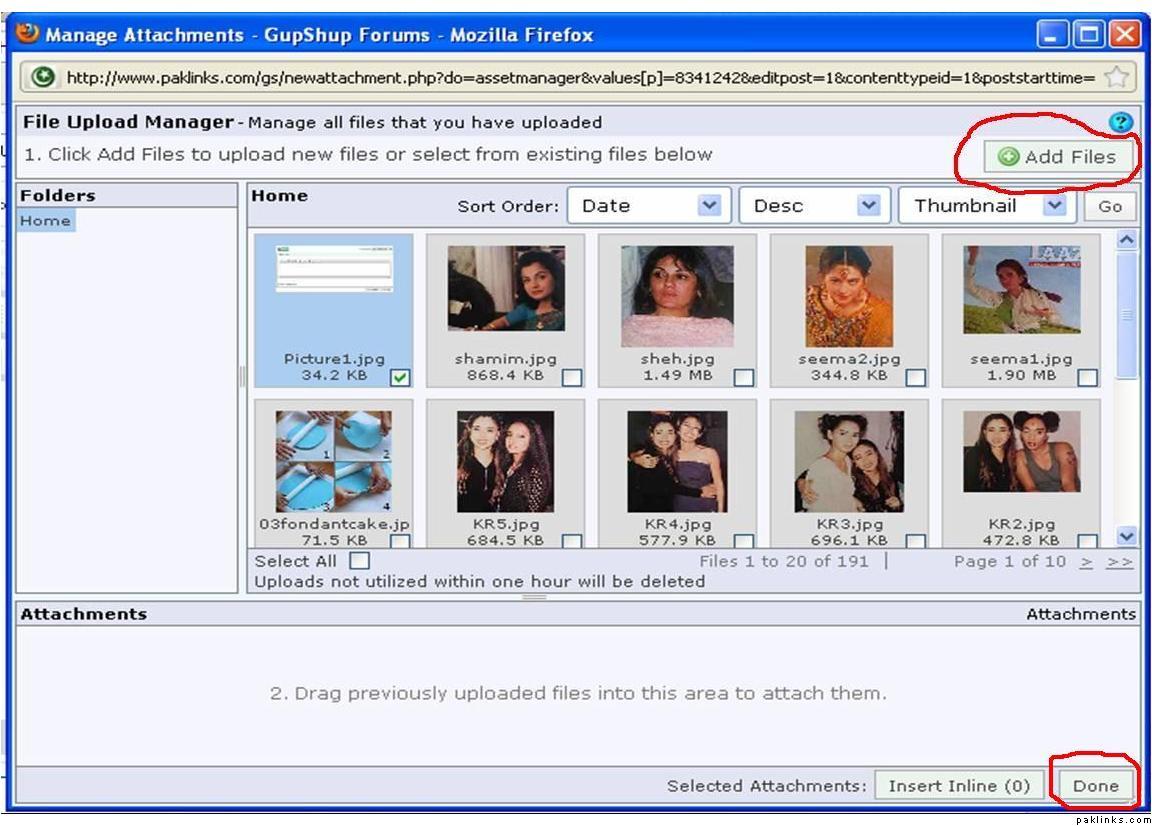
all the attachments will be listed under “manage attachments” section and will be seen in your post once you submit your post.
hope thats helpful