How exactly does it work and what is the purpose?
Re: S-Video option in laptops...
You can connect it to your TV with the S-Video output.
Re: S-Video option in laptops...
So basically to watch TV on the computer or something from the computer on TV?
Re: S-Video option in laptops…
Provided that your TV has an S-Video input, you can view your computer screen on your TV. or any other projection device which supports S-Video.
Re: S-Video option in laptops...
That's about it?
Re: S-Video option in laptops…
It can also be used as a video input for a camcorder or other video device. I’ve been using mine a lot recently to hookup my VCR to my laptop, so I can transfer my old videos to DVD.
Re: S-Video option in laptops...
Interesting. I had no idea a laptop could be hooked up to a VCR.
Re: S-Video option in laptops…
You would need to make sure that your VCR has an S-Video output as well, or you can use some sort of RCA cable to S-Video adapter.
Re: S-Video option in laptops...
Could it be used for any other purpose?
Re: S-Video option in laptops…
Not that I know of. I find it useful for hooking it up to a projector at work when doing my presentations. S-Video provides high resolution video.
Re: S-Video option in laptops...
Thank you. I'll try it out during the holidays.
Re: S-Video option in laptops…
SVCD in laptop… you can connect your PC to TV, VCR.
It can be S-Video pin to S-Video
or from S-Video to SCART or RCA Connectors… Depends upon the connections of other Device.
Its not difficult to use just plug in the connections rightly.
Some more detail info you can get it here:
Re: S-Video option in laptops…
How does that work? Do I need some kinda drivers etc? Or if I just plug in my VCR using the RCA/s-video adapter/converter cable it will automatically recognize it? I recently bought an HP laptop with NVidia Gforce go 7400 card and have not tried this on this new laptop but my old laptop had s-video input as well and I connected the vcr and opened windows movie maker but it would only give the sound of the movie playing and not the video. 
Re: S-Video option in laptops…
In order to record to your laptop, your laptop will require a built in tuner card (or often called “Video Capture Cards”, or an external tuner PCMCIA video capture card. I failed to mention in my post that I’m using the external card which I slide into my laptop to record from my VCR using SVIDEO. There are however laptops that do have them built in with S-video inputs.
Re: S-Video option in laptops…
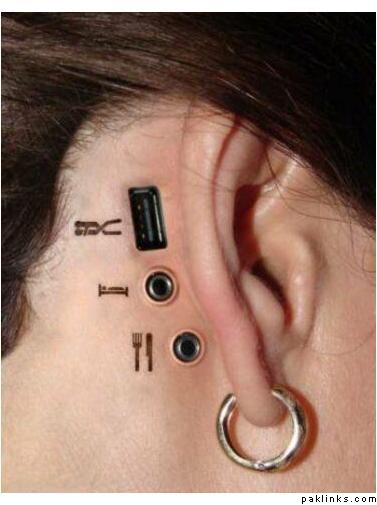
It can also be used to connect to people with the proper cable, like so:
Re: S-Video option in laptops…
The S-video connectors on all laptops are output connectors. They are not meant to input external signal. Avoid feeding external signals to these output ports, as it may damage the internal circuitry.
Re: S-Video option in laptops...
no way! though i wont recommend that either but that wont happen because its buffered internally with two levels of isolation...
Re: S-Video option in laptops...
That is wicked tofi baba...
Pinnacle has a hardware, which also enables recording a satellite transmission or anything from the TV to your PC directly...
Re: S-Video option in laptops...
I love the USB option...its wicked.
Re: S-Video option in laptops...
Pinnacle has a hardware, which also enables recording a satellite transmission or anything from the TV to your PC directly...
Yes! I have that: Pinnacle PCTV-Sat and I have another one as well: Technotrend SkyStar 2.