I keep Getting this Following Msg everytime my laptop starts.
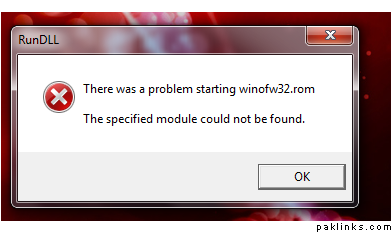
How do i Get rid of it or fix it or whateverr that needs going to it .. Please Help Me. I hate having errors esp when my laptop is not even a month old.
Thank You in Advance 
I keep Getting this Following Msg everytime my laptop starts.
How do i Get rid of it or fix it or whateverr that needs going to it .. Please Help Me. I hate having errors esp when my laptop is not even a month old.
Thank You in Advance
Re: * Run DLL * - Headache
Looks like you deleted/uninstalled some startup item that this dude didn’t get 411 on. Check ur startup folder and your Run key in registry (regedit → HTLM/software/microsoft/windows/currentVersion/Run).
Re: * Run DLL * - Headache
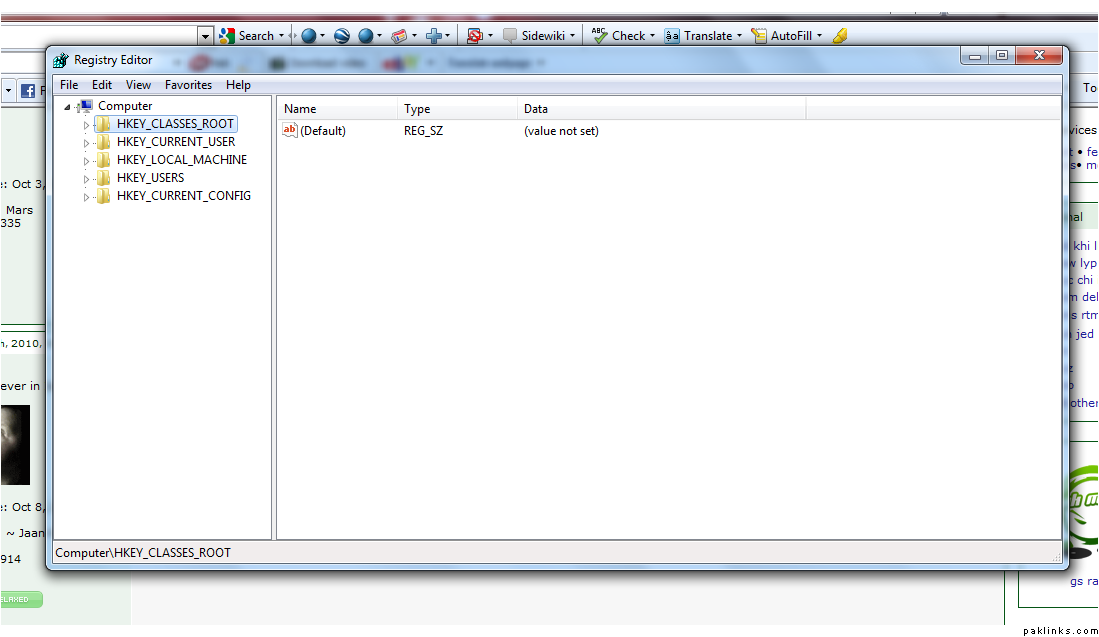
Still having trouble in Reg Edit ..
this is what i have and dont know what to do next
The code was copied to your clipboard. Now simply paste in your post. (Ctrl-V)
Re: * Run DLL * - Headache
1 . If you uninstalled some program lately , then reinstall it and UNINSTALL it properly .
2 . Install CCleaner , it has the option of fixing your registry . Hopefully it will fix that error .
Re: * Run DLL * - Headache
Thank you Nami .. i will try this …and let ya know 
tofi meant, HK_Local_Machine
Re: * Run DLL * - Headache
^^ i still have no clue as to what he means by run key in registry ..
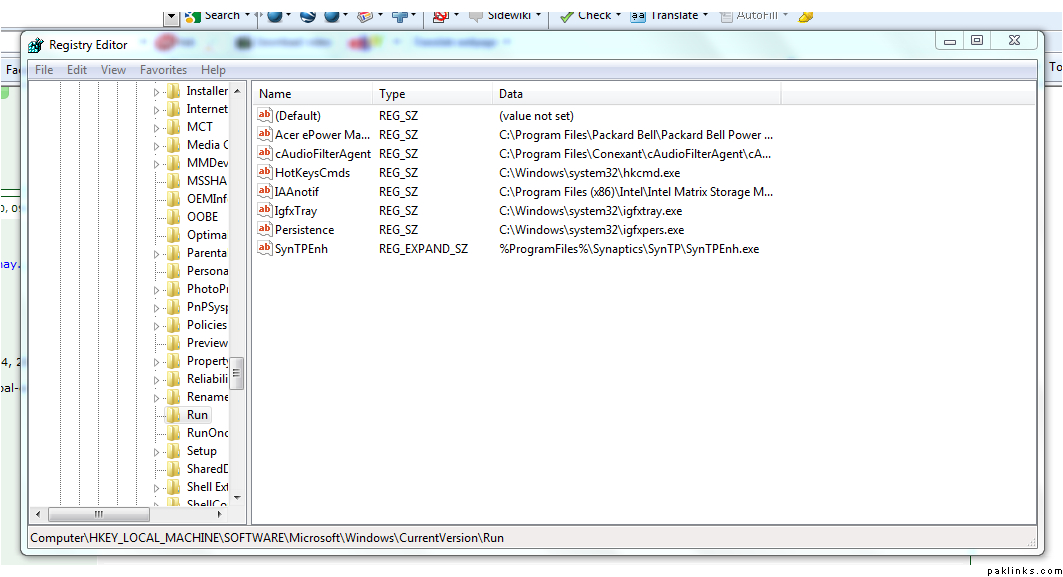
if i follow the above HK_local_machine …etc etc all the way to run ..this is what i got ..and i have no clue what any of it means 
Re: * Run DLL * - Headache
^^ above seems to be accurate.. u can highlight 4th line (hotkeycommands whatever) and hit delete on keyboard and restart laptop to see if that did it or not..
but anyway, CCleaner - Download is the CCleaner that has ability to check register-created pointers to stuff thats no longer there, and then fixing/deleting it..
Re: * Run DLL * - Headache
^^ thankx for the help so far ..and i ve downloaded the cleaner also ..ran it .. all the errors have been fixed according to the cleaner .. but once i restart the laptop .. the above RunDLL above snapshot still appears …
what else could be wrong with it if the registry in the cleaner says theres no more errors to report 
Re: * Run DLL * - Headache
within ccleaner, first run does something, then second run does something more, i think i had to run like 3 times in one session before restarting..
Re: * Run DLL * - Headache
start regedit, highlight my computer, press ctrl+f (search) , enter this filename and search for it, everytime it shows up, take and save screenshots, (press F3 after everytime to further search)..
lets see where this bad boy is regitered at and for what purpose 
Re: * Run DLL * - Headache
this is what i have … after the search
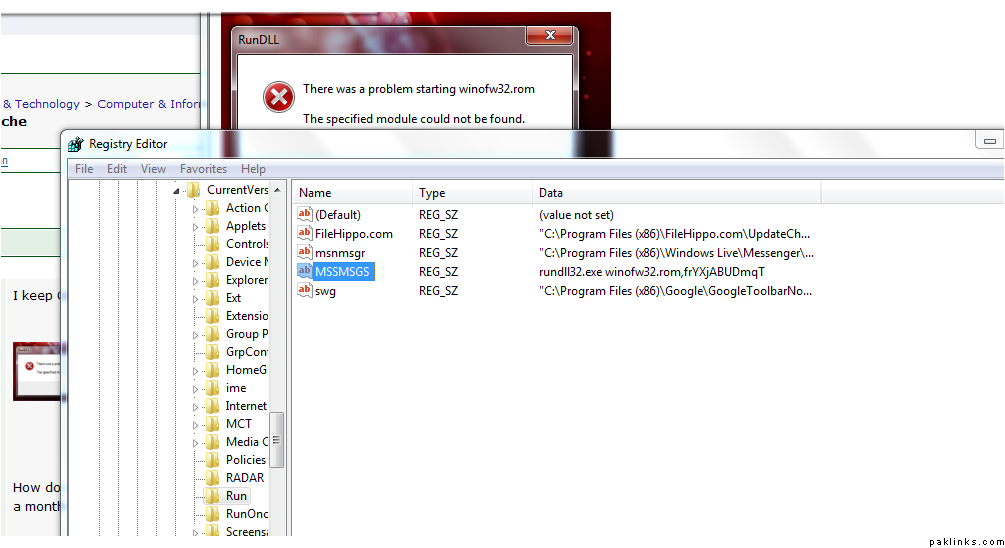
even i think this is something to do with msnger  shall i hit delete on it?
Re: * Run DLL * - Headache
^^ woohooooooooooooooooo …confused .. you should change your nick to genius .. arey …i think when ever i open a thread here in tech section ..funny enuf your ways always work ..no offencce to the other intelligent ppl
So as you prsumed .. i after the search ..like above .. i hit the delte button ..and the stupid error doesnt come no more ..finally!!
So thanxx everyone .who helped me in this thread one way or the other ..
Re: * Run DLL * - Headache
Sweet :k:
yeah .. delete filehippo, google toolbar, and that MYSERIOUS mssmsgs (its cleverly disguised as OLD WINDOWS MESSENGER which used to be msmsgs.exe ) (only one “s” in all three places).
Re: * Run DLL * - Headache
now press windows key+F , ALL FILES AND FOLDERS and search for these two files:
mssmsgs and winofw32
(no extensions, just like that) and delete them if they show up…
Re: * Run DLL * - Headache
Ahh, its not in HKLM (thanks confused for the correction), its in HK_Current_User!!
Re: * Run DLL * - Headache
Confused: Yes all done.