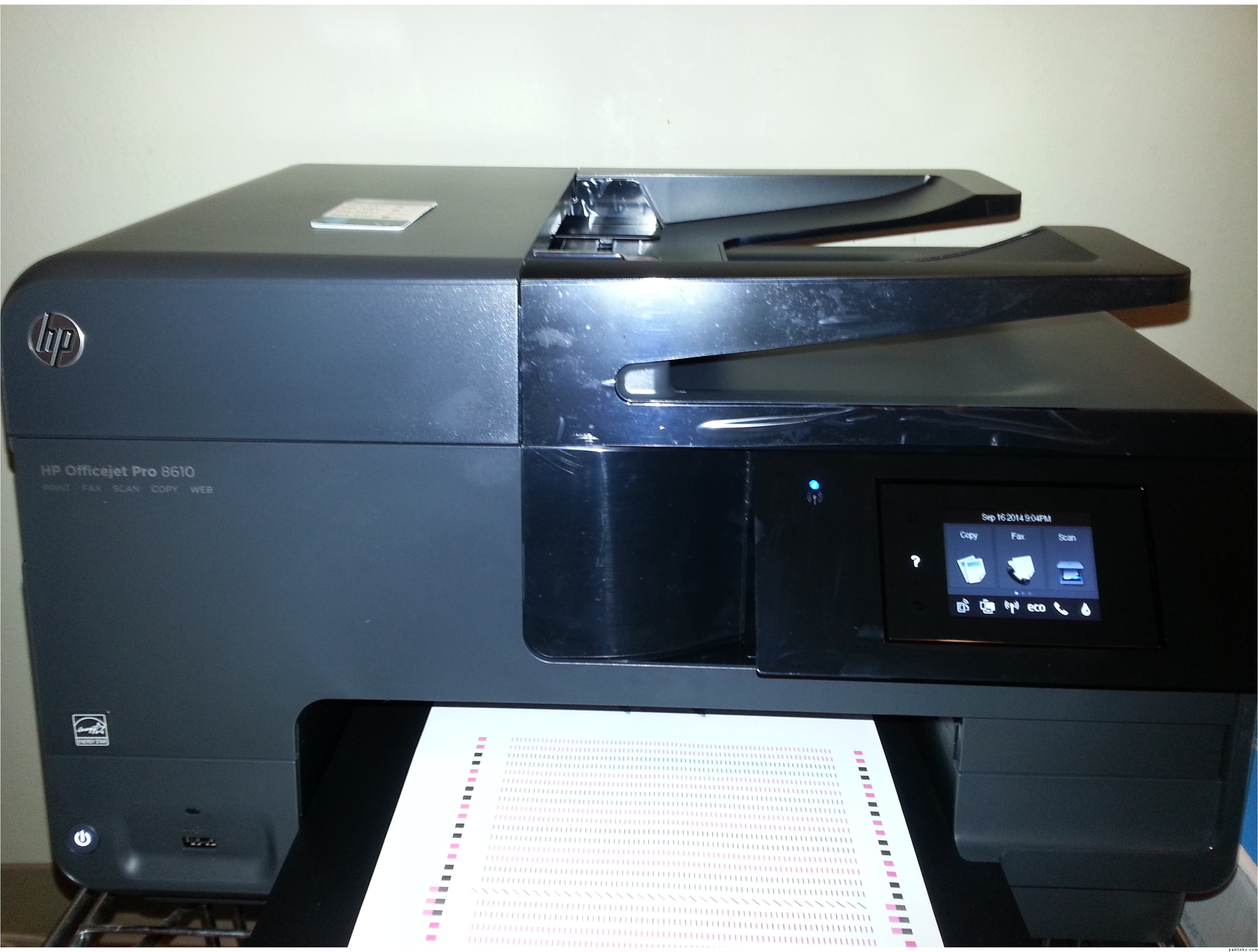
My printer was on its’ last leg for a few months now. Last night it just stopped responding to any printing altogether. It served well, and a service of 7+years is excellent life for a basic inkjet printer in my view.
I was leaning more towards a Color Laserjet because it’s more economical in the long run because the toner last much longer than your typical Ink cartridges do. However, for my needs a real good Inkjet would have worked better without costing $200+ in toner replacement costs. Almost all Laserjet printers now require 4 individual toner cartridges which are Black, Cyan, Magenta, and Yellow. The same is also true for most inkjet printers; however, some inkjet printers still use the 2 cartridge system (Black, and Tri-Color).
The individual cartridges are meant to be more efficient because you only use the amount of a color that is required to achieve the combined colors for the print job. Each cartridge is replaceable as it depletes. A word of caution though, your printer will not function until the depleted cartridge has been replenished. For inkjet printers, most cartridges are available in a value combo pack which gives you High Capacity black, and 3 tri-colors. HP likes to bundle theirs inks in the following configuration;
950XL/951C+951M+951Y (950XL is the black High Yield cartridge; and the others are standard colors)
*High Yield/XL cartridges are supposed to provide 2.5x more printing than a standard cartridge, depending on what is being printed.
The product that fit the bill for my needs on a short notice is HP Officejet Pro 8610.
Why This: The reason for this printer was because it compares in quality of print and ink cartridge printing capacity to that of a lower/mid Laserjet. The yields for this particular printer are below:
Some of the other factors which figured into the decision to purchase this particular printer are the upfront cost to purchase and set up the printer, as well as recurring ink costs. Almost all other printers cost nearly $70 for a complete set of inks. The complete set of inks (950XL/951CMY) cost $93.xx; however, the yields are higher so the price difference makes sense from a monetary point of view. The other factor that helped make the decision are the features which will be highlighted a little later in this review.
Cost of Printer: $149.99; This particular printer is currently on sale at my local Staples for $149.99. Amazon currently has it listed for $119.99; because I needed a printer right away I was able to get a price match at Staples. So I ended up paying $119.99+Tax. No Extended Service Plan purchased because the printer already comes with a standard one year manufacturer’s warranty which can be extended through HP for a longer period. I prefer to deal with OEM rather than a third party just because of the ease of getting a replacement with OEM.
Shipping: N/A. Picked up in store.
Important Features: This particular machine features a touch LCD screen which allows controls of most functions. It is USB/Ethernet and Wireless capable. It is capable of duplex printing. It has a USB device port in the front for printing from a flash drive, or for saving scans to a flash drive. Since it is an All-in-One it features Print, Copy, Scan, Fax, Apps, and ePrint. I am particularly fond of the ePrint feature because it provides just so much freedom. ePrint is the ability for you to email your print jobs to your printer from anywhere in the world. During the setup process you will be taken through setting up your printer’s unique/personalized email address which will look something like [EMAIL=“[email protected]”][email protected]
It is a nice feature because you can print anything without being present near the printer. For those of us who host our own printing devices for Office or Home Office, this feature comes in especially handy if you need to have something printed and happen to be running to that important meeting and/or presentation. You can print from anywhere. The print jobs are easily managed and monitored at hpconnected.com
Overall Impressions: I had the opportunity to print 12 pages. It prints very quickly. The paper tray is adaptable to various paper sizes up to Legal size paper, as well Envelopes and 4x6 Photo paper. The Auto Document feeder on top works flawlessly for scanning or copying a batch without the need to stand and do it one page at a time. The printer was very well packaged, and the setup was a breeze. Setup requires basic computer knowledge. Overall, I feel this has been a good buy, and I am pleased with it so far. This is still very early in its’ life cycle to rate how it’ll fare in terms of dependability, but at this point I am glad I made this essential purchase.
What’s in the box: It comes with everything you need to get it going, except USB cable. If you intend to do a physical connection you may make use of the Ethernet port and put the printer on network to be shared with other networked devices (Printer software setup required on each device individually) or alternatively it may be connected to computer using a USB cable. Neither of these cables is provided with the printer and will need to be purchased. Other items that comes with the printer are a 6ft phone cord for the Fax feature, a power cord, duplexer unit, and a full set of Setup cartridges. At this time I am not certain if the Setup cartridges are full in capacity or if they’re starter cartridges how long they might last before I need to put in a set of cartridges. Some premium printers comes with a standard set of cartridges, and not starter. Setup disc, and quick Setup guide are included. Owner’s manual is digitally available at hp.com, and present on the computer after installation is complete.
Recommendation: For the ease of use, and setup, as well as print yield I would recommend this printer. Price is great too.