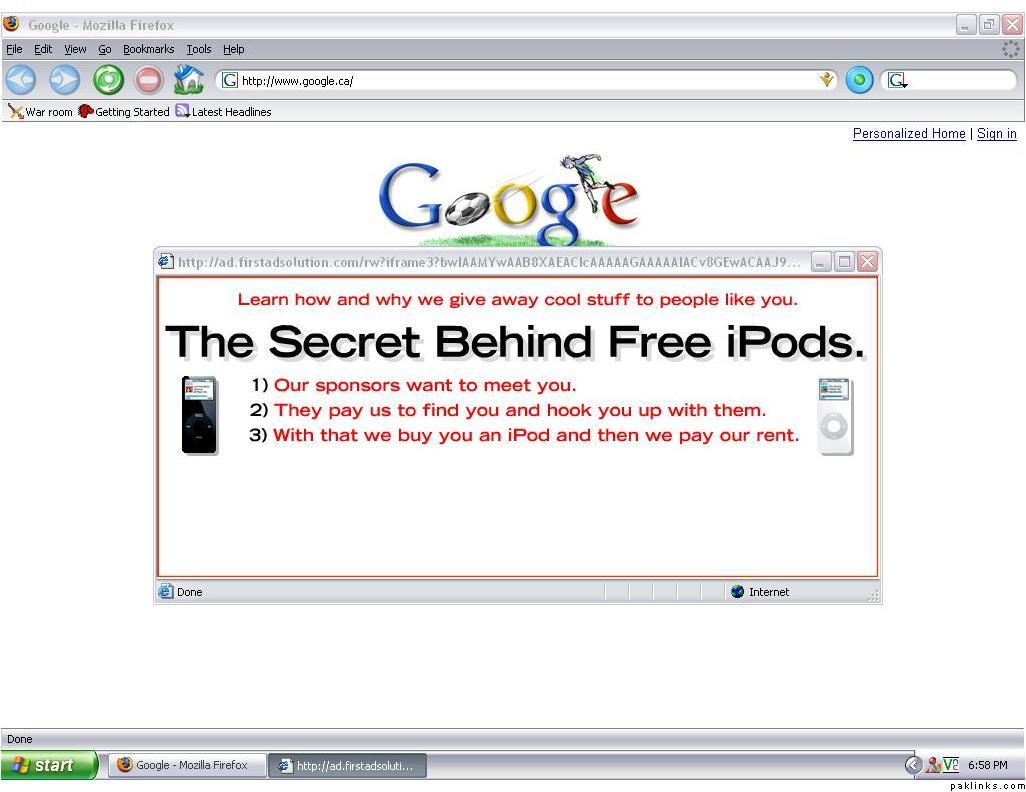
Dunno if this topic’s been done or not, but every time i open up a new Mozilla Firefox window, an internet explorer pop up…well…pops up. I have no idea what kind of stuff agreement mozilla and IE had while i was sleeping, but that’s what’s going on. Any way to fix it? I have run spyware, adware, and a virus check. I have a firewall. Still nufkin’.
Looks like u still have some spyware on your system. Can you mention what anti-Spyware/adware, and anti-virus you used? Also as said by PA, screenshots would be helpful too.
BTW.... recently it has been reported that a large number of Anti-virus software (including AVG and few others) DO NOT detect the ADS (alternative data stream) file format of NTFS, and thus malware can easily evade scanning. There are some underground techniques that these malware use, so we should not always expect our anti-tools to work perfect for us.
ps. McAfee and one other (probably AntiVir) does detect that ADS format techniques.
Mozilla was already the default browser. Popup blocker on as well. Checked the list of approved sites, and they are indeed approved websites. I’m running:
Ad-Aware SE Personal
Spybot - Search and Destroy
eTrust Internet Security as the anti-virus
My firewall’s window’s own.
oh forgot to mention, popups now taking a bit to pop-up...like 30 secs interval between opening up mozilla and the popup popping up...dunno is that matters.
Save the file to your desktop and double click l2mfix.exe. Click the Install button to extract the files and follow the prompts, then open the newly added l2mfix folder and doubleclick second.bat
Your icons and desktop will disappear while scanning. This is normal.
Afterwards notepad will open. Save the notepad file. And REBOOT
This should pretty much clean the infection, if it doesn’t… uhmm… well, we’ll cross the bridge when we get there
the webroot spyware remover, being a trial version just scanned stuff, but had no option to delete them, unless i had a subscription. I think i did everything right when it came to the L2mfix, but once the second.bat was opened, an MSDOS screen came up for like a few seconds, and then a notepad file opened, which said that it's not supposed to run on its own. i rebooted nonetheless, but nothing happened. pops still persist.
Google ad.firstadsolution … it seems to be a malware.
Clean up your Add/Remove programs.. remove ALL junk u don’t want or don’t recognize.
You need to clean up your Temporary Internet Files.. Use Cleanup .. It’s kinda dangerous.. please run in Demo mode first to know beforehand what will be removed.
Then you need to get into safe mode and run your spyware programs from there. ONLY run Ad-Aware and SpyBot.. don’t trust others for now at least.
Once you’d done the cleaning.. reboot in safe mode with networking and try some online anti-virus checks e.g. Housecall by Trendmicro
If you still have the problem.. reboot in Safe mode and run Hijack This (latest version) and post log here or one of their forums.