Designing new network for our new location…
Ultimate setup would be putting servers on different subnet but for simplicity sake they would be on dedicated gigabit switch while still in the 1.x network.
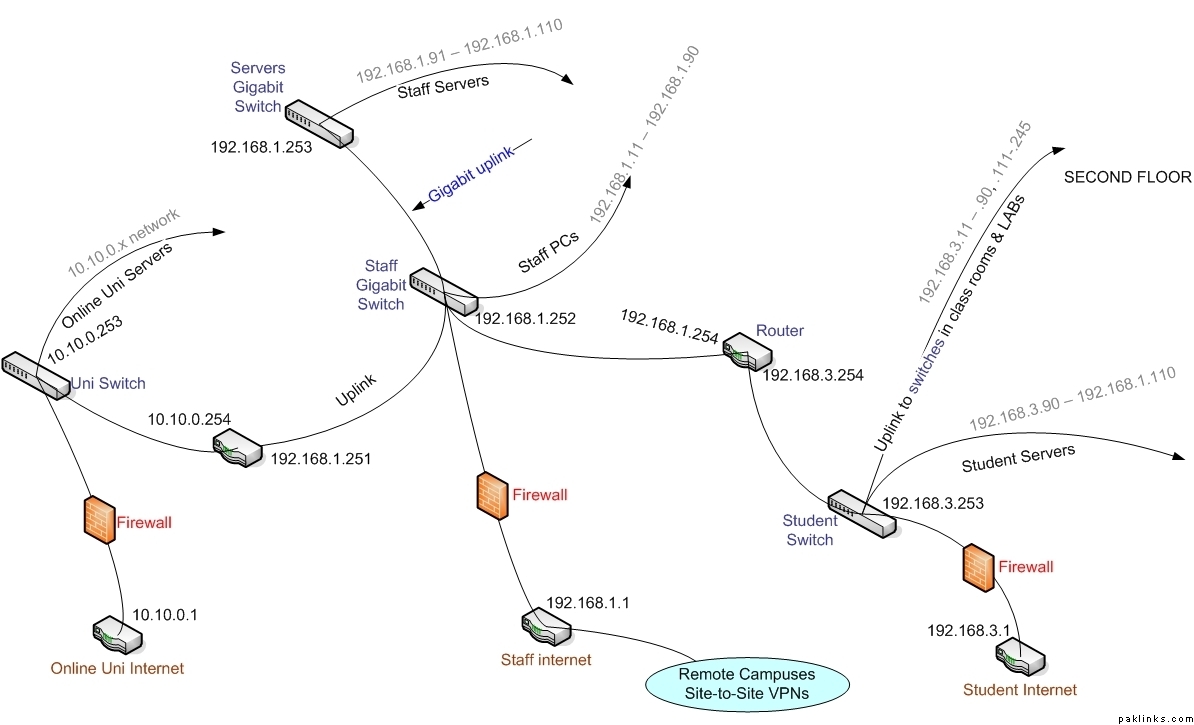
Opinion?
Designing new network for our new location…
Ultimate setup would be putting servers on different subnet but for simplicity sake they would be on dedicated gigabit switch while still in the 1.x network.
Opinion?
Re: New Network Design
Too many curves, very distracting. :p
Re: New Network Design
Damn. If its distracting for you… I don’t want to know what non techie would say. 
Wesey, not confusing to me at all… thora style bhi hona chaheye. I hate making visio’s with straight line. 
Re: New Network Design
Here is the non-curvy version…
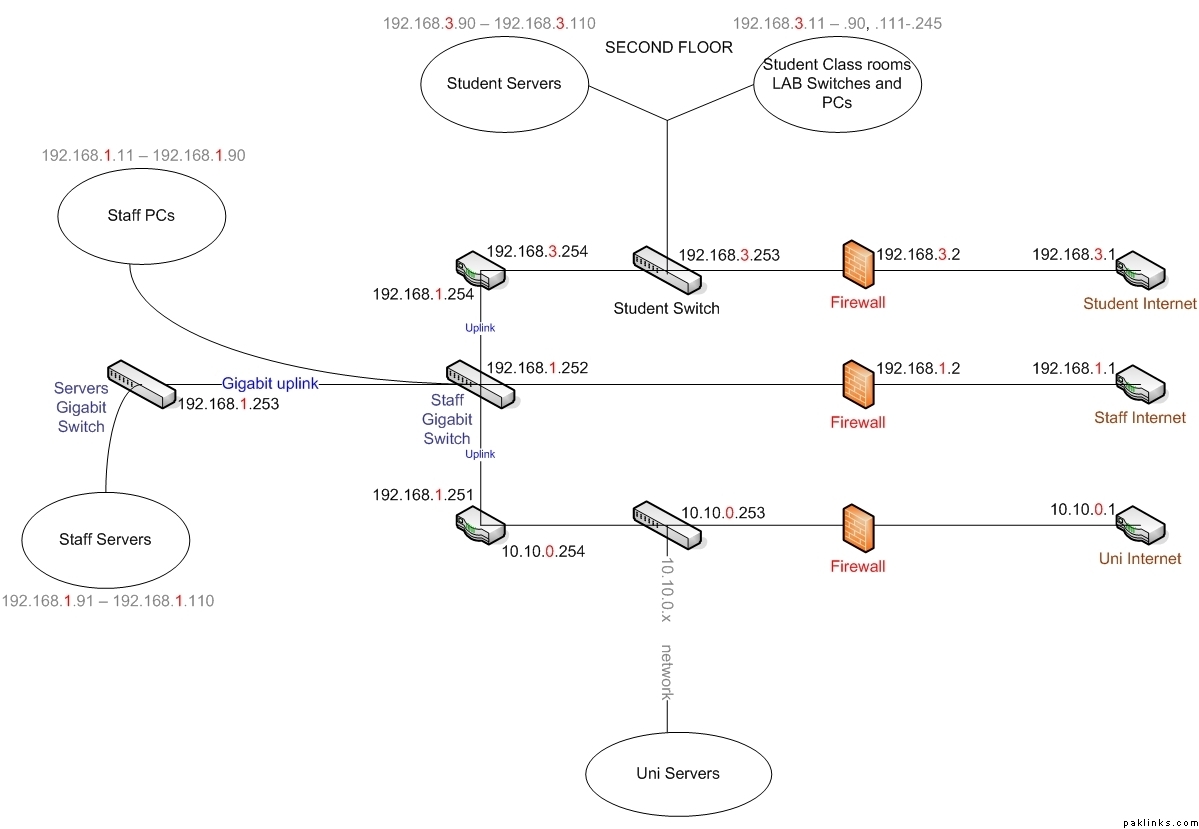
I can’t believe you don’t like curves, man! Don’t say it is too straight/flat for you now. 
Re: New Network Design
Ultimate setup would be putting servers on different subnet but for simplicity sake they would be on dedicated gigabit switch while still in the 1.x network.
Opinion?
Re: New Network Design
What I get from the picture is that - there is only one firewall with three Interfaces. But what exactly do u mean by Staff network ? I mean dividing network into different buildings make sense but lecturers can login in any lecture room? OR students have no access to Network but certain labs .. and thats what u mean student's network?
I'll design network per building or area instead of staff or students or guests. I can also consider putting a transparent proxy if monitoring is the issue here.
Re: New Network Design
There are networks.
192.168.1.x (Atlanta, staff domain, HQ location)
192.168.2.x (TX, staff, remote location, VPN into 192.168.1.1 router)
192.168.3.x (Atlanta, Students domain)
192.168.4.x (TX, student domain, remote location)
192.168.5.x (North Houston, remote location, VPN into 192.168.1.1 router)
192.168.7.x (South Houston, remote location, VPN into 192.168.1.1 router)
**10.10.0.x (Atlanta, Online Uni)
Each has its own T1 coming in for internet access - voice/data and we are only worried for this location (atlanta), **bold text.
We are moving locations so that is why upgrading to gigabit switch... that is all.
Re: New Network Design
I don't get it, why do you need 3 T's for the 3 subnets? You'd be better off load-balancing and tying all 3 T's together. The way it sits currently you're wasting bandwidth.
Another thing I don't understand is why are you not NAT-ing at the firewall level.
Somehow I'm not comfortable with your design.
Re: New Network Design
It is a complicated setup with 3 different companies who have their own servers but staff in 1.x network.
Each subnet needs it own dedicated internet... I guess, students (3.x) can get away with some cheap cable/DSL line.
NAT is happening at the router.