In these all tables, ‘Cust ID’ is appearing repeatedly. You may choose 'Cust ID ‘key (master)’, then in “Forms” with help of that you design it as u want. In Tables you can’t merge or over-write on table to another.
^ I am just telling her how to get the output from the tables , of course she’ll have to wrap this query in to an ‘INSERT’ statement to a new table to merge as many as she wants . Use something like that
INSERT IGNORE INTO MYMERGETABLE (…) (SELECT … FROM MYOTHERTABLES WHERE …)
I have found access to be a lot easier when it comes to relationships and joins. I dont know what version of Access do you have but first press F1 to bring up the help and look up Create a Quest using a Wizard and it should tell you how to start. It will being up a nice wizard which should let you merge the 5 tables and walk you through it. Give it a try and let us know how far you got and we will try to help you further with it.
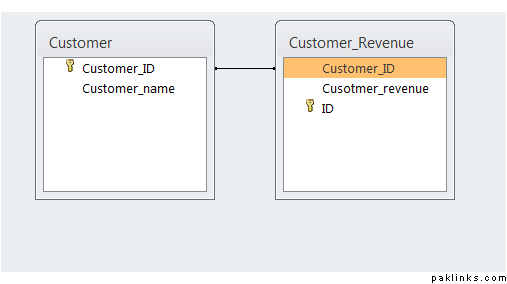
Here is a query from Access on 2 tables that have the customer_id common between the two. I have Access 2010 and I clicked on Create tab and clicked on Query Wizard to bring up the wizard when I selected everything from the tables it asked me to create the relationship and once I did that I defined the relationships I went back to the Create Query and Query Wizard and was then able to create a query. Here is the SQL Version of the query.
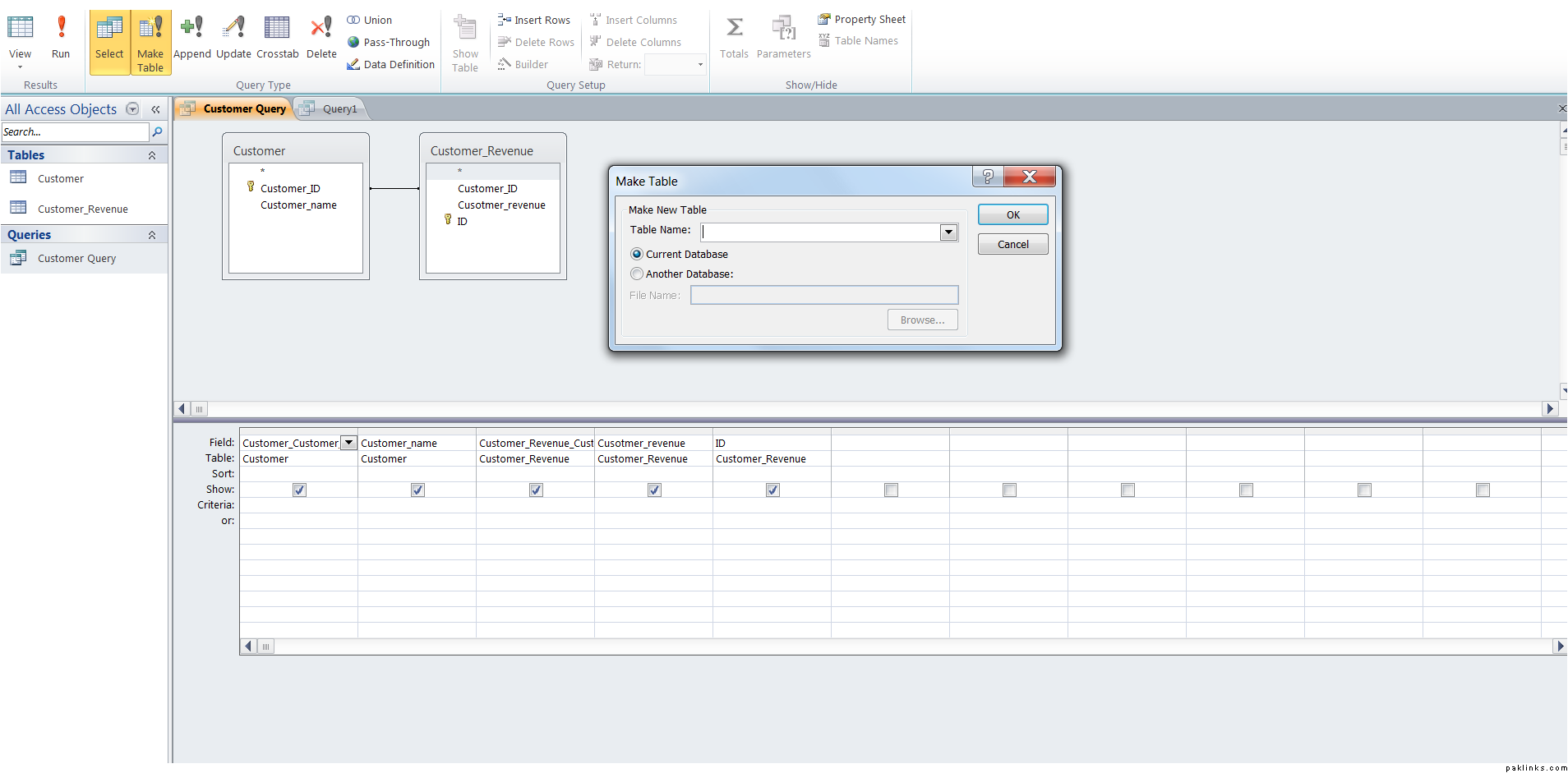
SELECT Customer.Customer_ID AS Customer_Customer_ID, Customer.Customer_name, Customer_Revenue.Customer_ID AS Customer_Revenue_Customer_ID, Customer_Revenue.Cusotmer_revenue, Customer_Revenue.ID
FROM Customer INNER JOIN Customer_Revenue ON Customer.[Customer_ID] = Customer_Revenue.[Customer_ID];
EDIT: Just saw the answers from others and seems like you are trying to make another table from the results of the query results which is super easy in access. Once you create the query above using the simple query wizard you should have another tab after the query is created called design. When you click on it will have options like Make Table, Append etc. The Make table will ask you the new table name and when you run the query it will make another table with all the records in it. Here is the SQL from access on the make table query:
SELECT Customer.Customer_ID AS Customer_Customer_ID, Customer.Customer_name, Customer_Revenue.Customer_ID AS Customer_Revenue_Customer_ID, Customer_Revenue.Cusotmer_revenue INTO NEW_CUSTOMER
FROM Customer INNER JOIN Customer_Revenue ON Customer.[Customer_ID] = Customer_Revenue.[Customer_ID];