I am having problem with IE installation and I have tried all possible solutions that I knew
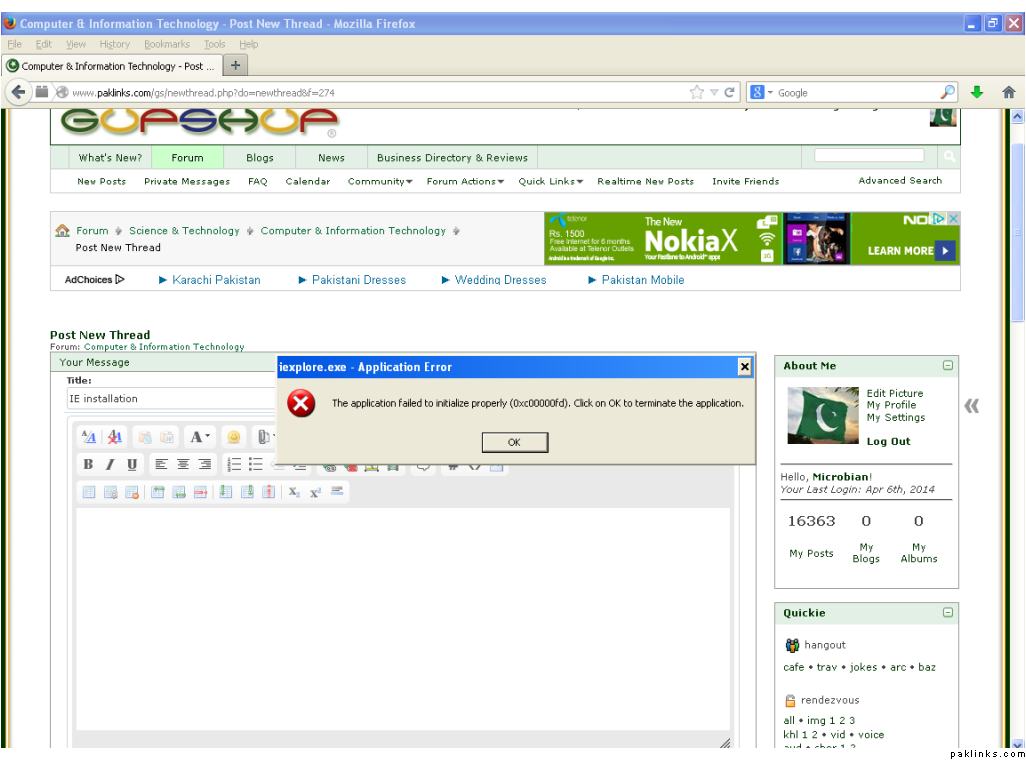
It was working fine before 
HELP
I am having problem with IE installation and I have tried all possible solutions that I knew
It was working fine before
HELP
Re: IE installation
Perhaps there is some issue with the registry key? Have a look at a resolved thread here: Internet and Windows EXPLORER Issues - MajorGeeks Support Forums . Although the error number mentioned there is different from yours but searching for your error in a post leads to this one. Make sure you backup the key somewhere else before deleting it. There’s no harm trying.
Good luck!
Re: IE installation
which key?
Re: IE installation
The one mentioned in post # 5
Re: IE installation
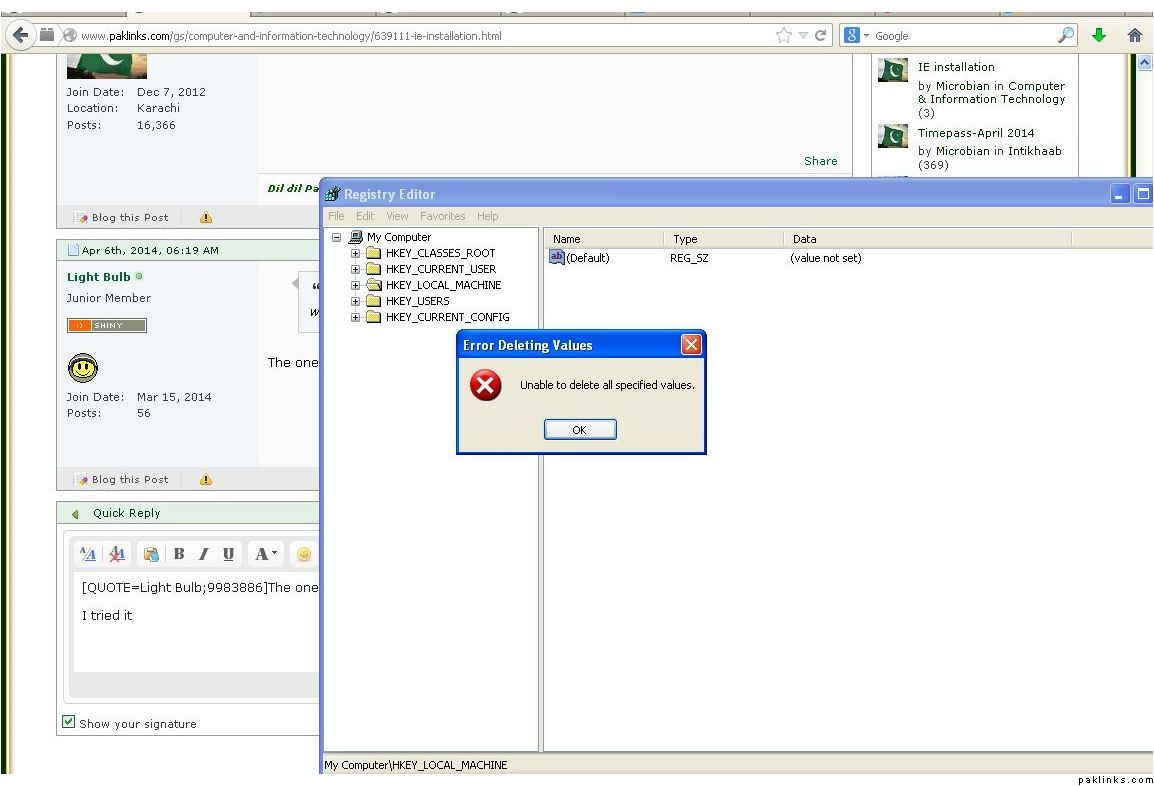
I tried it

Re: IE installation
Are you trying to delete the default key? You need to go inside HKEY_LOCAL_MACHINE. The pathe mentioned there is : HKEY_LOCAL_MACHINE\SYSTEM\CurrentControlSet\Services\RPCKDM
Re: IE installation
Ok I follwed the path but, it’s not exactly the same till the end.I can not locate RPCKDM in my system that’s where you are asking me to delete the key from?
Re: IE installation
I am in my Linux right now. Let me log in to Windows and see how my registry paths look like.
Re: IE installation
I don’t have any such key either.
I am as inexperienced in this as you are, but after reading through a few forums, I have a few questions to ask :
Do you remember recently visiting any website with pop ups that caused IE to stop working?
Do you have multiple versions of IE installed ?
Give this a try: Boot in safe mode (with networking) and start IE. Does that work for you?
Here’s another thread that offers some explanation: Redirecting to Google Groups
Let me know how it goes.
Re: IE installation
What version of IE do you have? Can you uninstall and re-install IE?
IE 8 i can uninstall but not reinstall it.I have even tried installing IE 7
I don’t have any such key either.
I am as inexperienced in this as you are, but after reading through a few forums, I have a few questions to ask :
Do you remember recently visiting any website with pop ups that caused IE to stop working?
Yes I installed a software after which IE stopped working
Do you have multiple versions of IE installed ?
No I uninstalled the previous version before re-installing
Give this a try: Boot in safe mode (with networking) and start IE. Does that work for you?
Here’s another thread that offers some explanation: Redirecting to Google Groups
Let me know how it goes.
I will try this and let you know thanks 
Re: IE installation
What version of windows are you on because I think only XP should be on it.
Oh watttt you aren’t on XP are you? 
Re: IE installation

you got it right I use XP on my desktop.I have windows 7 installed on my laptop though. 
So, do you have a solution? 
Re: IE installation
We dont support XP here anymore, right Babha ?
No clean solution, it can be of anything, like broken update, registry, dll etc, try CCleaner, install it and clean the Temp files, then clean the Registry (this is safe registry cleaner unlike others) and do a restart, then get the IE8 complete installer from filehippo, and install
if i still doesnt work, get the old Windows Installer Cleanup Utility and remove only the ie installer entry on it, if you can find it there (dont touch anything else), then restart and try installing from the complete installer.
Better solution, move to Windows 7 or even 8
Edit: or it could be off malwares, try scanning with malwarebytes