hi everyone
im new here dnt know how to uplaod aur paste an image in threads …kindly guide me..thanks
hi everyone
im new here dnt know how to uplaod aur paste an image in threads …kindly guide me..thanks
Re: how to uplaod images?
 geminis
Re: how to uplaod images?
^ That didn’t really answer her question…? :-/
Btw, I have the same question/problem. For whatever reason, I am no longer able to upload/post images.
Posting Permissions
[ul]
[li]You may post new threads [/li][li]You may post replies [/li][li]You may not post attachments [/li][li]You may edit your posts[/li]
[/ul]
[ul]
[li]BB code is On [/li][li]Smilies are On [/li][li][IMG] code is Off [/li][li][VIDEO] code is Off [/li][li]HTML code is Off [/li][/ul]
Re: how to uplaod images?
click to this link
http://www.paklinks.com/gs/picup.php
file should be small enough (that u can also email), name should have no spaces and no non alpha-numeric characters (no dashes, no under scores) and it should be Jpeg.
Re: how to uplaod images?
thanks all : )
Re: how to uplaod images?
i have a problem with uplaoding images to, i am able to upload them but they appear too small,
i want image to appear like the one on this thread http://www.paklinks.com/gs/intikhaab/575980-jub-usay-yaad-karun.html
, how to do that.
Re: how to uplaod images?
Okay I’m posting these tutorials for everyone, please try these and let me know if they’re working for you.
**Uploading images using the Paklinks Images Uploader:
**
1: Click on “Images Uploader” in the quickie bar on the right hand side (or just use this link http://www.paklinks.com/gs/picup.php)
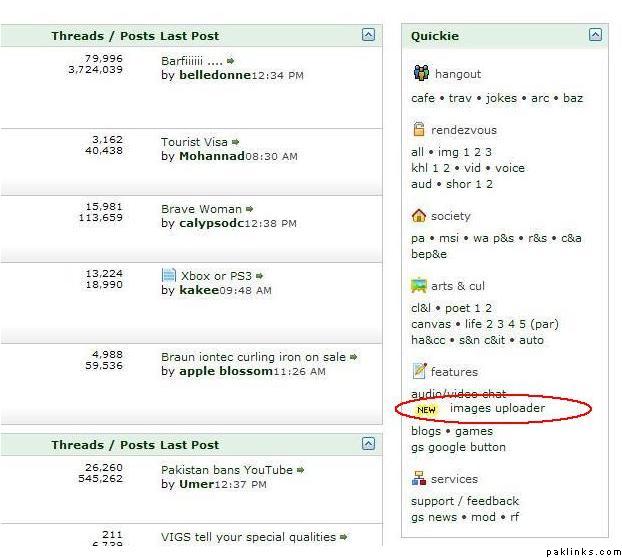
2: Click on “Select files”.
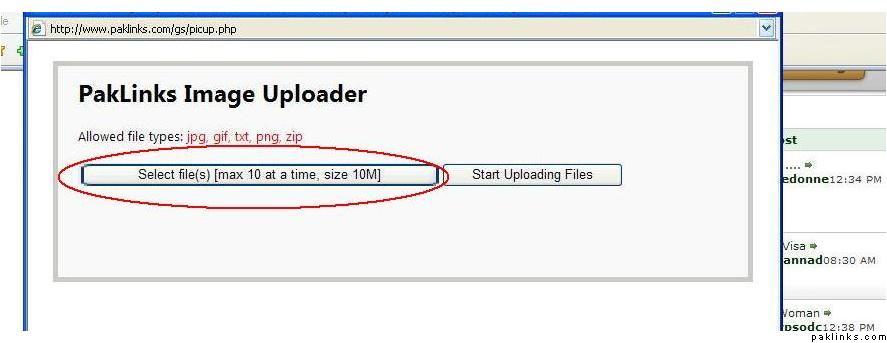
3: Choose your files. Like TLK bhai said, make sure the image size is not too large, the format is jpeg, and the file name is short with no spaces/characters. Click open.
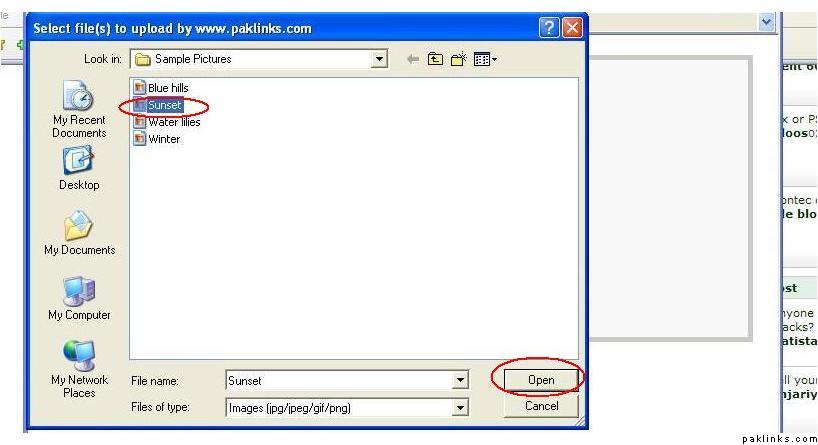
4: Click on “Start uploading files”
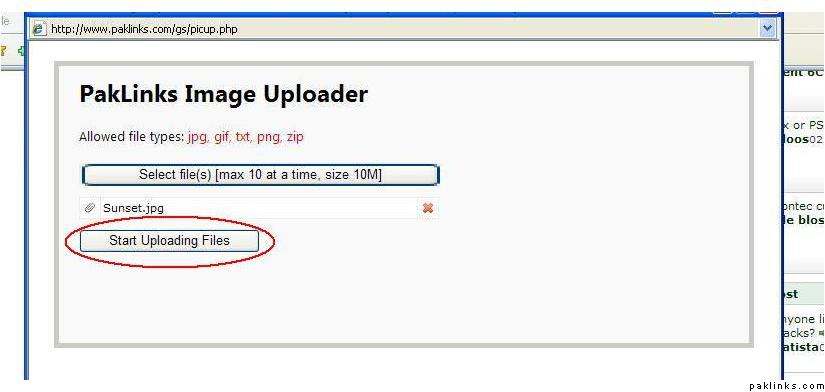
5: When the image is uploaded, copy the image code that appears.
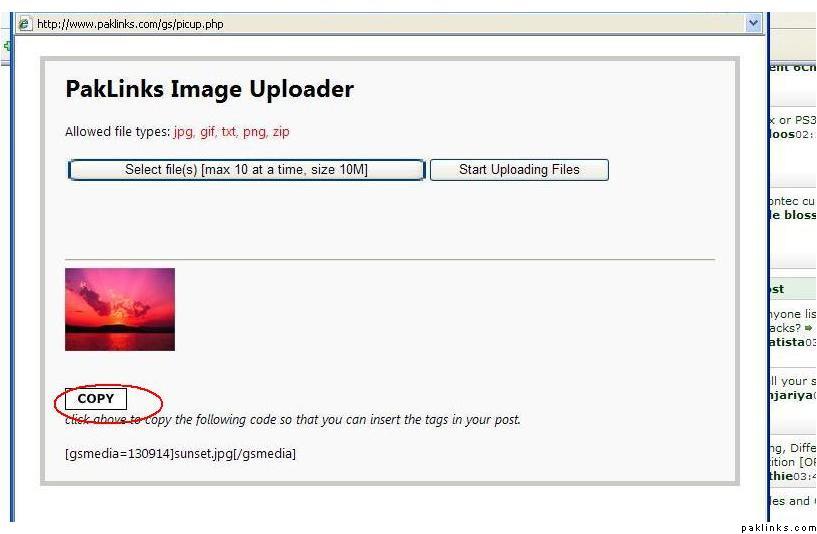
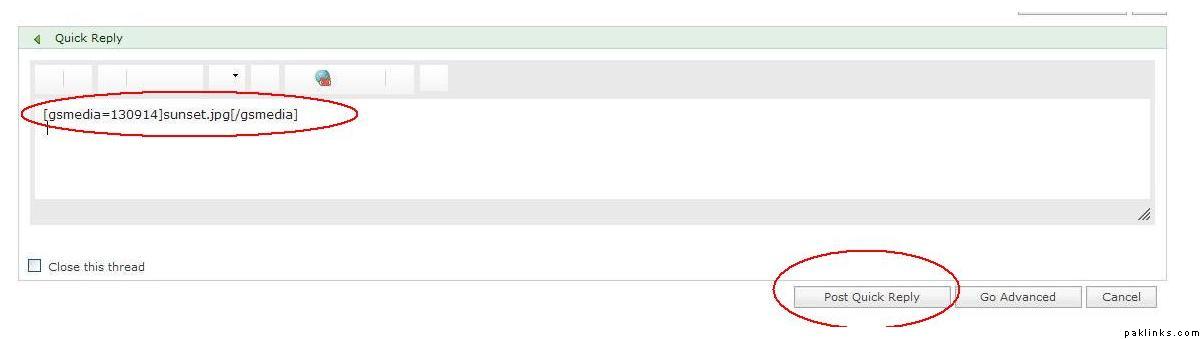
6: Paste the copied code in your post and the image thumbnail will appear once you’ve posted a comment.
**Attaching Images from computer or from URL: **
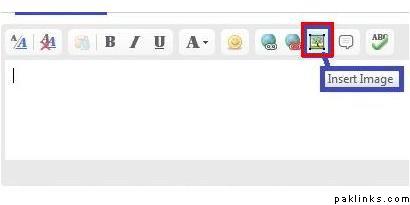
1: Click on this little icon above the post box for inserting images:
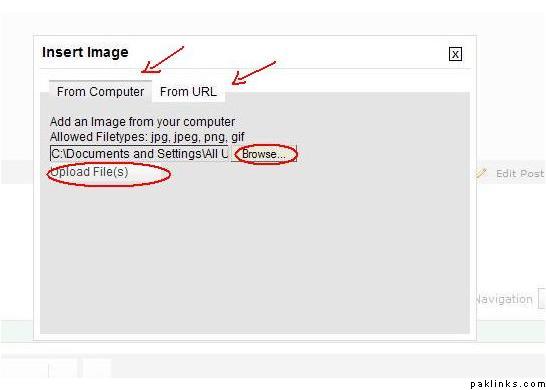
2: If you want to attach an image from your computer, click on the “From Computer” tab, select your file, click “upload files” and this will attach the image in your post. If you want to attach images from a website, just click on the “From URL” tab, copy and paste the URL link of the image in the tab and click “upload files”.
Attaching large images from a website:
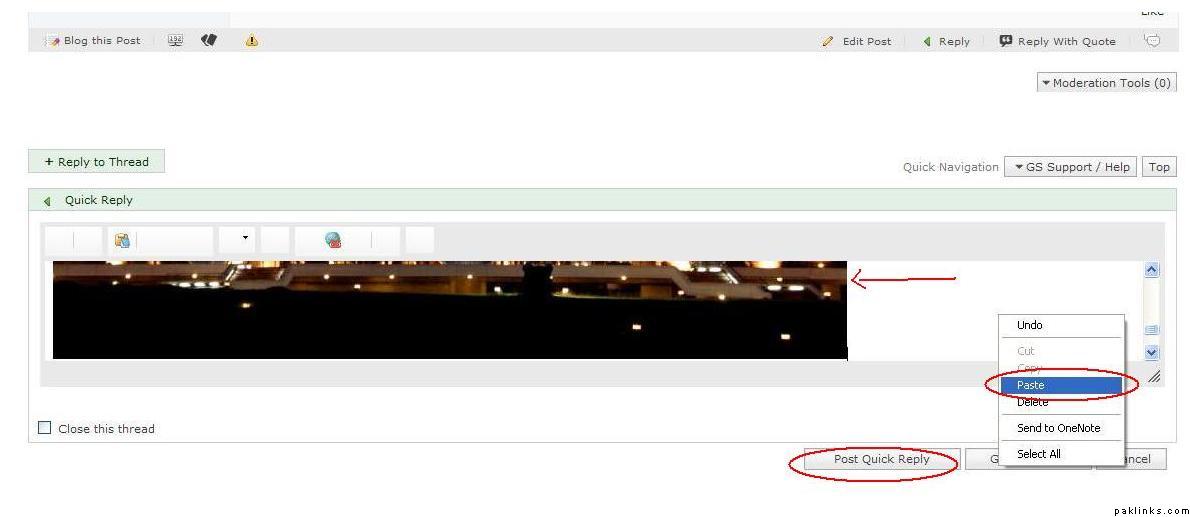
1: Simply copy the image.
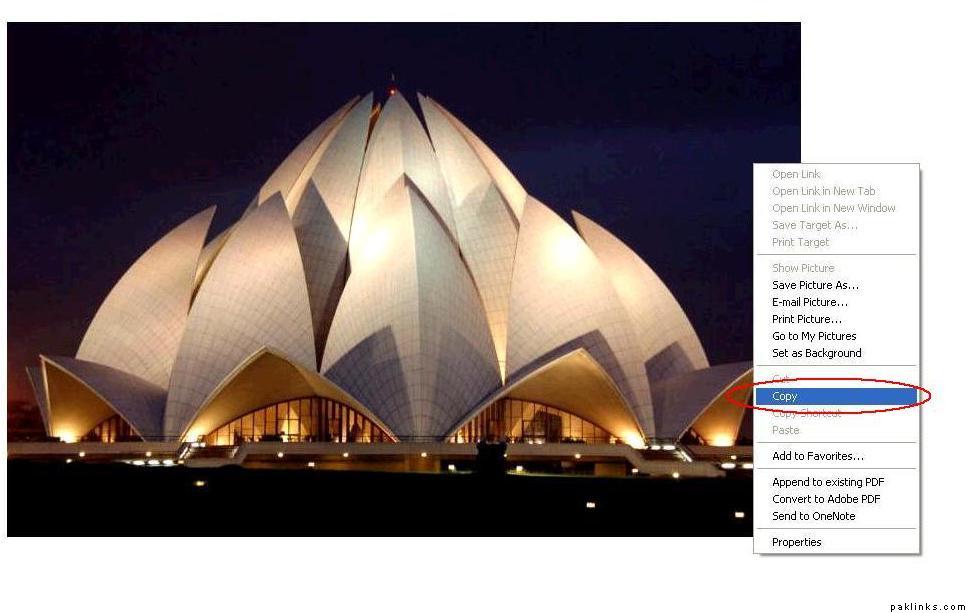
2: And paste in your post. This will attach the image in a larger size.
LKK has kindly volunteered to put these together in one video tutorial and that’ll be posted in the image gallery in a while. Any questions, please let us know.
Re: how to uplaod images?
http://www.paklinks.com/gsmedia/files/130914/7.JPG
i cant find this option 
Re: how to uplaod images?
It’s right above the post box, second last icon.
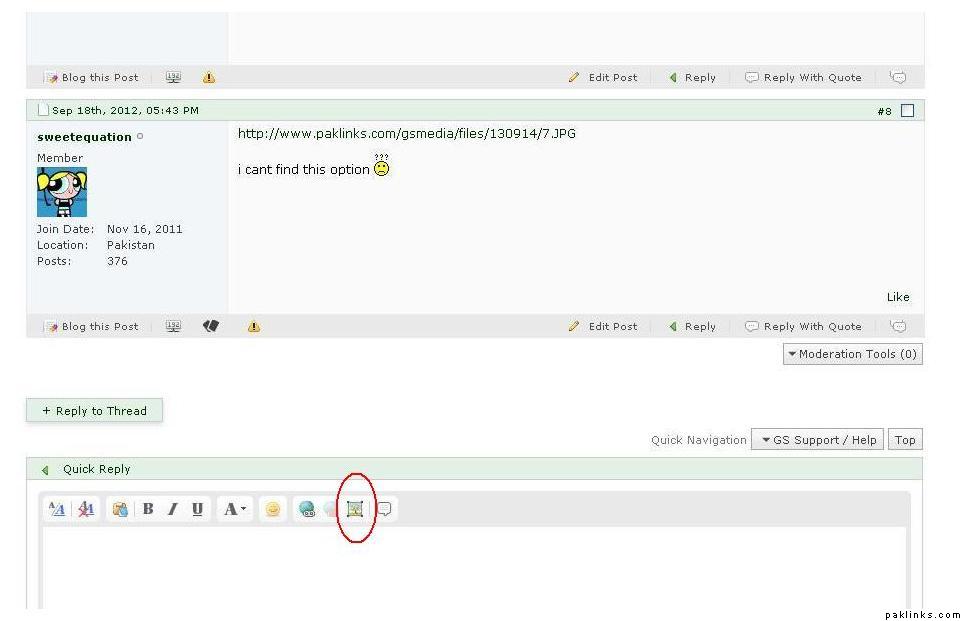
Make sure you’re using Firefox or Chrome. Images uploader etc works funny on Explorer.
Re: how to uplaod images?
http://www.paklinks.com/gsmedia/files/130914/7.JPG
This icon is not available for me either!
Thanks,
Shams
Re: how to uplaod images?
^ You need 1500 posts to be able to attach images through that feature. Until then, please make use of the images uploader.
Re: how to uplaod images?
hey i also want to knw k how to put pic here n also how to post any quote ? plzz tel mee
Re: how to uplaod images?
Please follow the steps in post #7 to upload images.
Not sure what you mean by posting quotes. If you want to quote someone, there is an option to “Reply with Quote” on the bottom right hand corner of every post. So just click on that whenever you want to quote someone.