if i click on a folder to unzip its content, & the message reads, ‘your current security selection do not alow this action’, how do i get the folder files?
anyone who can help with this?
thanks,
Dushwari
if i click on a folder to unzip its content, & the message reads, ‘your current security selection do not alow this action’, how do i get the folder files?
anyone who can help with this?
thanks,
Dushwari
Re: help with winzip
Folder or a Zip file? what is it.
Maybe you need to login as Administrator to be able to do that.
Re: help with winzip
Dushwari, can u please take a snap shot of the ERROR & put it here where winzip file is visible too, Thanx a lot.
Re: help with winzip
gizzy, i am the admin of my machine :>
i just dont know where to reset the winzip setting or the setting to allow unzipping of folder.
Folder or a Zip file? what is it.
Maybe you need to login as Administrator to be able to do that.
snap shot, um, i can't as it is a pop up dialog box on my desk top as the folder is on my desktop and i can't take its pic like that.
can you folks still help, please?
thanks,
Dushwari
Re: help with winzip
^i agree. I use winrar for basically every kinda extraction of that type...it's pretty good.
Re: help with winzip
gizzy, i am the admin of my machine :>
i just dont know where to reset the winzip setting or the setting to allow unzipping of folder.
snap shot, um, i can't as it is a pop up dialog box on my esk top as the folder is on my desktop and i cant take its pic like that.
can you folks still help, please?
thanks, Dushwari
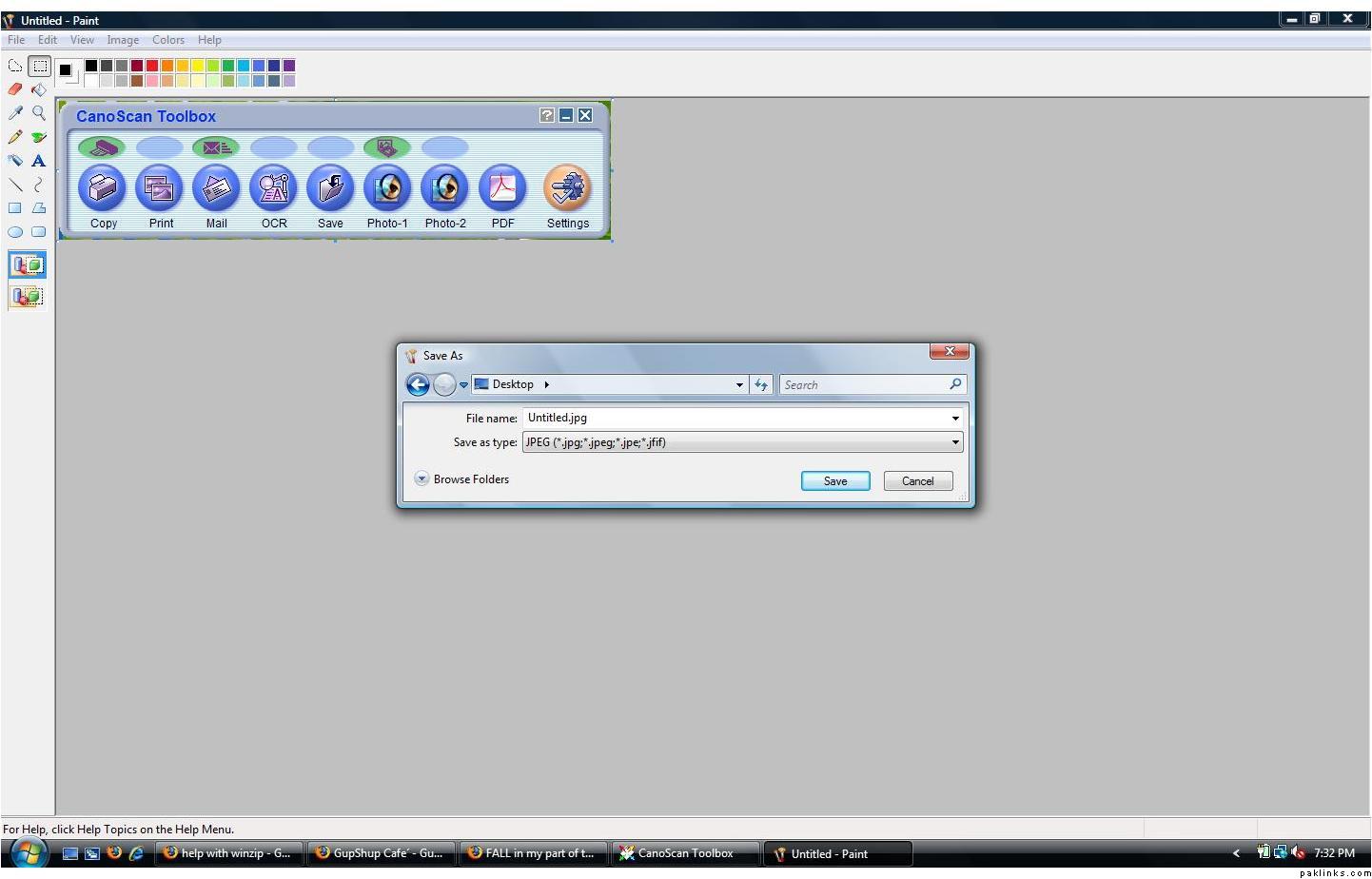
When the error message is displaying on the screen, press the prt sc (Print Screen) button your keyboard. Then open Paint Program, click on Edit and then click on Paste. It should insert a picture of your desktop with the error message. Save the image file as name.jpg and upload it here.
Re: help with winzip
thanks folks, i will try taking the snap shot.
Dushwari
Re: help with winzip
use Irfanview for saving the screenshots (which it will in .jpg by default) and every other thing 
Re: help with winzip
yeah, a 25 mb bmp file
Taafiyan waley babey, I did mention save it as .jpg :D
Re: help with winzip
^ in paint u cant save it as jpeg…
i didnt know it. or prolly they have the new version. 
dushi gee- its kinda random but sometimes if u re-email the same file to yourself n then download n open it. it works. 
btw y dont u try someother computer station, somewhere else (i mean frndz-office-library-skool), prolly ur file is corrupted.
Re: help with winzip
Currently I am on Windows Vista but I have ALWAYS been using paint to save screen shots as .jpg files. Here’s the proof  In fact, when you click on Save As, it defaults to .jpg. I didn’t have to change it from .bmp.
Re: help with winzip
paint progressed! 
sorry man its been like five yrz i use paint 
but haey!! thnx for screen shot information. i will definitely gonna give it a shot when i have vista.
but i thnk dushi gee dont have vista 
Re: help with winzip
how do i up load the screen shot?
<?xml:namespace prefix = v ns = "urn:schemas-microsoft-com:vml" />
Re: help with winzip
i down loaded a new win zip and installed it. thanks folks for the help, though. best,
Dushwari
Re: help with winzip
good work
Best
Gizzy
Re: help with winzip
Re: help with winzip
Gizzy, you too??
copier kahee kee. :>