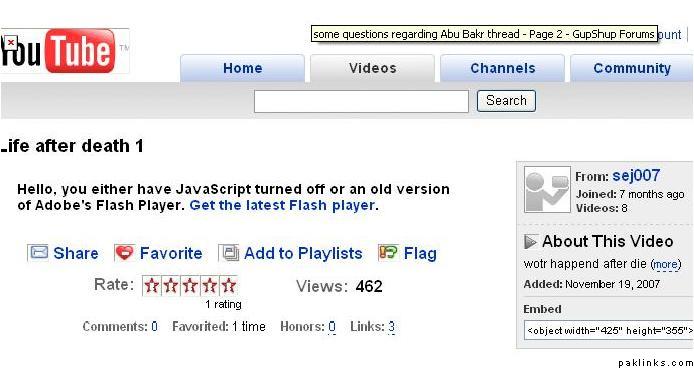
All of a sudden, I can’t watch youtube clips. The following is the message I get.
I can watch youtube clips on the video forum threads but if I click on them. This is the message I get. I get the same message no matter which browser I use. I tried downloading the latest version but it doesn’t solve the problem.
The weird thing is it happened all of sudden. I didn’t mess with Internet options or with the AVG settings or with my PC Tools Firewall settings.
Re: HELP! Javascript turned off error - how to solve?
To find out how to enable JavaScript, click your browser:
* Internet Explorer 7
* Internet Explorer 6
* Firefox 2.x
* Firefox 1.x
Internet Explorer 7
Select Tools > Internet Options.
Click on the Security tab.
Click the Custom Level button.
Scroll down to the Scripting section.
Select Enable for Active Scripting and Scripting of Java Applets.
Click OK.
Select YES if a box appears to confirm.
Click OK. Close window.
Reload page.
Internet Explorer 6
From the browser’s Tools menu select Internet Options…
Select the Security tab.
Pick the Internet zone icon and select Custom Level… button.
Scroll down the Settings list to the Scripting item. (You may need to double-click on icons to expand lists.
Under the Active scripting item, choose the Enable radio button.
Click OK and Yes to confirm and close the Security Settings dialog box, then OK again to close the Internet Options dialog box.
Refresh the current page.
Firefox 2.x
Open Firefox.
On the Tools menu, click Options.
Click Content in the Options list.
Under the Content section, check the box next to Enable JavaScript.
Click the Advanced button to open the Advanced JavaScript Options box.
Check the boxes under Allow scripts to section that you want to allow.
Click OK.
Click OK.
Firefox 1.x
Open Mozilla Firefox.
On the Tools menu, click “Options”.
Click “Content” in the Options list.
Under the Content section, check the box next to “Enable JavaScript”.
Click the “Advanced” button to open the Advanced JavaScript Options box.
Check the boxes under “Allow scripts to” section for actions that you want to allow.
Click OK.
Click OK.
If you are still receiving the JavaScript error when you have it enabled, you should try completely uninstalling the Flash Player, and then reinstalling the most recent version.
Re: HELP! Javascript turned off error - how to solve?
Thanks for your response.
I tried everything you mentioned here but it's still the same. I cleared the browser cache and cookies. I uninstalled and reinstalled the flash player. And the active scripting button is enabled.
 and i’ll give u company until some one comes up with a solution.