Starting a new series of how to’s posts to help users with issues they face with IT, computers and phones.
The first one is how to delete cookies in Chrome when you get a cookie too large error.
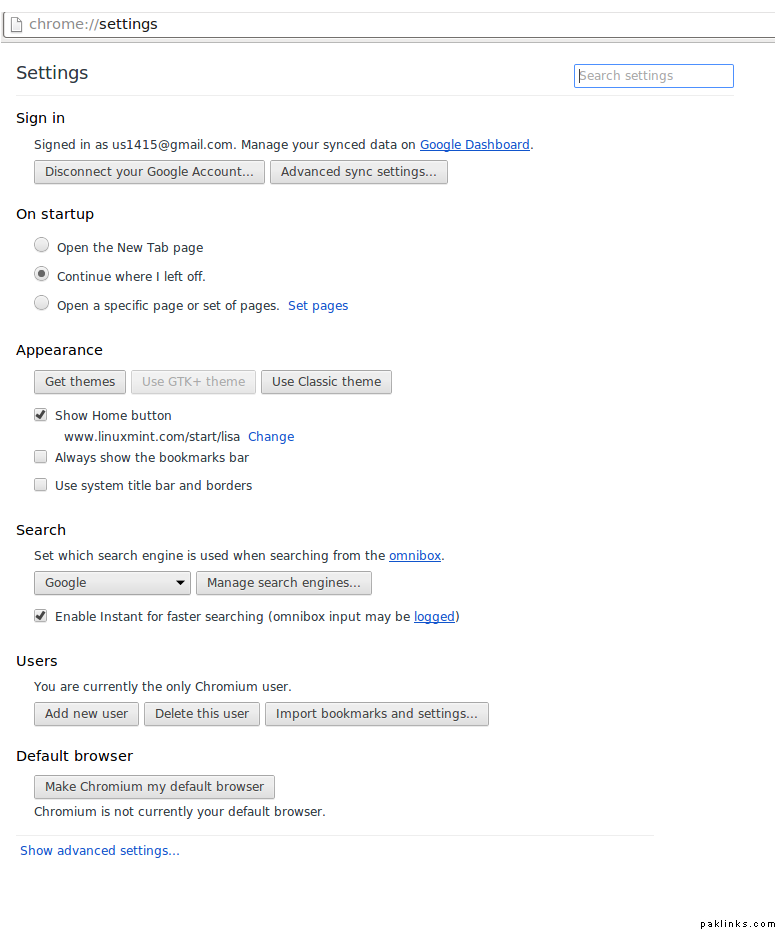
After opening the Chrome browser go to the settings page:
chrome://settings/
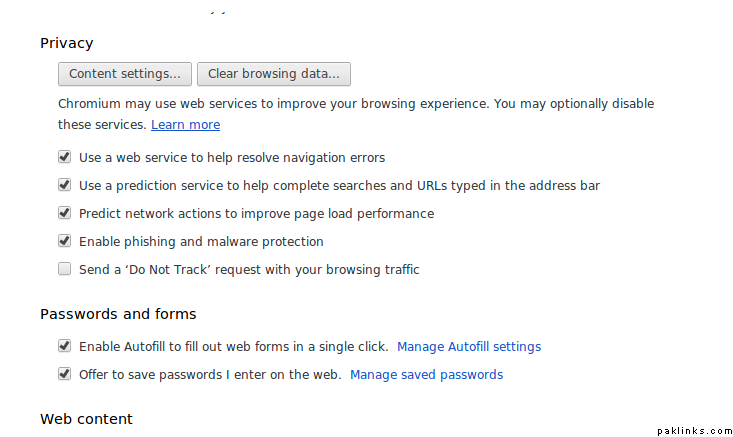
Click on show advanced settings
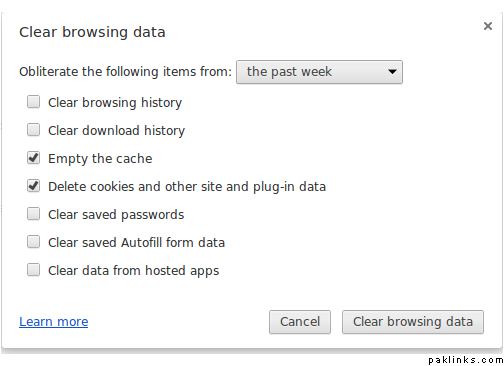
Click on Clear browsing data
After the clear browsing data pop-up shows, make sure to check Empty the Cache and Delete cookies and other site in plug in data. Try choosing the past week from the drop down so it doesn’t clear your saved passwords.
You should be able to visit GS and post a thank you for this post…
Also, if there is anything you would like to see a how to post on (has to be computer and IT related), please PM our team here at C&IT.
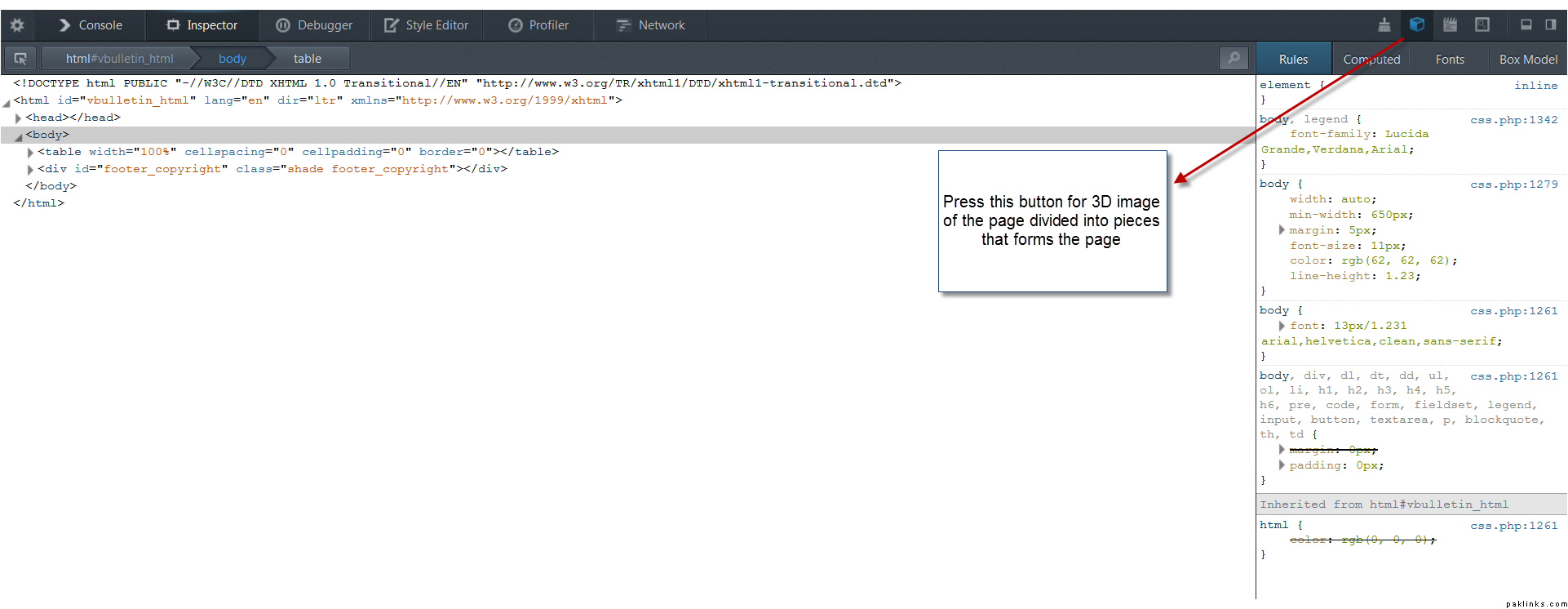
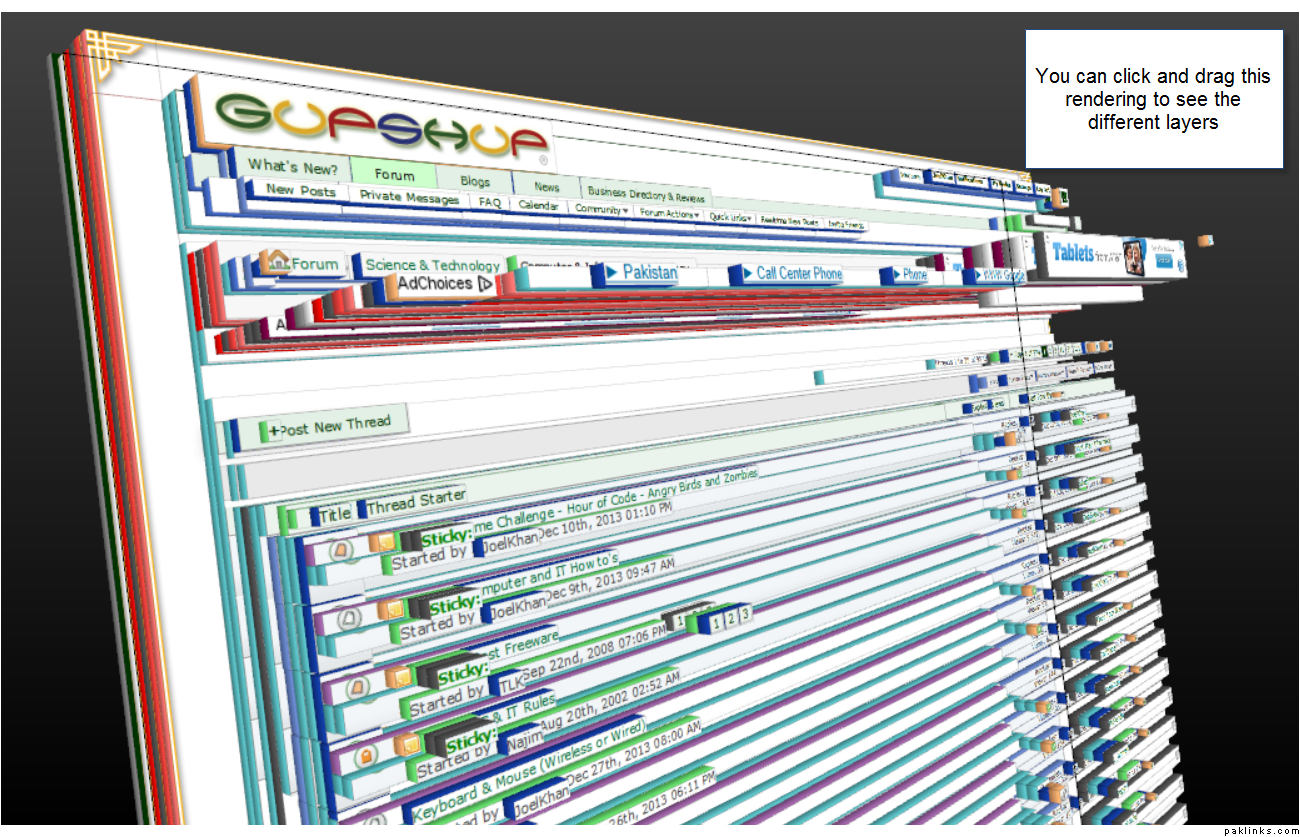
Ever wonder how your webpage works with CSS (Cascading style sheets) behind the scenes? Firefox has this amazing tool called developers tool which you can initiate by pressing CTRL+Shift+I
After clicking you should see the window on the lower part of the screen. Press the button for 3D rendering and you should see screen # 2.
Screen 1
Screen 2
Enjoy the cool effects. You can also click on each of the components in the 3D rendering and see the CSS code on the right pane and HTML code in the middle pane.
Every webcam (whether built-in or store bought) comes with its own software. When you start the webcam through the software it will ask you if you want to record a video from the webcam. The only time it might not ask for it is when the webcam is started with another software like chat/skype.
Yeah well you can Press ctrl+shift+del on your computer keyboard, select the information you would like to get rid of, and click clear browsing data… may this helps.!
So you want to change your ringer setting on your android by pressing and holding power button till you get silence vibrate shutdown etc menu.
But menu doesnt popup instead it locks your phone.
What to do?
What to do?
Ehem …
Press and hold power button for 20-30 sec or till your phone shuts down. Power on the phone and enjoy.
Maybe Reason: lots of updates pending,yes yes the same ones you’ve been ignoring.
Don’t download and install any power button aap.. I just gave you mango man solution.
http://www.willmyphonework.net
free online tool where users can see if their mobile device is compatible with almost any mobile network carrier in the world.
Windows true type fonts on Ubuntu.
1-copy *.ttf files from windows folder to home folder on Ubuntu machine.
2- under ubuntu open ttf file with font viewer and click install.