Re: Building my new computer!
ASUS Crossfire technology boards, can i place a 8800GT in there?
Re: Building my new computer!
ASUS Crossfire technology boards, can i place a 8800GT in there?
Re: Building my new computer!
I've had the opposite experience with ASUS. In part I blame the crappy BIOS's they use.
No you cant use SLI (Nvidia) with Crossfire (ATI). Bit of gamesmanship going between Nvidia and Intel at the moment. Nvidia want specs to BIOS and configs for upcoming CPU's so their motherboard chip sets will support them. Intel want SLI licensing; simillar to the deal with ATI. At this moment in time only Nvidia support SLI. Look at the Abit IN9 MAX if wanting top performance including SLI.
Re: Building my new computer!
If you mean a single 8800GT Yes course you can. Just need a single PCIe x16 slot.
Re: Building my new computer!
Yeah i meant a single card, not two, single is enuff.
So it'll work on a crossfire ready mobo?
Re: Building my new computer!
I think you will probably find in the price range you indicated the Gigabyte has been the clear favourite in comparison to ASUS for P35 based motherboards.
Re: Building my new computer!
Alienware notebooks have 2 video cards..lol are there any other laptops out there with this option?
Re: Building my new computer!
I think you will probably find in the price range you indicated the Gigabyte has been the clear favourite in comparison to ASUS for P35 based motherboards.
I like Gigabyte too!
Re: Building my new computer!
Thought I'd share and get a few pointers, if I'm missing some, this will mainly be used for intensive gfx editing and video editing and general stuff including games here and there.
Here are the specs of what I'm getting:
Mobo: Gigabyte PC35-DS3R DDR2 + DDR3 ready, up to 8gb support Bluray-HD audio output Cap 1333 FSB
CPU: Intel Core 2 Quad Q6600 2.4ghz, 1066 Bus, 4mb per core cache
RAM: Crucial Ballistix 1066mhz, 2gig
HDD: Western Digital 500gb, 7200rpm, 16mb
VIDEO CARD: xfx nvidia gForce 8800 GT, 512mb, 670mhz,
MONITOR: Acer 24" LCD panel, 1920x1200, HDCP ready, 5ms
the rest is general LG drive, keyboard mouse etc etc.
Really excited, and cant wait to get the parts together,
its costing me around 1300, all together!
Any particular reason for going with a board which supports both memory DDR2 and DDR3.? cuz u will just be able to have 2 slots for each memory and i don't think u can run both simultaneously...
Re: Building my new computer!
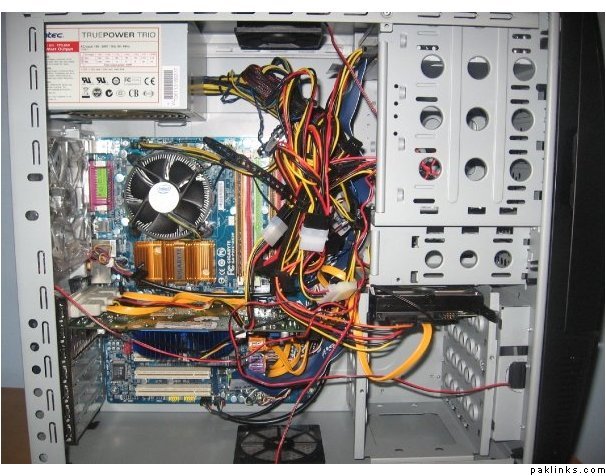
SO I finally got it! All the specs are as I anticipated, Pic is below!
I LOVE IT!
-Gigabyte 1333/1066mhz Mobo, HD bluray 7.1 sound, DDR2 & 3 support.
-Intel quad core 2.4ghz
-Crucial Ballistix 2 Gig Ram, 1066Mhz each.
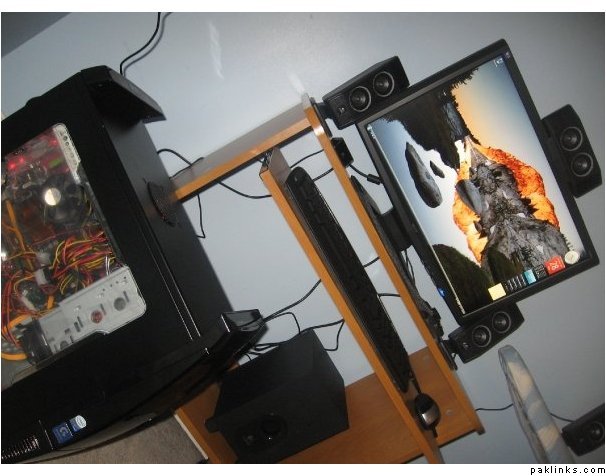
Re: Building my new computer!
^-- nice one :k:
but what a mess inside that case 
Re: Building my new computer!
lol i know, i tried my best to keep it clean. :p
Re: Building my new computer!
all the tangled cables is a no no. I will show you mine and demonstrate how its supposed to be done 
Re: Building my new computer!
Show me Show meee!! pm me a pic :p