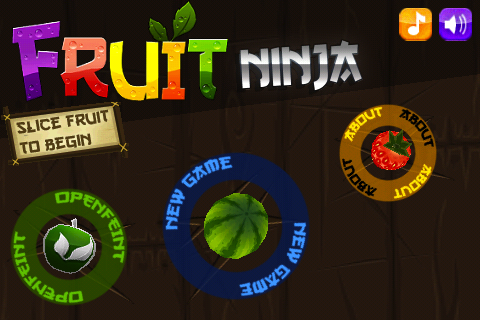
The above images show different designing format to display the instructions.
What do you prefer to see in the game, the actual words in the form of text or the icons?
or you like to see both formats in one game?
I always prefer both formats, text and icons. I remember when I started playing Angry Birds, I couldn’t figure out what is what. On the other hand if you play games like Fruit Ninja you tend to understand what to do a lot faster.
I agree with that, text is much more flexible for people of all age.Also, don’t you think it makes the design a bit complicated with too much information on the screen than making it look simple? Too much text is not good sometimes especially on a small screen of mobile. As soon as people press the game , they don’t wait to play it ,most of the time they miss to read the instructions and they do not bother reading the text, icons are quick since the shape of different icons stays in the head. What is your favorite game when it comes to only designing bit?
A good middle ground is when an icon is active, the text appears at that time. Of course many times I’ve seen just graphics, which were quite intuitive though. Also, back in the day we used to get manuals, which would describe what the different symbols meant.
I like it when the first couple of times you get text instructions on the screen, like a mini tutorial, but they disappear after a few attempts freeing up the screen for the game graphics.
I am posting this GUI design we are using for our game. What do you think of it? It is not a final design yet , we end up making changes each time but showing you that’s how game developers produce deign for the games.
All the triangular buttons in the circle are for ‘Play’. I know they are not the same size, just did it using Word,couldn’t find any better software. The other arrow type buttons are for backward and forward.
Now I am using Photoshop to create the buttons , beats all the softwares but I need to search for professional software for designing. Publisher is more for creating leaflets and didn’t notice if power point could be helpful in designing.