Images not uploading from IPad!

Images not uploading from IPad!

The green arrow only appears in quick reply window not the new one which opens when I press the plus sign, in the image uploading window, the option is 'submit' which I press, then the page of this thread opens and only the caption appears, no picture.

Re: Images not uploading from IPad!

sorry bro i ediited my earlier post to correct that u confuse me also:bummer:then i really don know wht’s the problemo…:confused: i use both ipad n iphone for the ghupshup ..never had problems while uploading images..

Re: Images not uploading from IPad!

dear sis,thanks, anyway. appreciate ur help.
main bhi sis hoon, bro nahi.

Images not uploading from IPad!

Oh sorry sis,:)

Re: Images not uploading from IPad!

pics post na kar saknay ki hi waja say main nay i pad say gs app "ura" di thi.
ab bhi no use. grhhh....

Images not uploading from IPad!

Well it's not easy to upload images from iPad cause it takes a while to upload I admit!i can't see multi media etc in iPad either:(

Re: Images not uploading from IPad!

how come people are even uploading even from mobile. App to aik taraf, safari say bhi select file button click nahi hota.
what is wrong?

:mad:

Anyone else having similar problem?

Re: Images not uploading from IPad!

direct upload from iPad is not something we restrict. its apple and their browser wars/restrictions in the name of security.
you can however use the GS iphone App to do the uploads.

^ ok, but i am using the ipad/i phone app and the pics dont show, just the text . Been doing it exactly the way ONE (above ) told/showed .

Also can u guide me about android app for gs . Ive htc , whenever i attach a file/pic(from phone gallery) and try to post,it says"user has logged in but does not have permission to perform this action (or like that). Pl, help. Thanks.

Images not uploading from IPad!

We truly apologize for not attending to your complaint any sooner. I have Gupshup App on my iPhone. I have been able to upload images successfully.

Here are the steps I had to take, to add/upload images to your album at Gupshup using the App.

  1. Login using a computer browser.
  2. Go to Community link located on top of page in the same bar as Notifications.
  3. From Communities link click on Albums.
  4. Ensure that you have an Album created. If you don’t. Create one.
  5. Once the album has been created, you’re ready to upload/add images from your ipad/iphone/mobile devices using the Gupshup App.
  6. Login from the App on mobile device.
  7. Click on Forums buttons, then Photos.
  8. Click the + button in upper right corner to Add images from library to take one using the camera. Make your selection.
  9. Add caption and/or click upload. Image will be uploaded and added to your album.

Written from iPhone using Gupshup App


Restored attachments:

Re: Images not uploading from IPad!

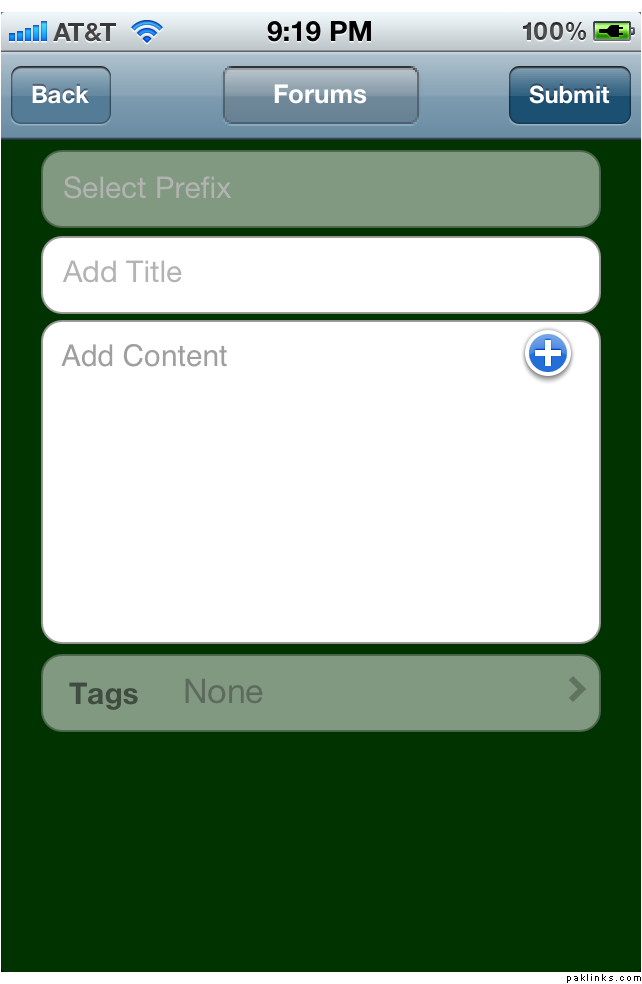
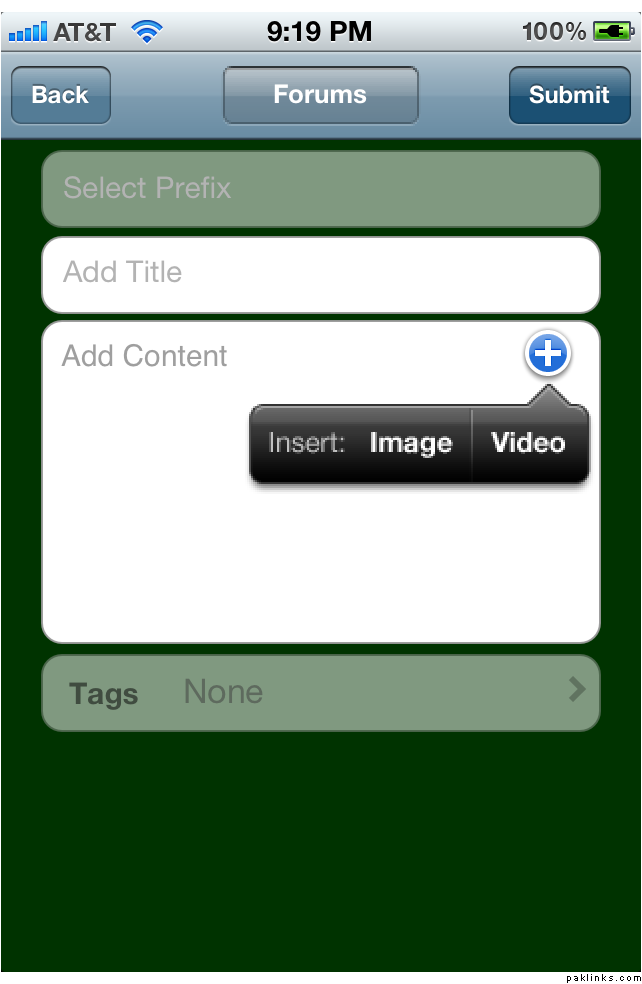
If you’d like to insert an image into a post from your device, click on + button in the upper right hand corner while within the Quick Reply field. In the Add content box, you will be shown a + button. Click that. Select your desired media that you’d like to upload. Click on Image or Video.

Then follow on-screen instructions. (Add Image from Library or Take Photo with Camera).


Re: Images not uploading from IPad!

Please report back, and let us know if you were able to upload images using your mobile device. We'd love to hear back from you.

Images not uploading from IPad!

..

..

..

Re: Images not uploading from IPad!

thankyou so much for ur help.
1. Ive created an album successfully.
2. The problem is still the same i.e, whenever i try to insert an image in a post, just the text shows and not the image.every step goes smooth, add images from gallery/take photo from camera,to which i select image from gallery,(in above 2 posts , i swear i did exactly the same step by step as u have kindly explained.) still after "submit" no pics have come up.
3. Once again, tried to insert image in a post, from android device app, still the same"user has logged in but does not have permission for this action" response.
sorry, for bugging but seriously i am getting annoyed myself as to why images are not coming up in posts even when i am doing exactly whats told.
Any more help would be greatly appreciated. Thanks.

Re: Images not uploading from IPad!

you've made an album or not able to upload images atall?

I used iphone app for part 2.